> ## Documentation Index
> Fetch the complete documentation index at: https://docs.nikaplanet.com/llms.txt
> Use this file to discover all available pages before exploring further.
# Connect to MotherDuck
> Connect to MotherDuck cloud database service
Connect to MotherDuck for cloud-native DuckDB with serverless architecture.
## Step 1: Add MotherDuck Connection
1. Navigate to **Database Management**
2. Click **"Add External Database"**
3. Select **"MotherDuck"** from the database types
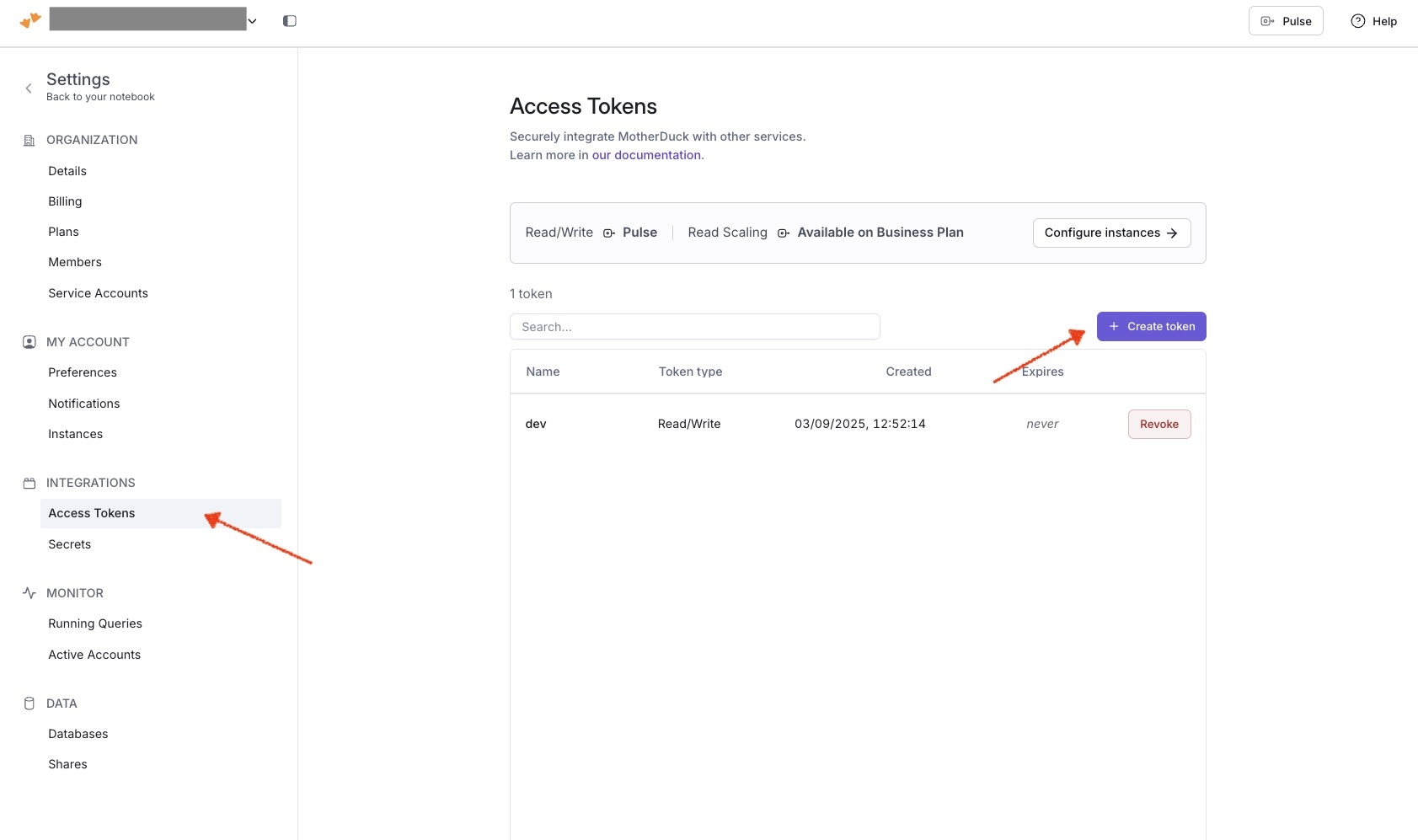
## Step 2: Create MotherDuck Access Token
1. Go to [https://app.motherduck.com/settings/tokens](https://app.motherduck.com/settings/tokens) after login, to create a new access token
2. Copy the value of the new token
 ## Step 3: Configure MotherDuck
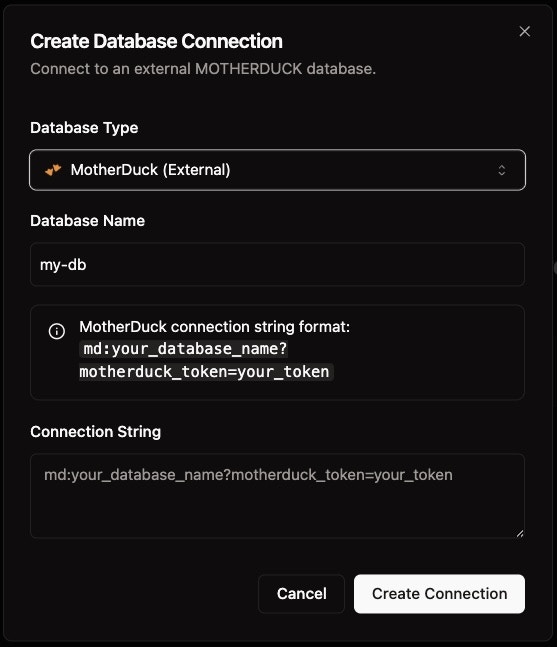
1. **Service Token**: Your MotherDuck service token
2. **Database Name**: Target database (optional)
3. **Region**: Select your preferred region
4. Click **"Test Connection"**
## Step 3: Configure MotherDuck
1. **Service Token**: Your MotherDuck service token
2. **Database Name**: Target database (optional)
3. **Region**: Select your preferred region
4. Click **"Test Connection"**
 ## Step 3: Save Connection
1. Verify connection status shows **"Connected"**
2. Click **"Save Connection"**
3. Your MotherDuck database is now available for queries
MotherDuck provides serverless DuckDB with automatic scaling and built-in spatial support.
## Step 3: Save Connection
1. Verify connection status shows **"Connected"**
2. Click **"Save Connection"**
3. Your MotherDuck database is now available for queries
MotherDuck provides serverless DuckDB with automatic scaling and built-in spatial support.