> ## Documentation Index
> Fetch the complete documentation index at: https://docs.nikaplanet.com/llms.txt
> Use this file to discover all available pages before exploring further.
# Connect to PostgreSQL
> Connect to external PostgreSQL databases like Supabase
Connect to external PostgreSQL databases including Supabase for spatial data analysis.
## Step 1: Add Database Connection
1. Go to **Database Management**
2. Click **"Add External Database"**
3. Select **"PostgreSQL"** from the database types
## Step 2: Get Connection String from your Postgres Database
1. Go to your database provider such as [Supabase](https://supabase.com/) in this example
2. Creacte new or select an existing postgres database project
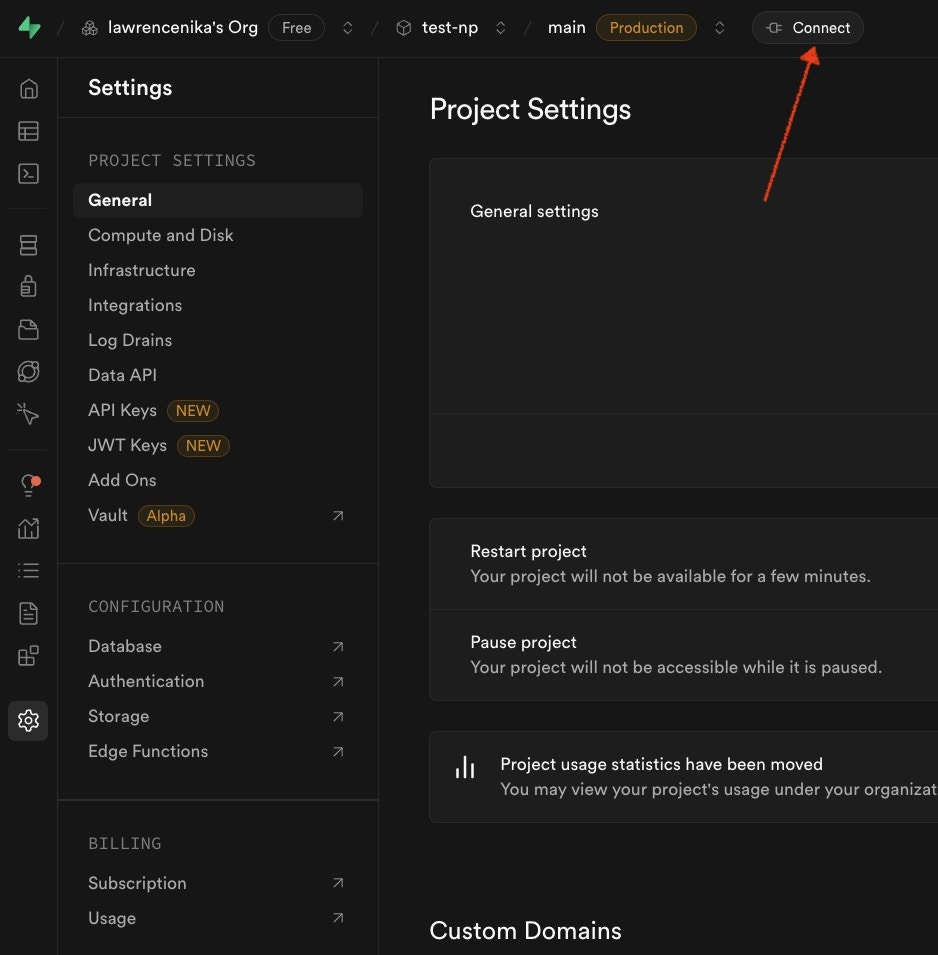
3. Click `Connect` at its top bar
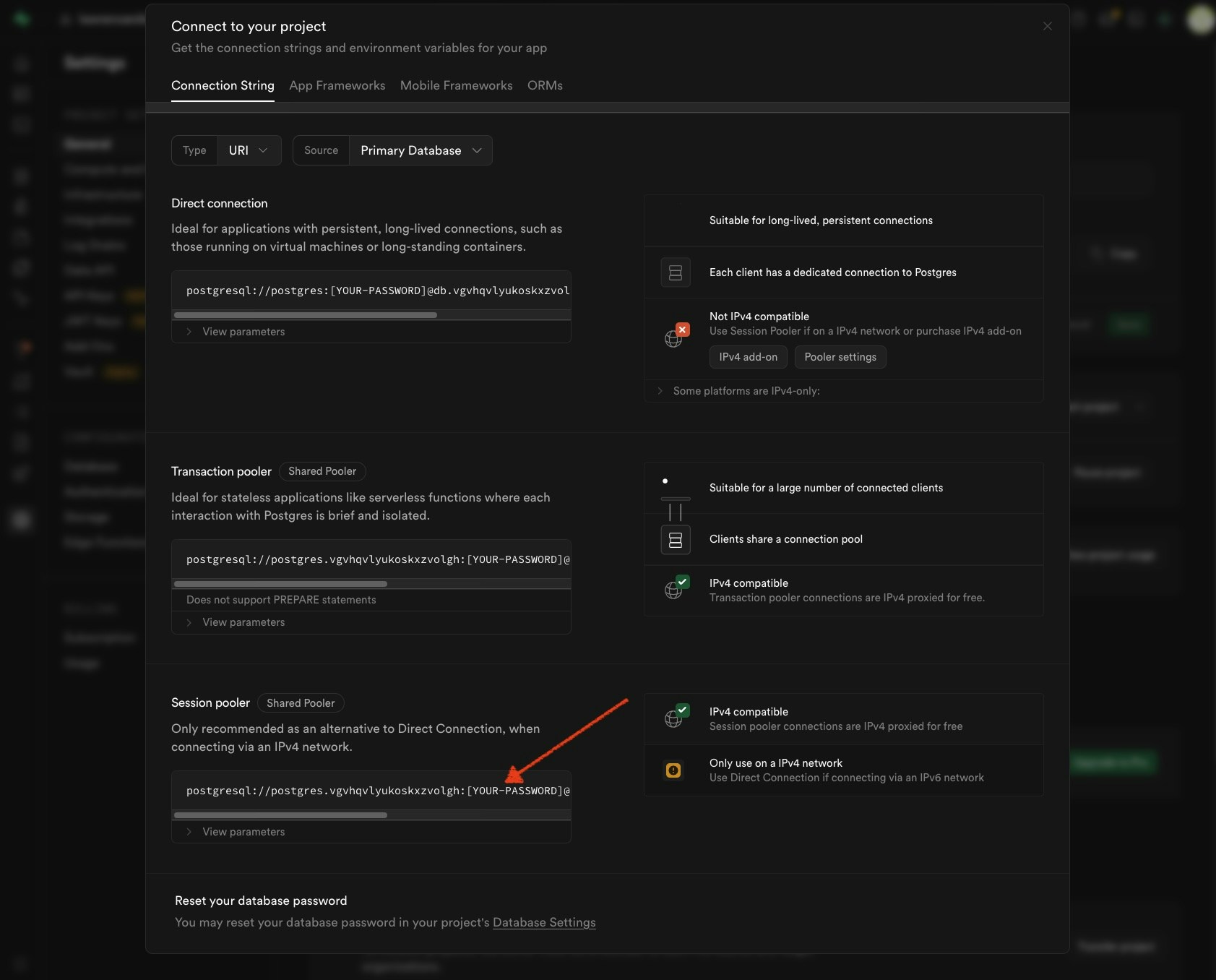
4. Copy the value of the session pool url and replace the password placeholder with your actual password
 ## Step 3: Enter Connection String in Creation Connection Dialog
1. **Host**: Your PostgreSQL server address
2. **Port**: Default 5432 (or your custom port)
3. **Database**: Target database name
4. **Username**: Your database username
5. **Password**: Your database password
6. **SSL Mode**: Required for Supabase connections
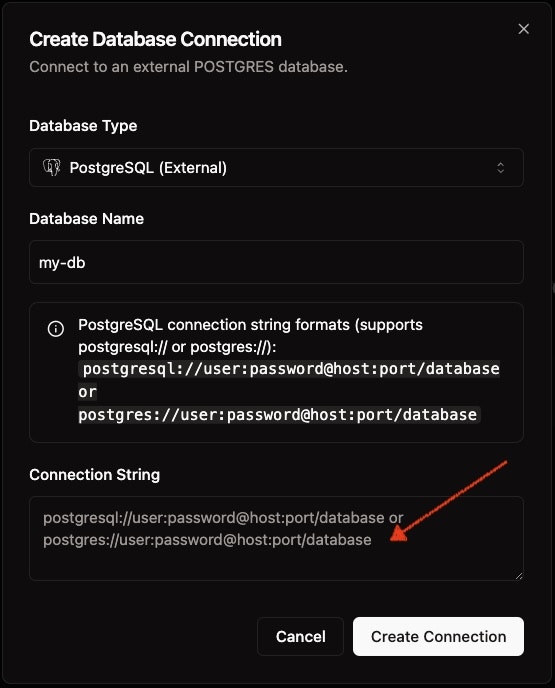
## Step 3: Enter Connection String in Creation Connection Dialog
1. **Host**: Your PostgreSQL server address
2. **Port**: Default 5432 (or your custom port)
3. **Database**: Target database name
4. **Username**: Your database username
5. **Password**: Your database password
6. **SSL Mode**: Required for Supabase connections
 ## Step 4: Test and Save
Click **"Save Connection"**
For Supabase, use your project's connection string and ensure SSL is enabled.
## Step 4: Test and Save
Click **"Save Connection"**
For Supabase, use your project's connection string and ensure SSL is enabled.