> ## Documentation Index
> Fetch the complete documentation index at: https://docs.nikaplanet.com/llms.txt
> Use this file to discover all available pages before exploring further.
# Use with ArcGIS Pro
> Integrate NikaGeoEngine and NikaPlanet services directly inside ArcGIS Pro
# ArcGIS Integration
Our ArcGIS integration focuses on bridging the power of scalable cloud compute and isolated environments directly into the familiar interface of ArcGIS Pro. We provide powerful integrations for both developers building custom geospatial tooling and non-technical stakeholders looking to consume cloud infrastructure smoothly.
## 1. NikaGeoEngine Plugin (For Analysts & Developers)
The **GeoEngine Plugin for ArcGIS Pro** removes all barriers to getting your custom Python and R scripts running securely inside ArcGIS. Using Docker-based isolation, your scripts execute in clean, scalable container environments directly inside your desktop toolboxes.
### How it Works
Traditional ArcGIS Python toolsets require complex parameter handling, custom wrapper coding, and constant dependency conflicts with ArcGIS's internal Python interpreter (e.g. `arcpy` version lock-ins).
With NikaGeoEngine, your script's environment lives entirely separate:
* **No Wrapper Code**: GeoEngine dynamically reads your `geoengine.yaml` worker declaration and translates it to ArcGIS Pro Toolbox interfaces on the fly. No proxy services required.
* **Isolated Execution**: Since the code runs via the GeoEngine CLI as a subprocess (inside a Docker container), it never conflicts with the host `arcpy` ecosystem. ArcGIS Pro stamps local worker runs with `--actor "ArcGIS Pro"`, so CLI run history shows where each execution came from. You can run deep learning workloads with different PyTorch builds effortlessly.
* **Version Control**: Access all historical, immutable versions of your algorithm directly from the toolbox dropdown in ArcGIS.
* **Logs & Output**: Background logs smoothly stream out of the container to the ArcGIS Progress windows.
## 2. NikaPlanet Plugin (For GIS Users)
While the GeoEngine Plugin helps developers create containerized algorithms smoothly, the **NikaPlanet Plugin** focuses on seamless execution and cloud-infrastructure management for analysts.
### Getting Started
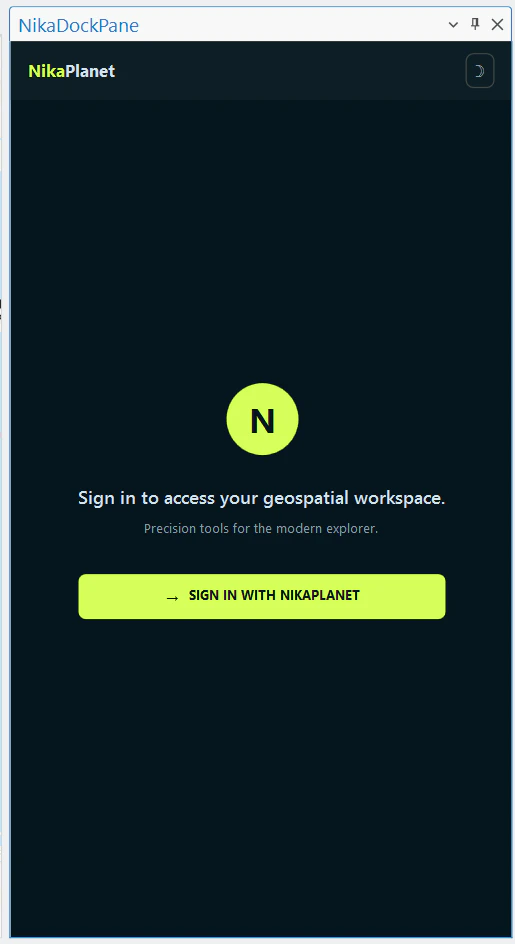
Open the Nika panel inside ArcGIS Pro and sign in with your NikaPlanet account. The plugin shares credentials with the GeoEngine CLI — if you're already logged in via the CLI, you'll be signed in automatically.
 ### Browse the Worker Catalog
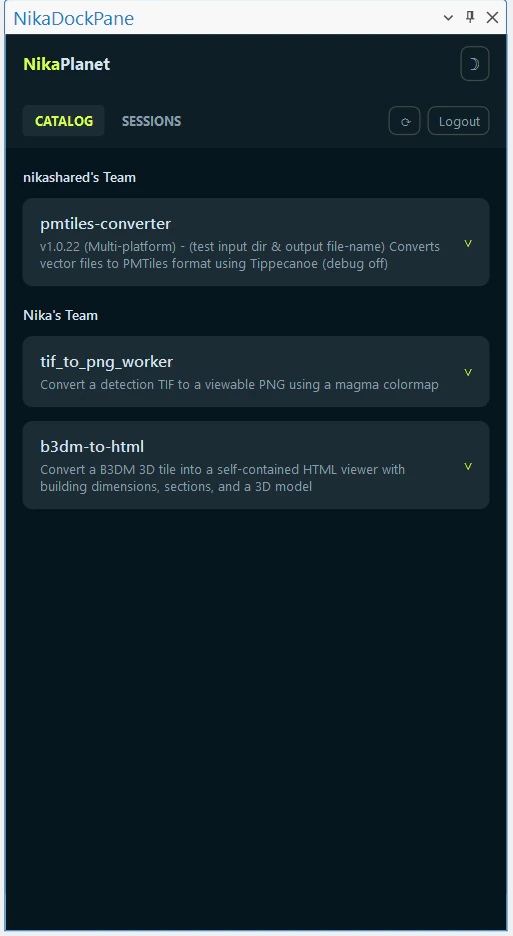
After signing in, the plugin loads all GeoEngine workers published to your team. Workers are grouped by name and expandable to show individual versions. Click any version to open its configuration window.
### Browse the Worker Catalog
After signing in, the plugin loads all GeoEngine workers published to your team. Workers are grouped by name and expandable to show individual versions. Click any version to open its configuration window.
 ### Configure and Run a Job
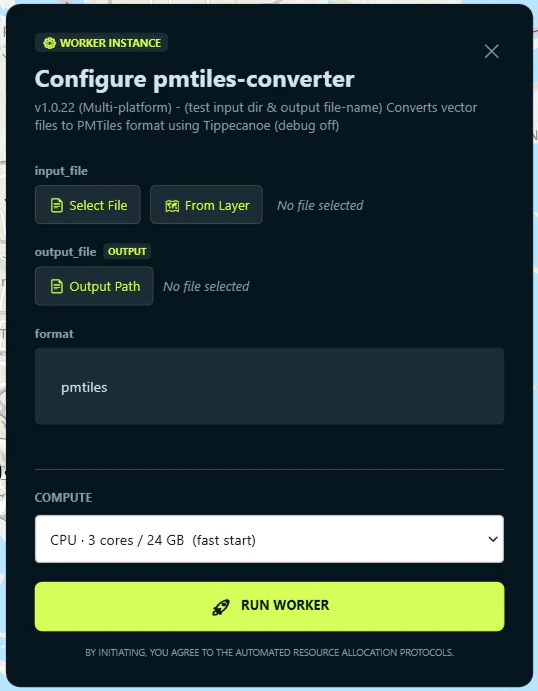
Select your input files, set any required parameters, and choose a compute tier. Click **Run** to submit the job to Nika's cloud — no local Docker or CLI required.
### Configure and Run a Job
Select your input files, set any required parameters, and choose a compute tier. Click **Run** to submit the job to Nika's cloud — no local Docker or CLI required.
 ### Monitor Live Progress
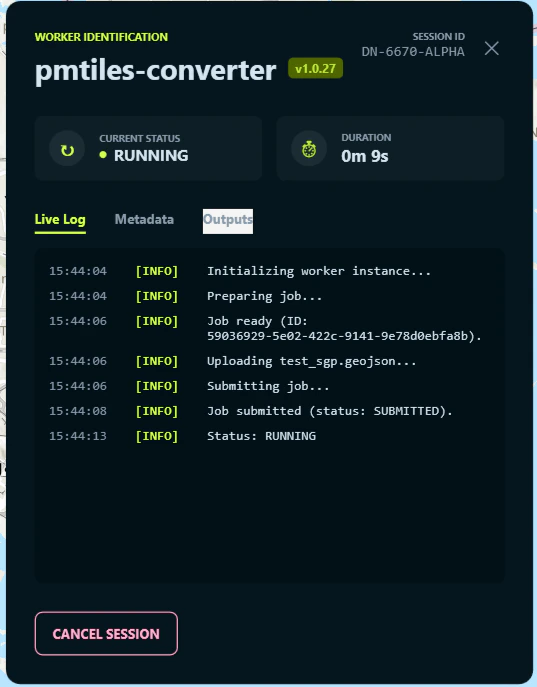
Once submitted, the plugin switches to a live log view. Status updates stream in as the job moves through cold start, execution, and completion. You can cancel at any time.
### Monitor Live Progress
Once submitted, the plugin switches to a live log view. Status updates stream in as the job moves through cold start, execution, and completion. You can cancel at any time.
 ### Job History
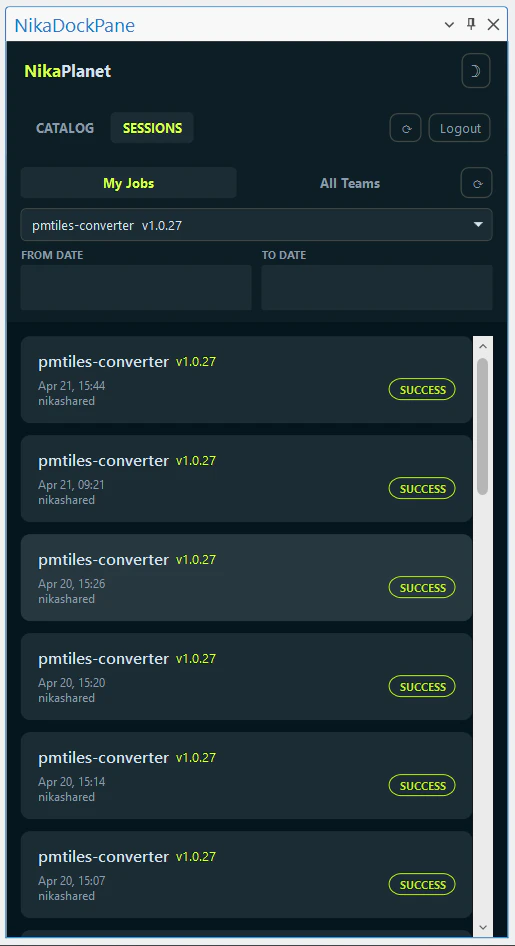
The Sessions tab shows all past and active jobs. Filter by worker or date range to find a specific run and review its logs or download outputs.
### Job History
The Sessions tab shows all past and active jobs. Filter by worker or date range to find a specific run and review its logs or download outputs.
 ### Expanding Desktop Capabilities
* **Manage Resource Deployment**: Start, monitor, and deploy configured NikaGeoEngine Workers and algorithms seamlessly from the ArcGIS interface directly to Nika's cloud without managing CI/CD pipelines.
* **Execute Cloud Jobs**: Run heavy processing on deployed algorithms, letting NikaPlanet handle the compute provisioning and sending the outputs securely back to your ArcGIS session.
* **Shared Ecosystems**: Consume shared team assets, vector maps, and algorithms stored globally on NikaHub.
### Expanding Desktop Capabilities
* **Manage Resource Deployment**: Start, monitor, and deploy configured NikaGeoEngine Workers and algorithms seamlessly from the ArcGIS interface directly to Nika's cloud without managing CI/CD pipelines.
* **Execute Cloud Jobs**: Run heavy processing on deployed algorithms, letting NikaPlanet handle the compute provisioning and sending the outputs securely back to your ArcGIS session.
* **Shared Ecosystems**: Consume shared team assets, vector maps, and algorithms stored globally on NikaHub.