QGIS Integration
Nika provides robust integration with QGIS. By bringing the isolated compute power of Docker-based scripting and the seamless cloud orchestration of NikaPlanet directly into the QGIS Processing Toolbox, you receive the ultimate hybrid workflow.1. NikaGeoEngine Plugin (For Analysts & Developers)
The GeoEngine Plugin for QGIS instantly translates any local containerized scripts into native QGIS Processing tools.Modernizing QGIS Script Execution
Historically, creating a QGIS Plugin or Processing tool from a python algorithm requires learning QGIS’s specific PyQt APIs and processing frameworks. This typically leads to massive wrapper code overhead and a dependency nightmare across your team’s different devices. NikaGeoEngine bypasses this barrier:- CLI-Native Subprocessing: QGIS plugins execute your workers as pure subprocesses via the GeoEngine CLI without any proxy service. QGIS stamps local worker runs with
--actor QGIS, so CLI run history shows where each execution came from. You write plain Python/R, declare its dependencies gracefully acrosspixi.tomland Docker configurations, and GeoEngine handles mapping parameters transparently to the container. - Automatic Discoverability: The plugin executes
geoengine workersto index your available algorithms automatically. Your tool populates directly into the QGIS Processing Toolbox with zero GUI code required. - Live Streams: QGIS natively parses Docker container outputs, mounting output paths correctly back to the map workspace and streaming stderr output to visualize job progress.
- GDAL/Environment Independence: The tool uses exactly the GDAL and library versions specified within its container, keeping the QGIS host environment perfectly clean.
2. NikaPlanet Plugin (For GIS Users)
The NikaPlanet QGIS Plugin aims to expose advanced Nika cloud platforms without needing to leave the desktop application workflow.Streamline Your Team Workflow
The plugin installs as a standalone extension with no external dependencies beyond QGIS 3.0+, and pairs a dockable NikaPlanet panel with native QGIS Processing Toolbox entries so cloud jobs behave like any other algorithm.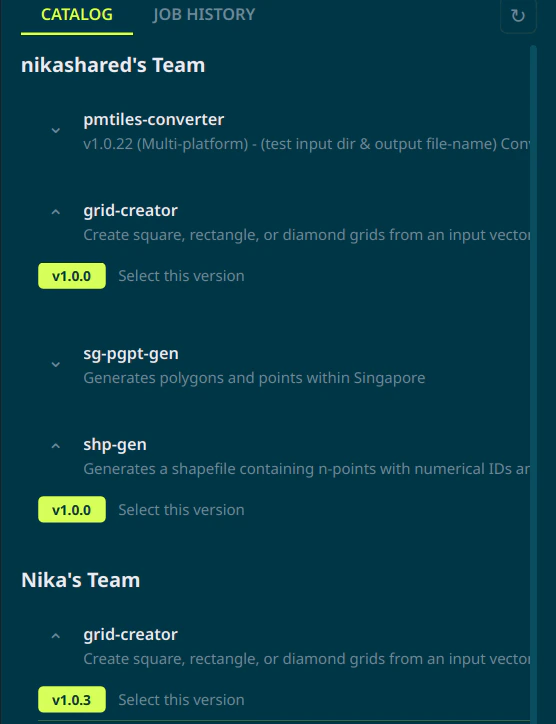
- Unified Sign-In: Authenticate via a browser-based authentication flow. Logins are persisted by your OS and shared with the GeoEngine CLI — sign in on either side and the session carries over, with automatic refresh and session restore on QGIS start-up.
- Cross-Tenant Worker Catalog: Browse every worker you can access across your owned team and any teams you’ve been invited to, all in one searchable panel. Filter by name, version, or job ID and refresh on demand to pull the latest catalogue from NikaPlanet.
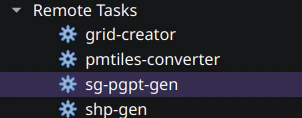
- Processing Toolbox Integration: Workers deployed by your teammates show up both in the plugin UI (preferred) and the processing toolbox, so cloud jobs integrate seamlessly into your workflows without needing you to leave the application.
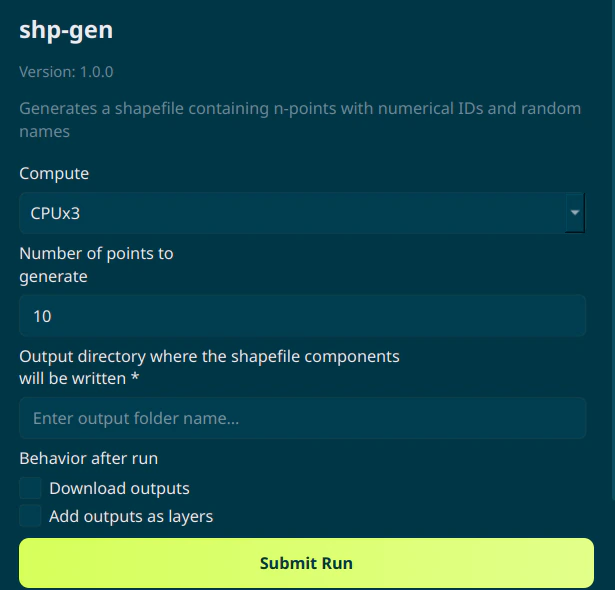
- Rich Job Configuration: The worker run dialog builds inputs directly from the worker’s schema — file pickers, QGIS layer dropdowns, and string fields — and lets you pick a machine type (CPU or GPU tier) per run to match compute to workload.
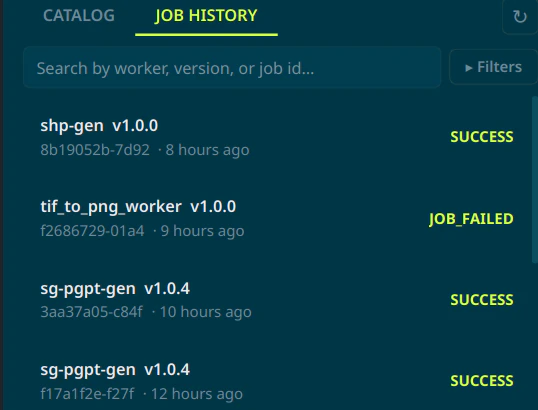
- Live Job Tracking: Track the progress of your submitted jobs via a streaming log viewer. A persistent Sessions tab retains the full history of submitted jobs with status, timestamps, and worker metadata, and filters to allow for finer searching.
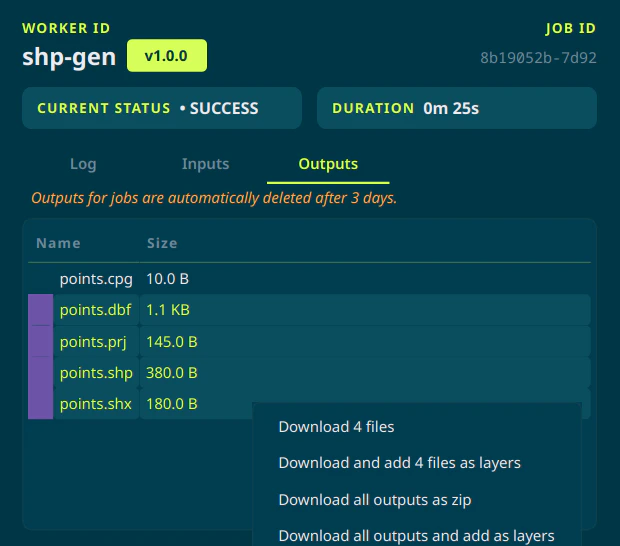
- Automatic Result Ingestion: On success, outputs are listed in a browsable file tree. Toggle Download outputs and Add outputs as layers and the plugin pulls rasters (
.tif,.jp2,.grd), vectors (.shp,.geojson,.gpkg,.gml,.gpx), and vector tiles (.pmtiles) straight into the map canvas with deduplicated layer names.