

Professional Vector Symbology & Custom Icons
New Features
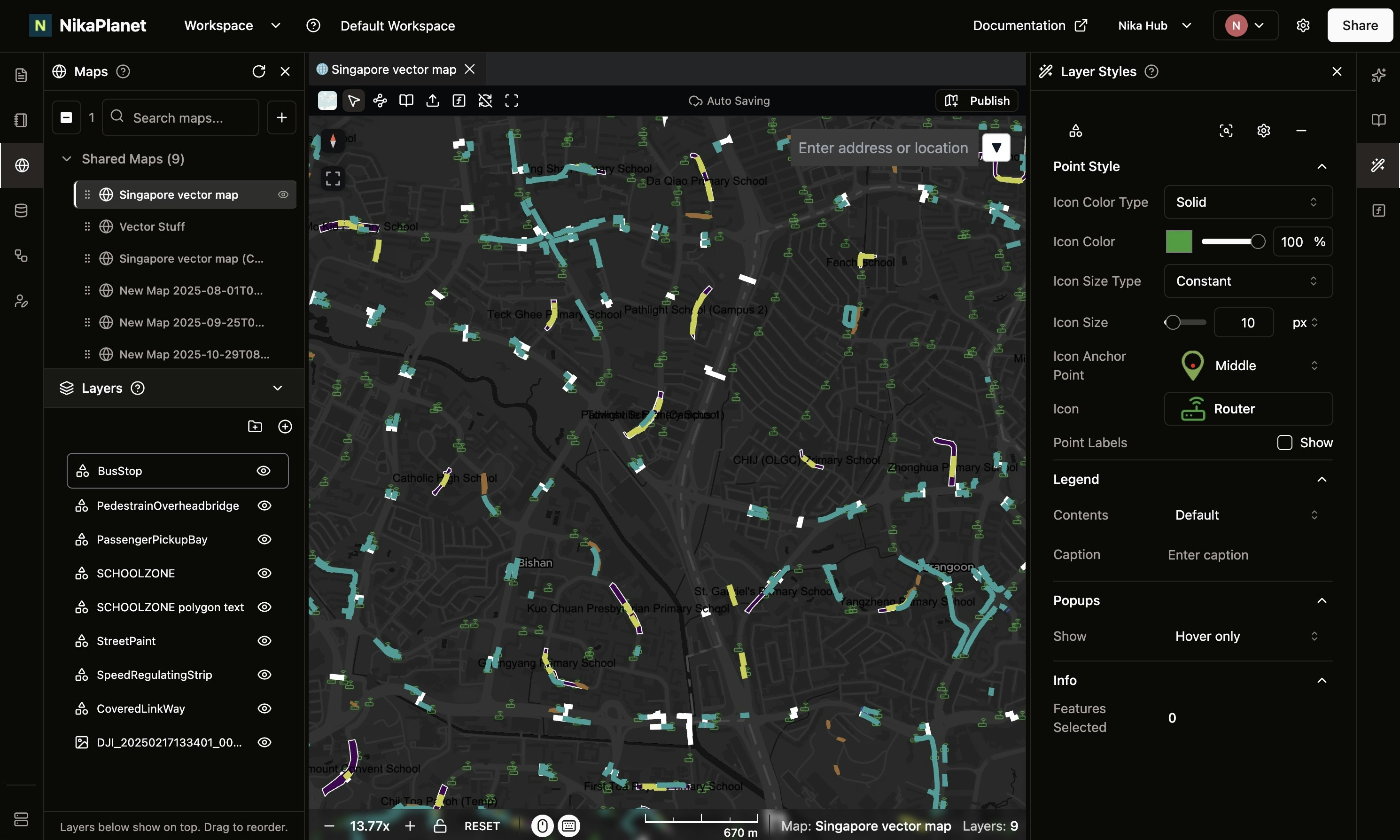
- Enhanced Vector Symbology: Vector styling is now on par with ArcGIS Pro, supporting multiple modes—solid, gradient, and unique values—across all points, lines, and polygons.
- Advanced Styling Options: Added support for dashed lines for linear features.
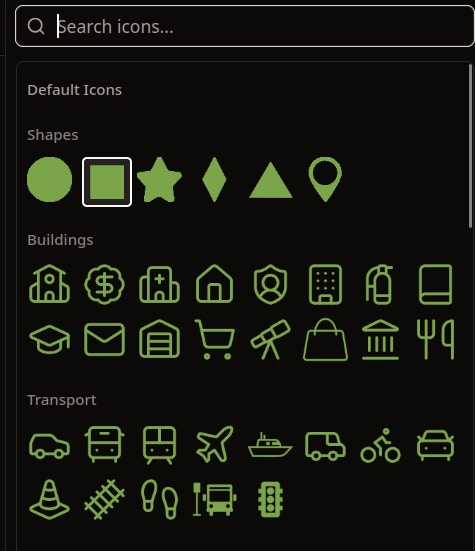
- Flexible Point Symbols: Introduced preset icons and custom SVG upload options for points, giving users full control over spatial representation.
NikaLabeler Advanced Workflow & Performance Tracking
New Features
- Launching NikaMap(Draft): Think of it like a temporary map in QGIS that is created but not saved at all until user chooses to make it a permenant one. It can be used for quick visualization of data on map for QA/QC.
- Geo-Referenced Image Loading: Load current image from NikaLabeler with geo-references in NikaMap with satellite basemap for spatial context awareness to guide annotation precision
- Job Status Management: Comprehensive job status tracking (Unassigned, In-Progress, Submitted, Rejected, Approved) for better workflow management
- Labeler Performance Dashboard: New overview page showing individual labeler performance metrics including rejection rate and completion statistics
- Per-Image Instructions: Added ability to attach instruction messages and caveats to specific images within jobs
Feature Improvements
- Keyboard Shortcuts: Introduced keyboard shortcuts for faster annotation workflow
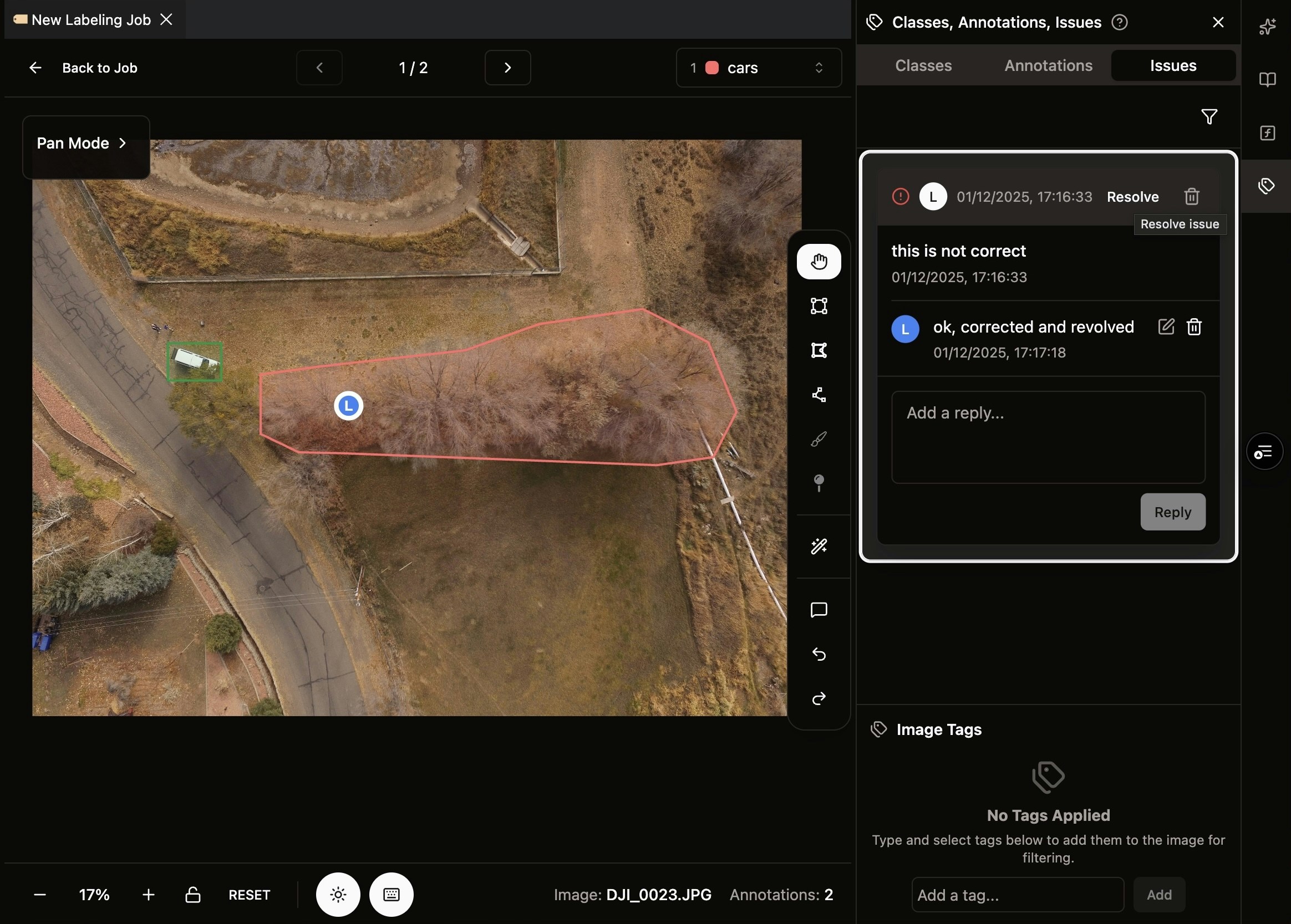
- Real-Time Review Sync: Approve/reject states and comments now sync in real-time across all collaborators
- Folder Upload: Added support for image upload by folder directly from the desktop
-
Batch Upload Fix: Fixed the limit of 5 images per upload to the image labeler to allow for larger batch processing
Real-Time Usage Dashboard & Advanced Analytics
New Features
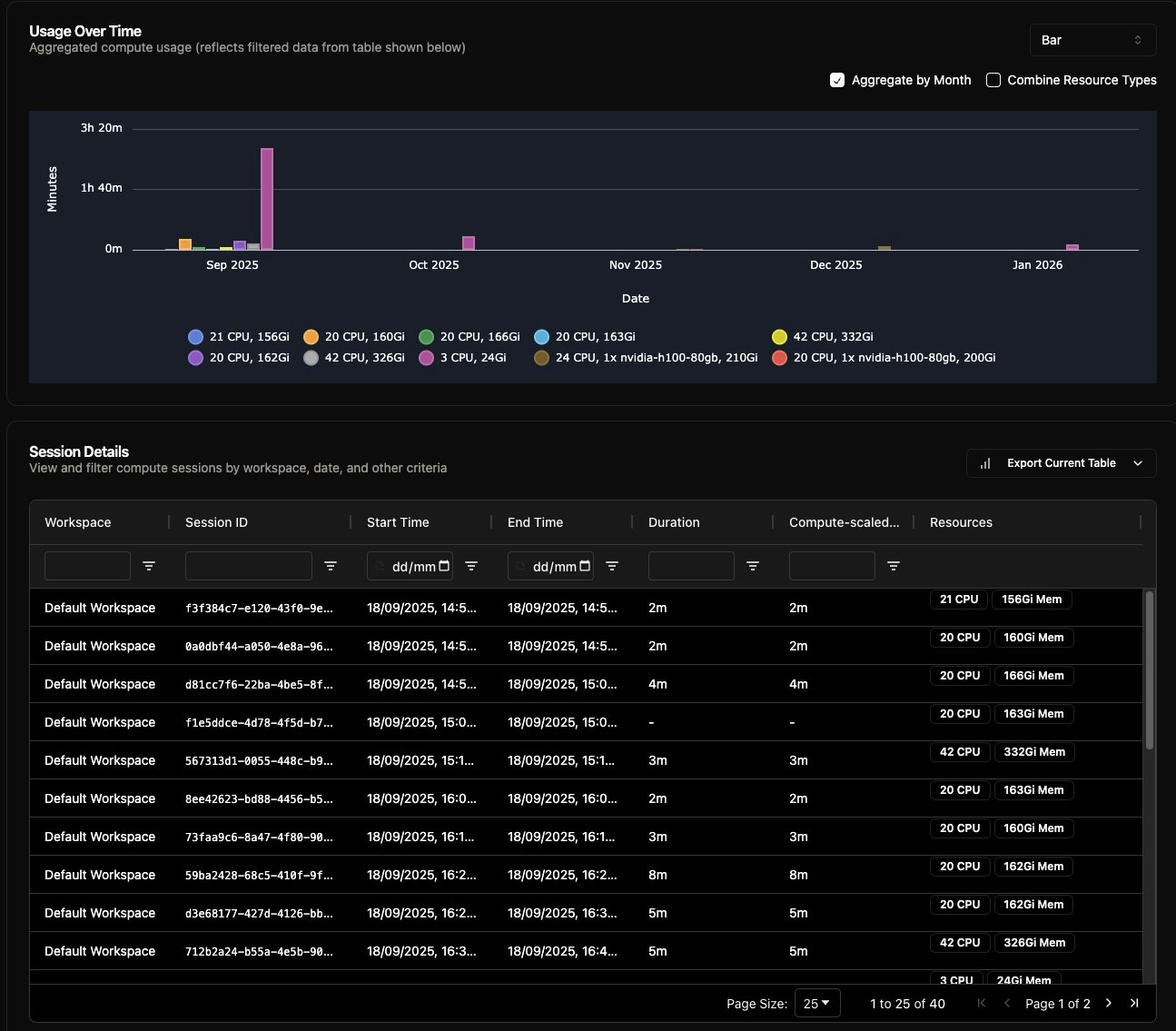
- Real-Time Usage Tracking: The usage dashboard is now updated to be more accurate with real-time queries against compute and storage usage, as compared to the previous 24-hour log aggregation method.
- Extended Query Ranges: Added support for various query ranges including last 1 week, last 1 month, last 3 months, last 1 year, and a custom date range selector.
- Interactive Data Filtering: Ability to filter the usage table by column, with the chart dynamically updating to show the filtered results.
- Flexible Usage Aggregation: Aggregate usage data in charts by month or by all resource types for granular analysis.
-
Data Export Options: Download the usage table in CSV or JSON formats for external use.
NikaLabeler Collaboration & AI-Assisted Annotation
New Features
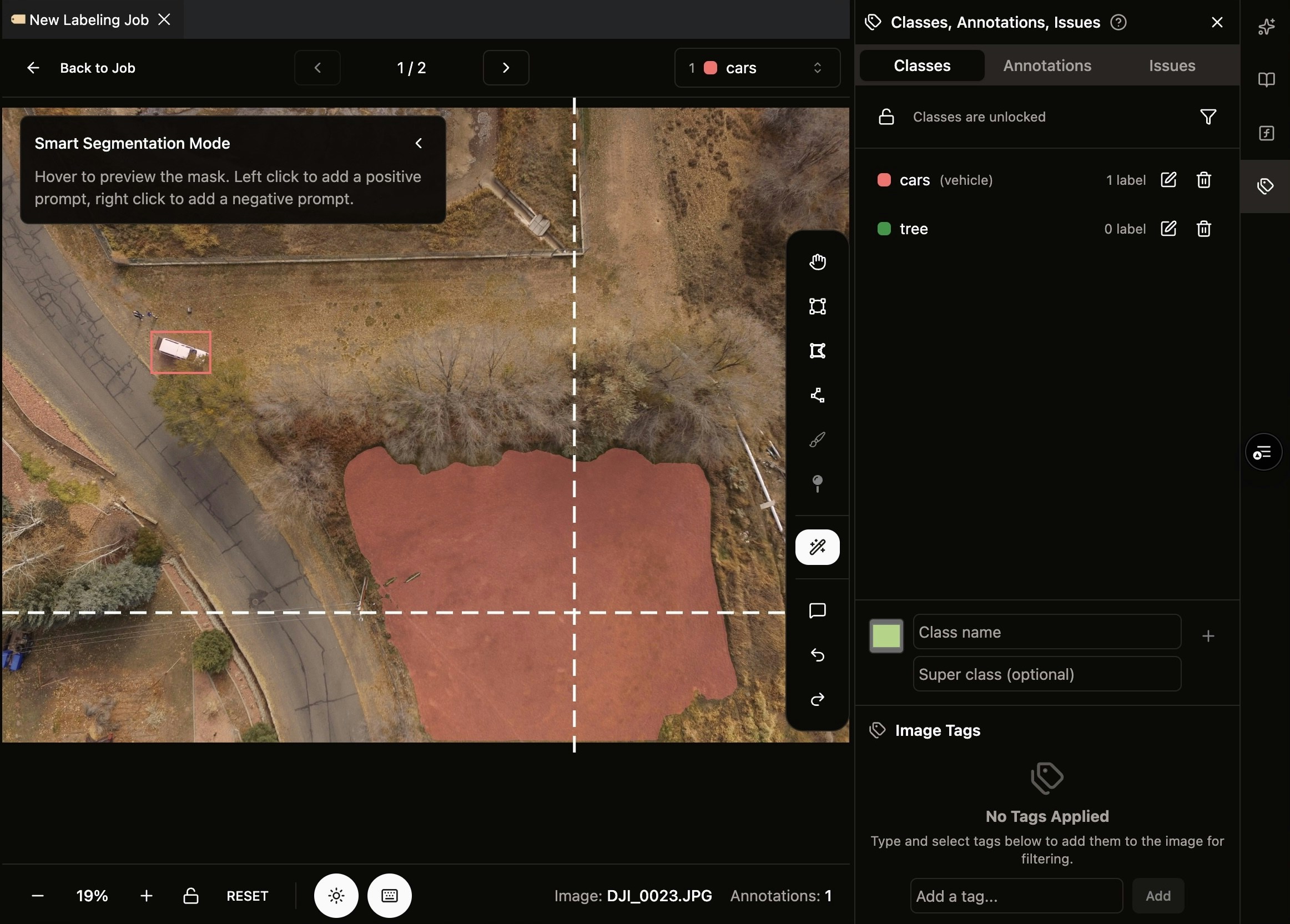
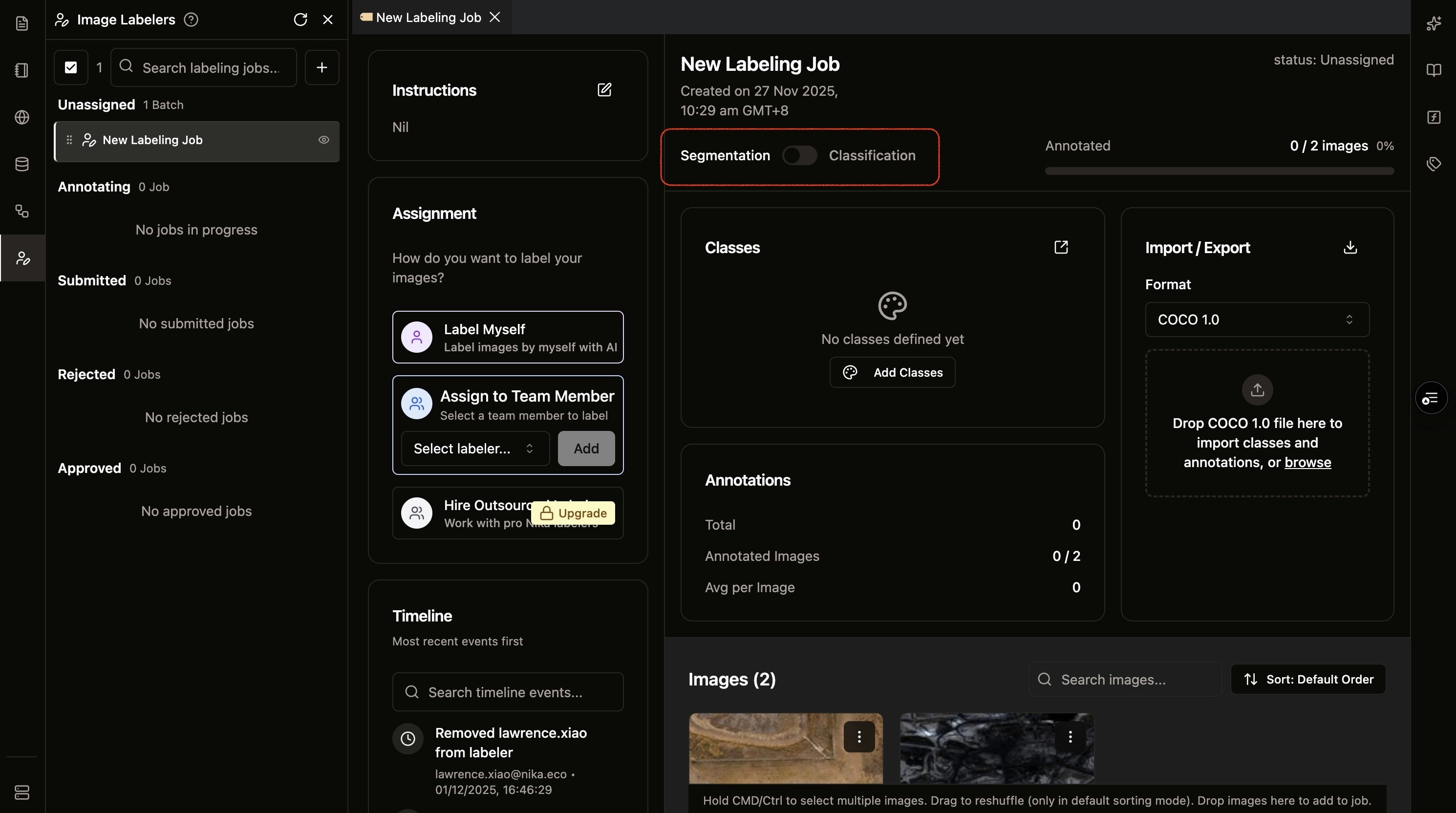
- SAM 2.0 Interactor Tool: Integrated AI-powered annotation tool with point prompts (left-click for positive, right-click for negative) for faster polygon creation
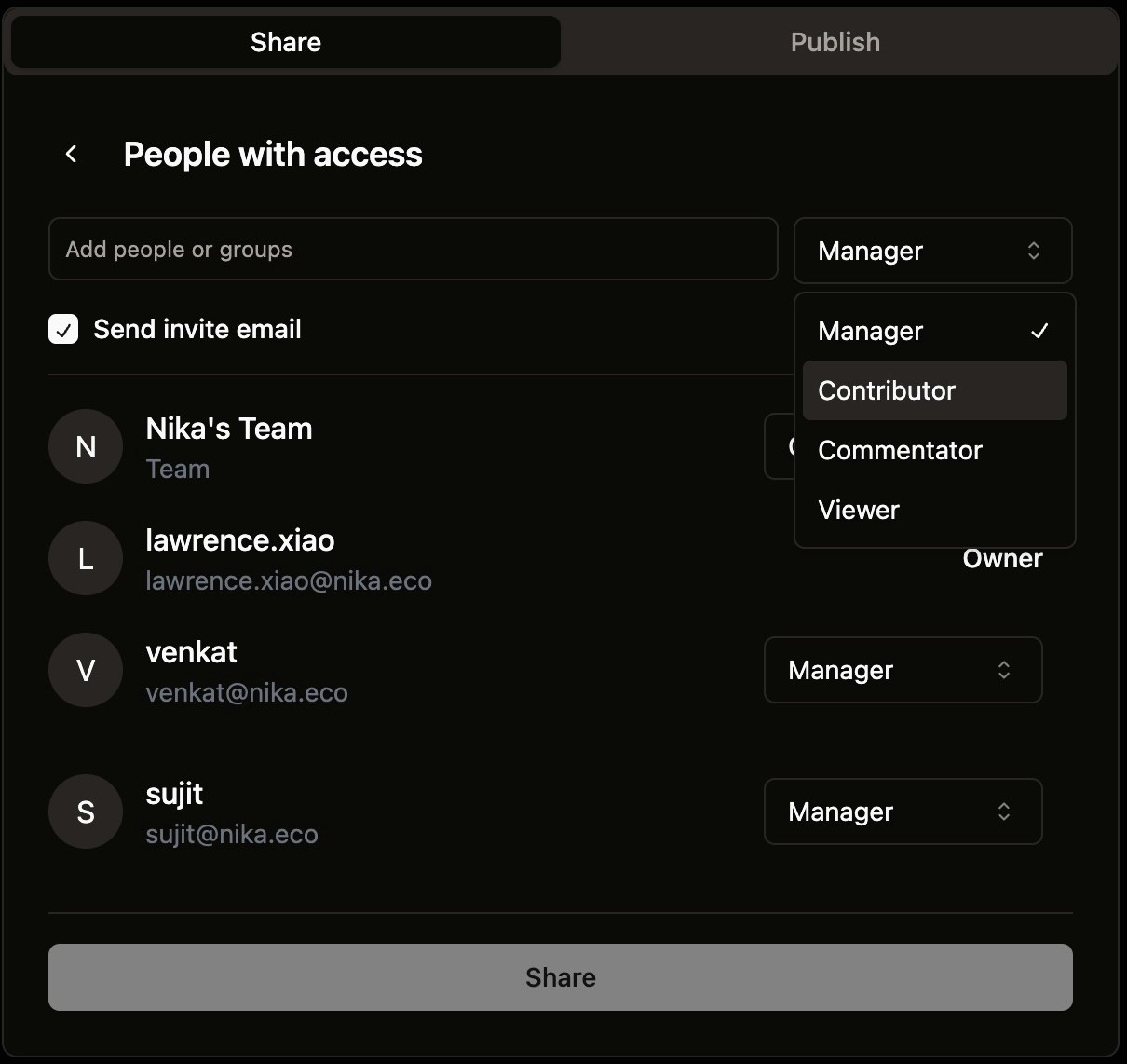
- Role-Based Assignment: Assign and re-assign annotation tasks to specific Labeller roles for better task management
- Reviewer/Labeller Roles: Introduced new role system with dedicated Reviewer and Labeller permissions for labeling jobs
- COCO 1.0 Export: Export annotations in COCO 1.0 format for seamless integration with ML pipelines
- Real-Time Collaboration: Synchronize annotations and cursor positions between users in real-time
Feature Improvements
-
Auto GeoTIFF Conversion: Automatically batch convert GeoTIFF files (RGB channels) to JPEG for faster loading in annotation UI
Workspace Enhancements & Stability Upgrades
New Features
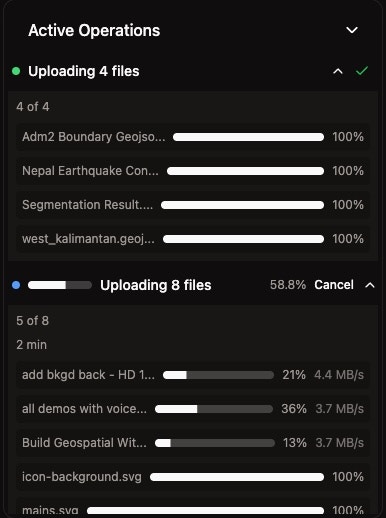
- Resumable Uploads: Enabled resumable and parallel file uploads to boost stability and throughput
- Advanced VM Options: Added H100 machine type for VM (available for subscribed customers)
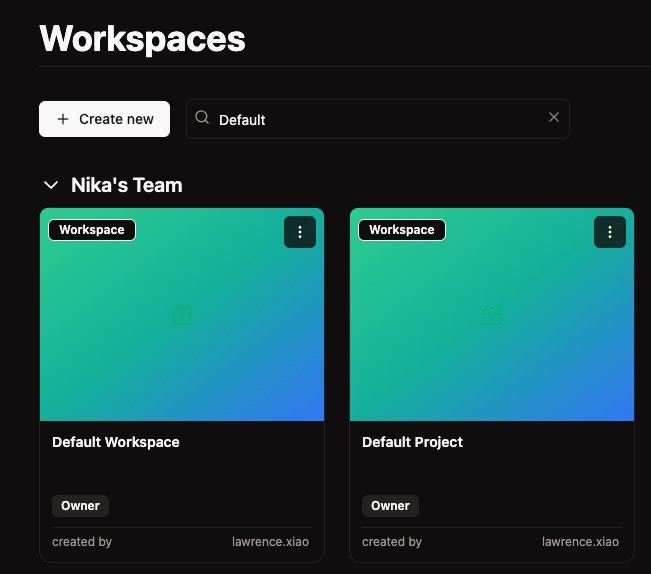
- Workspace Search: Introduced name search functionality and improved layout margins in workspace list
Feature Improvements
- Hub Navigation: Added redirect from Nika Hub’s app pages to studio.nika.eco
- VM Stability: Improved Nika VM availability
- Security: Applied CVE patches for enhanced security
Bug Fixes
- Fixed an error occurring when clicking the list of workspaces in workspace page
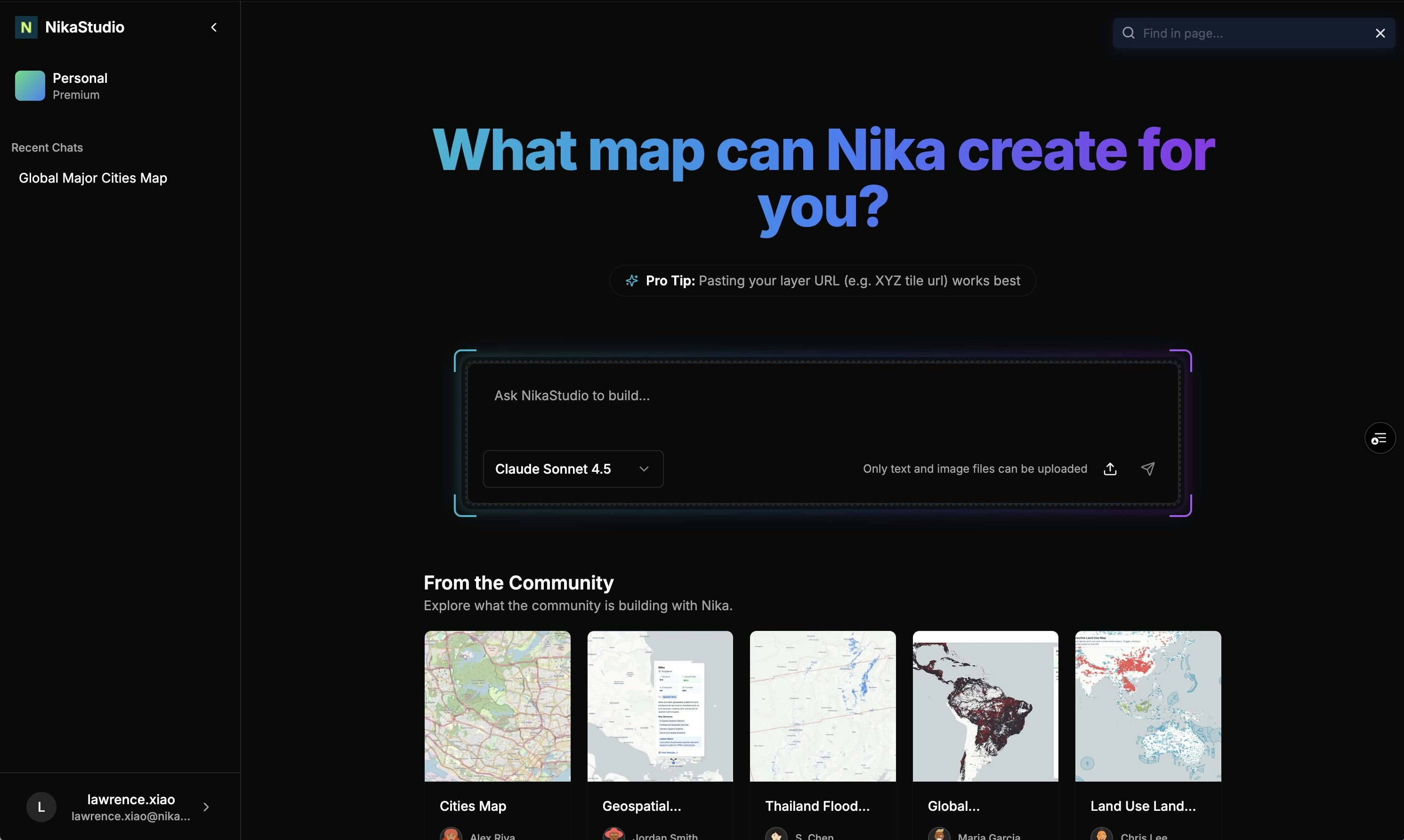
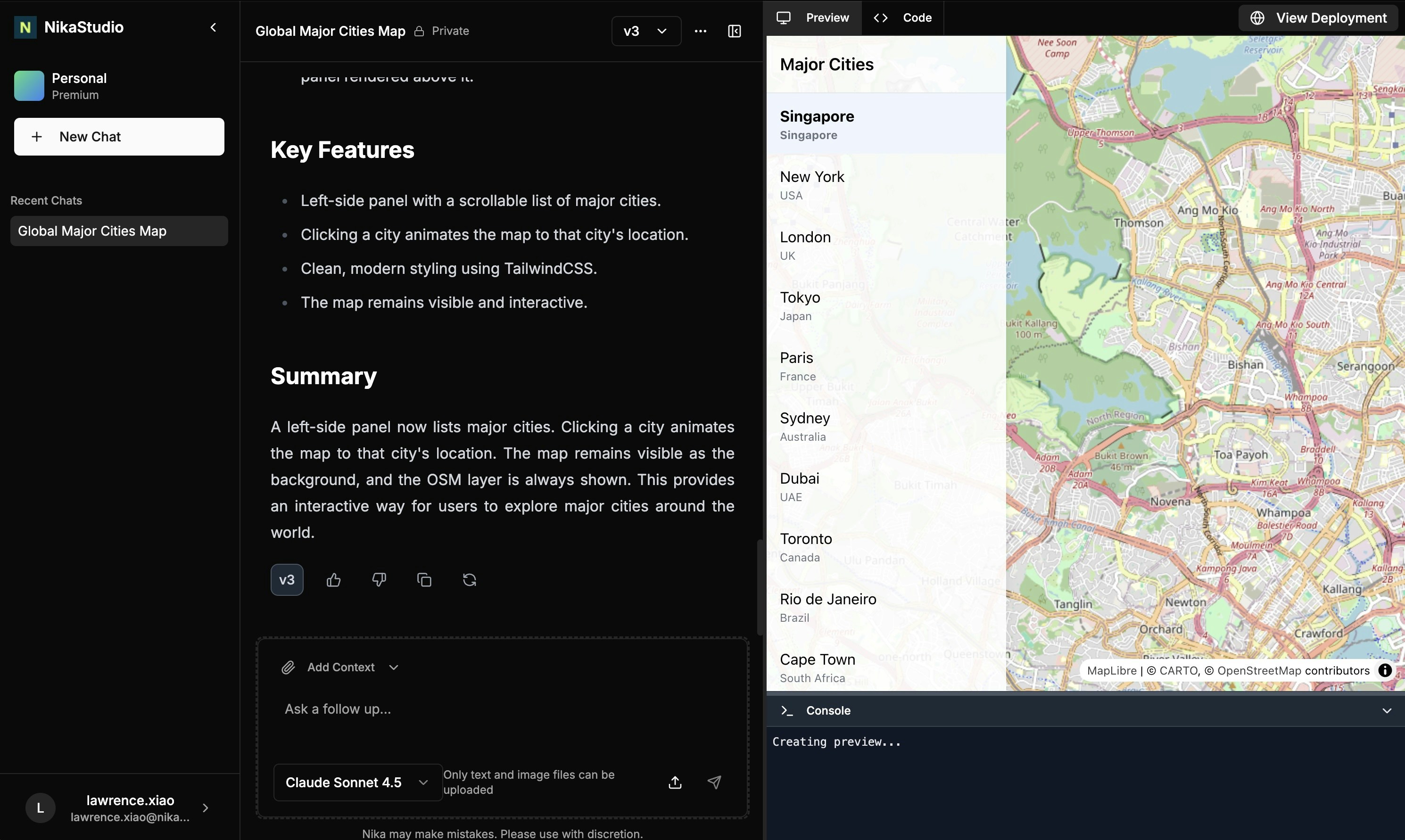
Launching Nika Studio - AI Map Dashboard Builder
New Features in (Nika Studio)
- Follows the “Lovable for Maps” philosophy - it is designed solely for generating interactive map dashboards from natural language prompt
- Image Support - It can read images from screenshot to build the same map interface from other applications easily
- Layer URL Support - It can take in layer URLs such as XYZ tile url from existing server to use in the application directly
- Version Switching - It can switch between different versions of the same map interface upon prompted edits so that user can switch between Ai edited versions to regain control
Launching NikaLabeler - Geospatial Image Annotation Platform
New Features in NikaLabeler
- Annotation Job Creation: Create annotation tasks directly from folders in Nika Files for streamlined workflow setup
- Polygon Drawing & Editing: Draw and edit polygon annotations with intuitive tools
- COCO 1.0 Import: Load existing annotations in COCO 1.0 format as input for continued work
- Multi-Format Image Support: Direct support for JPEG and PNG images from Nika Files
-
Interactive Annotation UI: Full-featured annotation interface with pan and zoom navigation controls
Real-Time Map Collaboration with NikaMap Sync
New Features
-
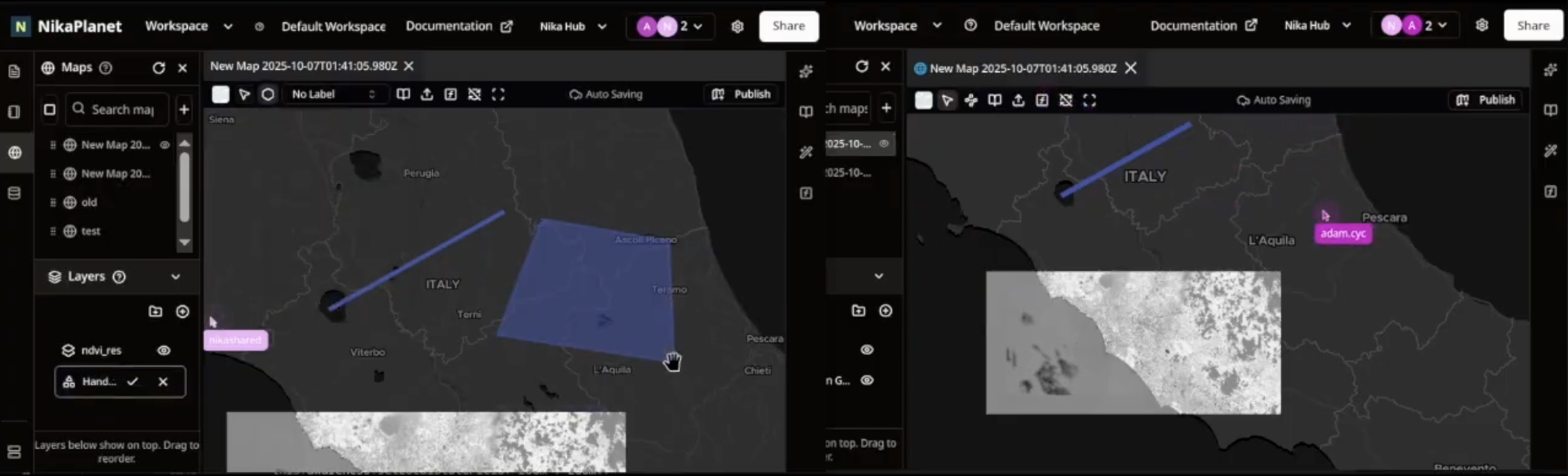
NikaMap Sync: Introduced real-time map collaboration feature that allows multiple users to work on the same map simultaneously with instant synchronization of changes
Feature Improvements
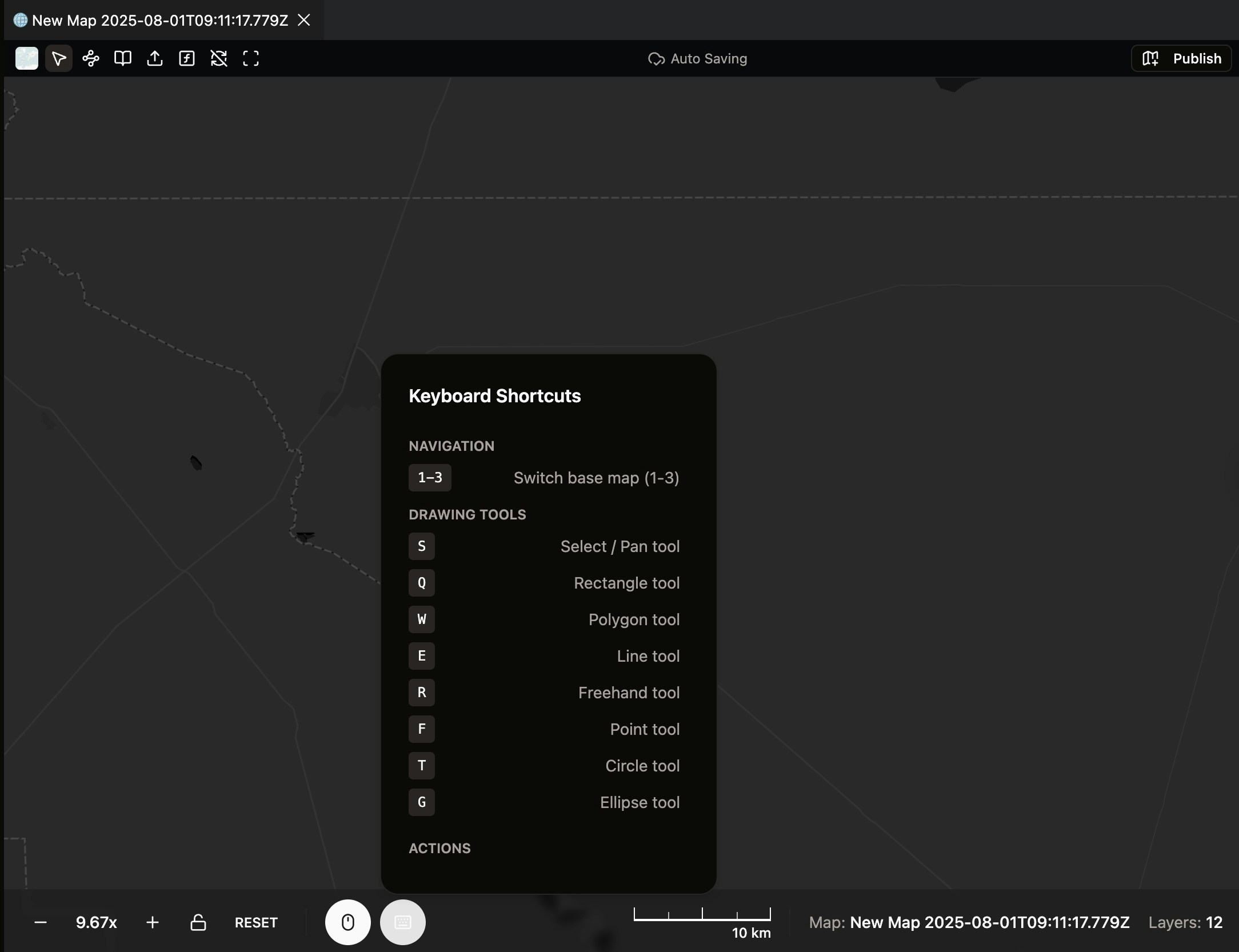
- Left-Hand Keyboard Shortcuts: Redesigned keyboard shortcuts to be easily reachable by the left hand for improved workflow efficiency
-
Zoom Scale UI: Added a new bottom bar in the map panel featuring intuitive zoom scale controls for better map navigation
Enhanced ETL Conversion Formats Support in NikaFlow
New Features
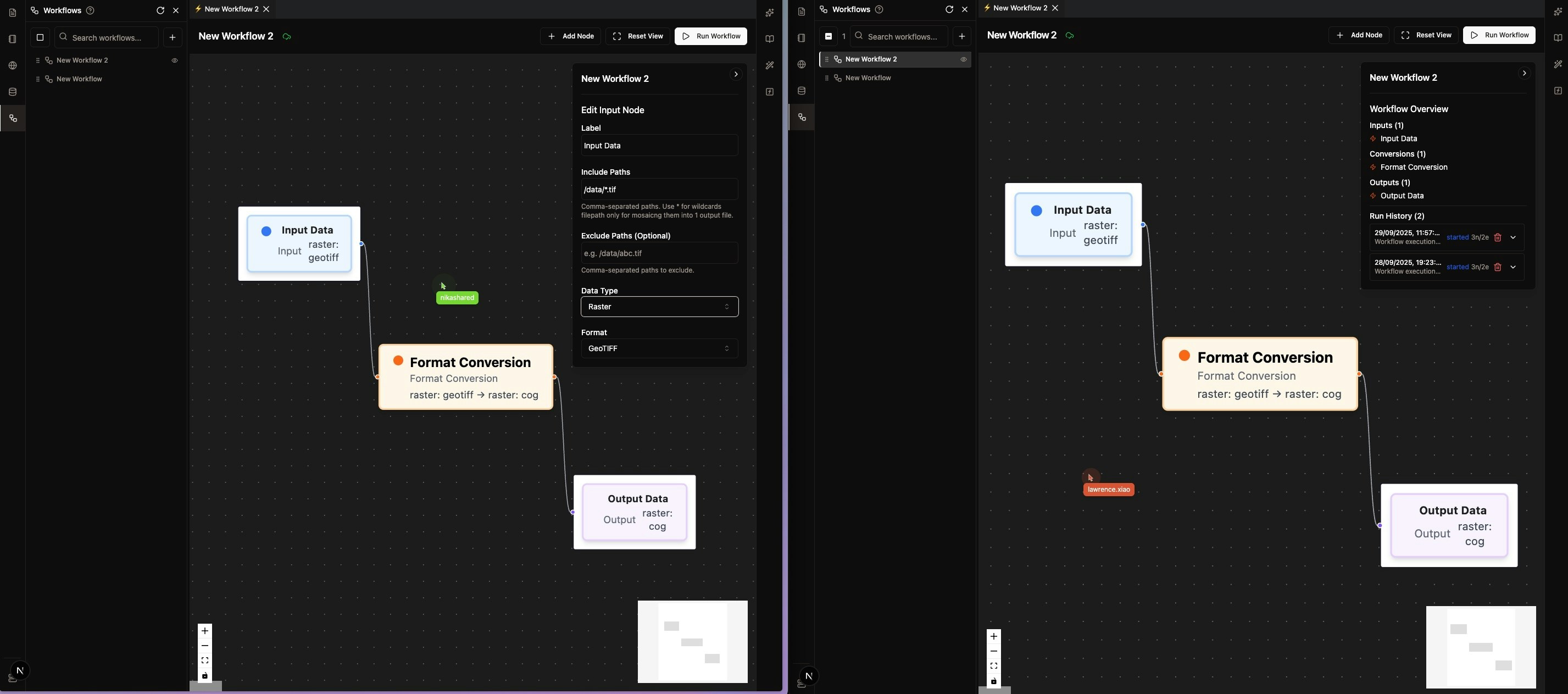
- Expanded Vector Format Support: Added support for additional vector formats including FlatGeobuf, GeoParquet, and enhanced KML/KMZ handling
- Advanced Raster Format Support: Extended raster format support to include HFA, JPEG2000, and CADRG formats
- 3D Point Cloud Processing: Added comprehensive support for LAS, LAZ, XYZ, PLY, and PNTS point cloud formats
- 3D Tiled Data Support: Added support for 3D Tiles and I3S formats for advanced 3D visualization workflows
- Style Format Integration: Added support for LYRX, SLD, and QML style formats for enhanced cartographic workflows
Feature Improvements
- Enhanced Coordinate System Conversion: Improved CRS detection and transformation capabilities with more projection systems supported
- Better Data Validation: Enhanced data validation tools with direct visualization in Nika Web UI
-
Improved Format Detection: More accurate automatic format detection and conversion path optimization
Nika App Hub & Enhanced User Experiences
New Features
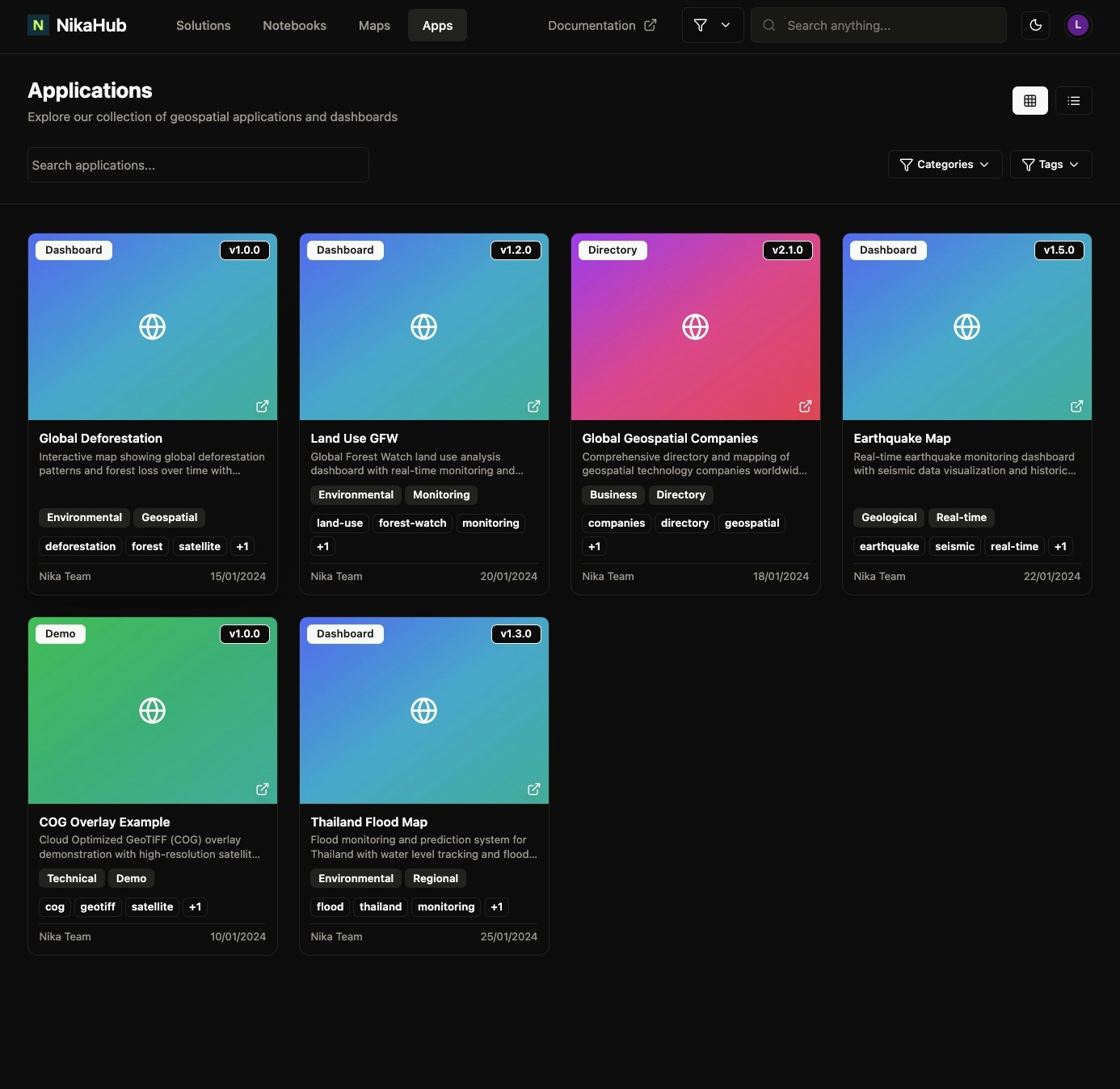
- Nika App Hub: Added demo apps in Nika App Hub for user exploration at https://planet.nika.eco/en/hub/apps
- Download Form Integration: Implemented download forms for Nika Hub’s Solution page and Notebook page (Map page upcoming) so that visitor can fill in the form to download the content there
- Notebook Export: Added export functionality for each notebook
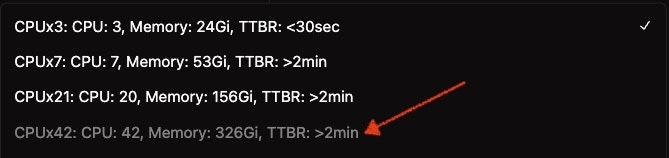
- 300GB RAM Compute Option: Introduced high-memory compute option for large-scale data processing for some enterprise users
Feature Improvements
- Enhanced File Management: Added item count display in left panel lists for better navigation
- Improved File Upload: Fixed upload limitations to handle >100 files in folders properly
- Better File Handling: Enhanced raster file support during drag-and-drop operations
Bug Fixes
- Fixed layer name display issue when names are too long (now shows proper titles)
- Resolved JPEG missing data layer issue that was causing application crashes
- Fixed rename folder bug that was creating unwanted subfolders
- Resolved machine stop status update issue that showed incorrect running status
- Improved file upload reliability for large folder operations

Realtime File System Sync
New Features
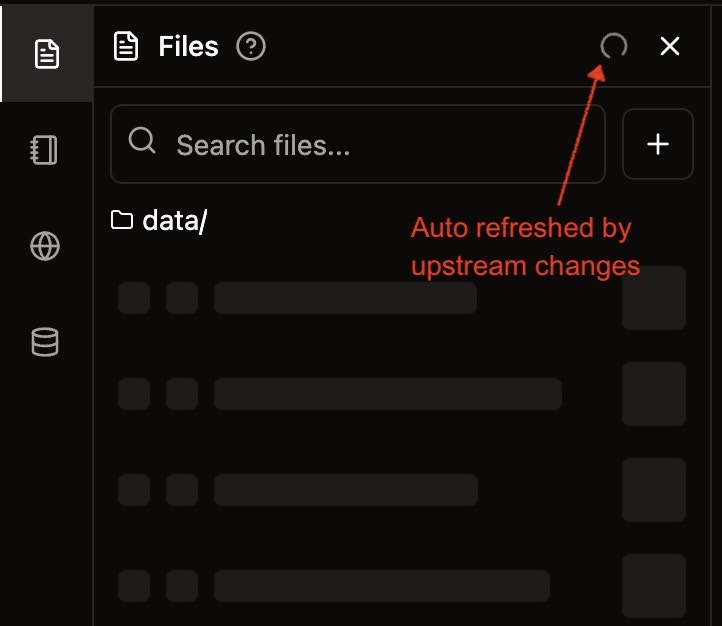
- Realtime File System Sync: Introduced real-time file system synchronization that auto refreshes your files quickly when upstream changes
Feature Improvements
- Enhanced File Operations: All file operations (create, delete, rename, duplicate, move) now provide instant feedback
- Improved Folder Management: Faster folder deletion and better handling of folder creation dialogs
- Better User Experience: Create folder dialog now auto-focuses on open and no longer freezes the UI after closure
Bug Fixes
- Fixed bug where create folder dialog would freeze the UI after closure
- Replace the “Open file” option from folder context menus with “Open folder” option
- Fixed bug where uploading folders would land in the wrong directory if user navigated to other folders
-
Resolved issue with file operations not reflecting immediately in the UI
Enterprise-Level GIS Processing Tools
New Features
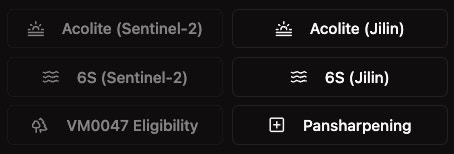
- Acolite for Jilin Satellite Images: Extended water turbidity modeling capabilities to Jilin satellite images (previously available only for Sentinel-2)
- 6S Atmospheric Correction: Added 6S atmospheric correction tool for both Sentinel-2 and Jilin satellite images
-
Pansharpening Tool: Introduced pansharpening functionality for any GeoTIFF images using the Graeme Schmidt algorithm
Nika DBMS (Public Beta)
New Features
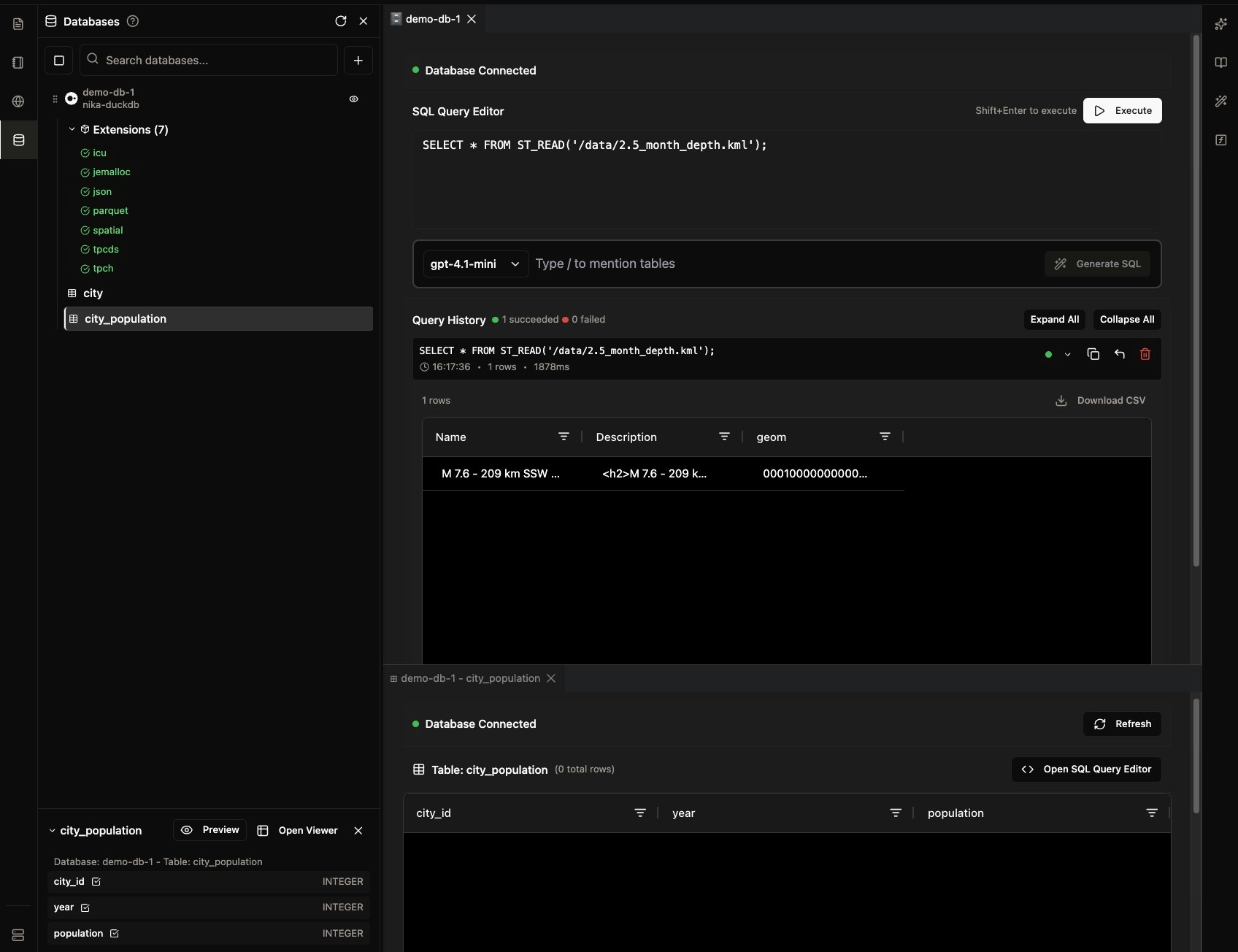
- Support external PostgreSQL and MotherDuck connections
- Support creation and query on DuckDB instances managed by Nika
- Support direct query from the managed DuckDB on all files in the same workspace
- Added SQL generator with LLM capability
-
Added direct schema and preview on databases in the list
Password Protected Publish and Social Sharing
Feature Improvements
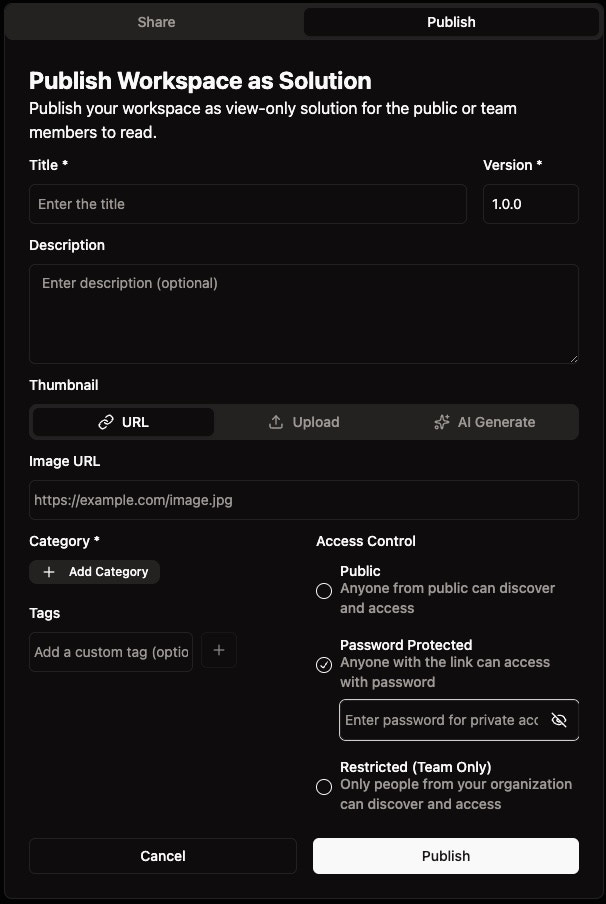
- Added password-protected access for published Solutions, Notebooks, and Maps
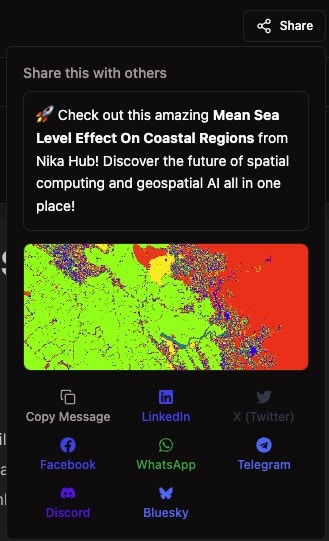
- Social share uses a new default thumbnail for preview in social media platforms
Bug Fixes
- Published solution has unnecessary text truncation resolved
- Fixed GAIA edit notebook id error
- Fixed Nika Hub content page opening with sub header hidden under main header
-
Fixed thumbnail update bug for publish dialog
Enhanced Nika Hub and Mobile Experience
Feature Improvements
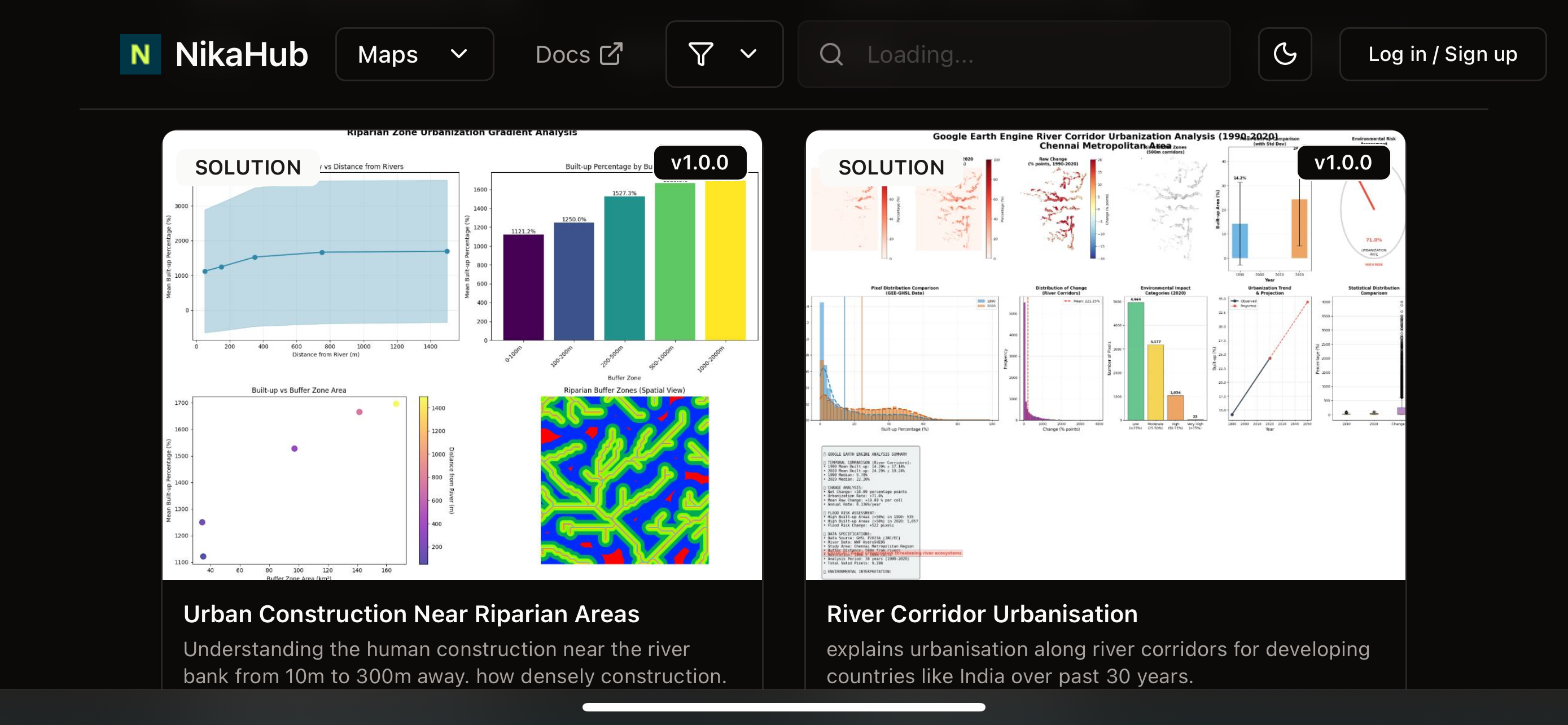
- Nika Hub now shows description and thumbnail for better content discovery
- Added direct share on social media button for easy content sharing
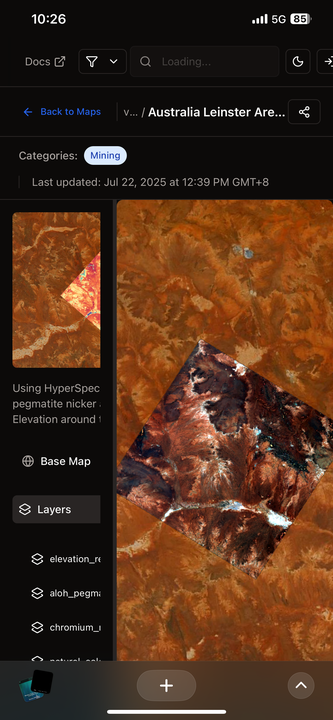
- Nika Hub is now properly optimized for mobile phone browser viewing
- Nika Hub for maps now supports basemap switching functionality
Bug Fixes
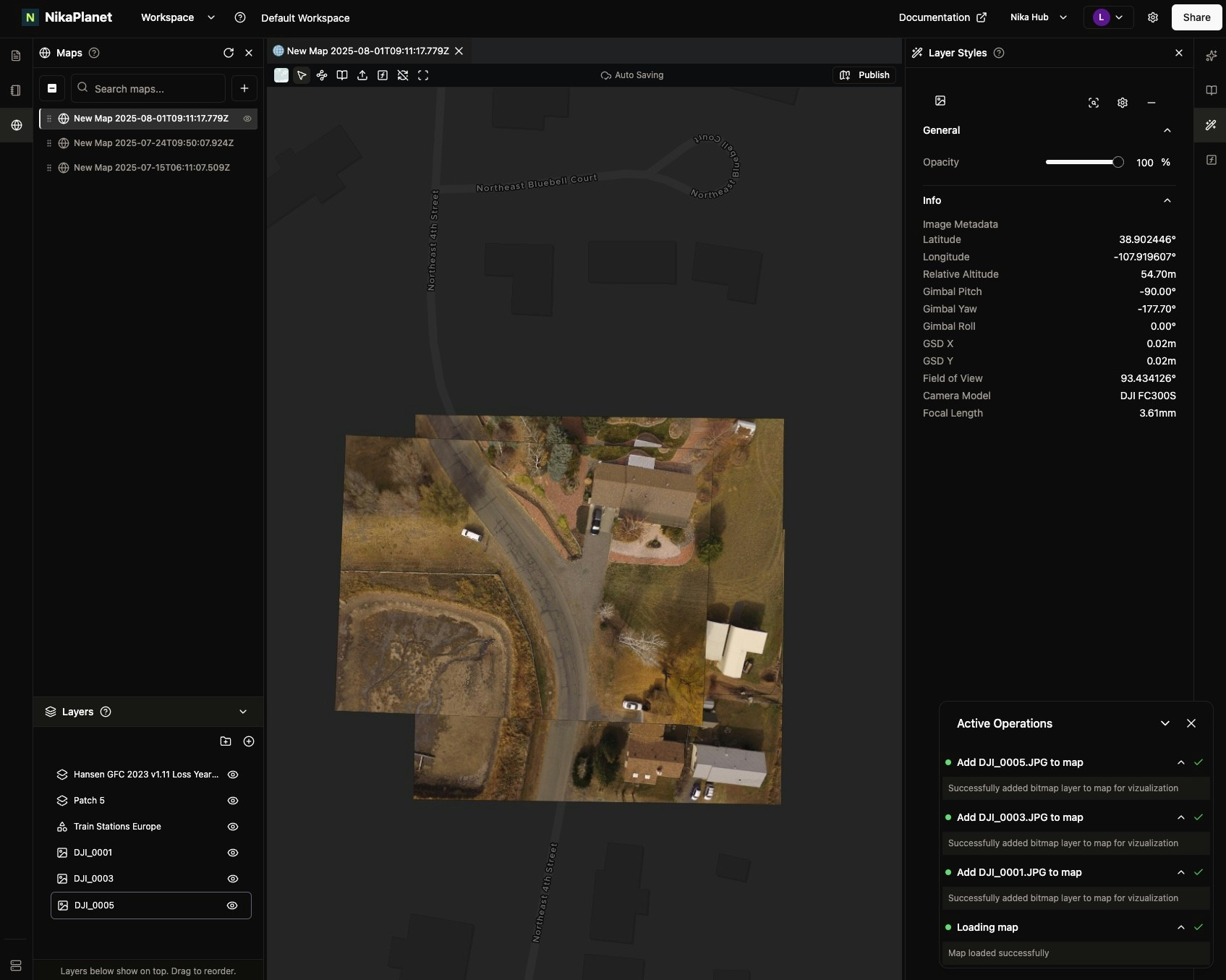
- Fixed JPEG image orientation issue when added to map with roll close to 180 degrees - now correctly displays orientation on map
Enhanced Raster Layer Controls
New Features
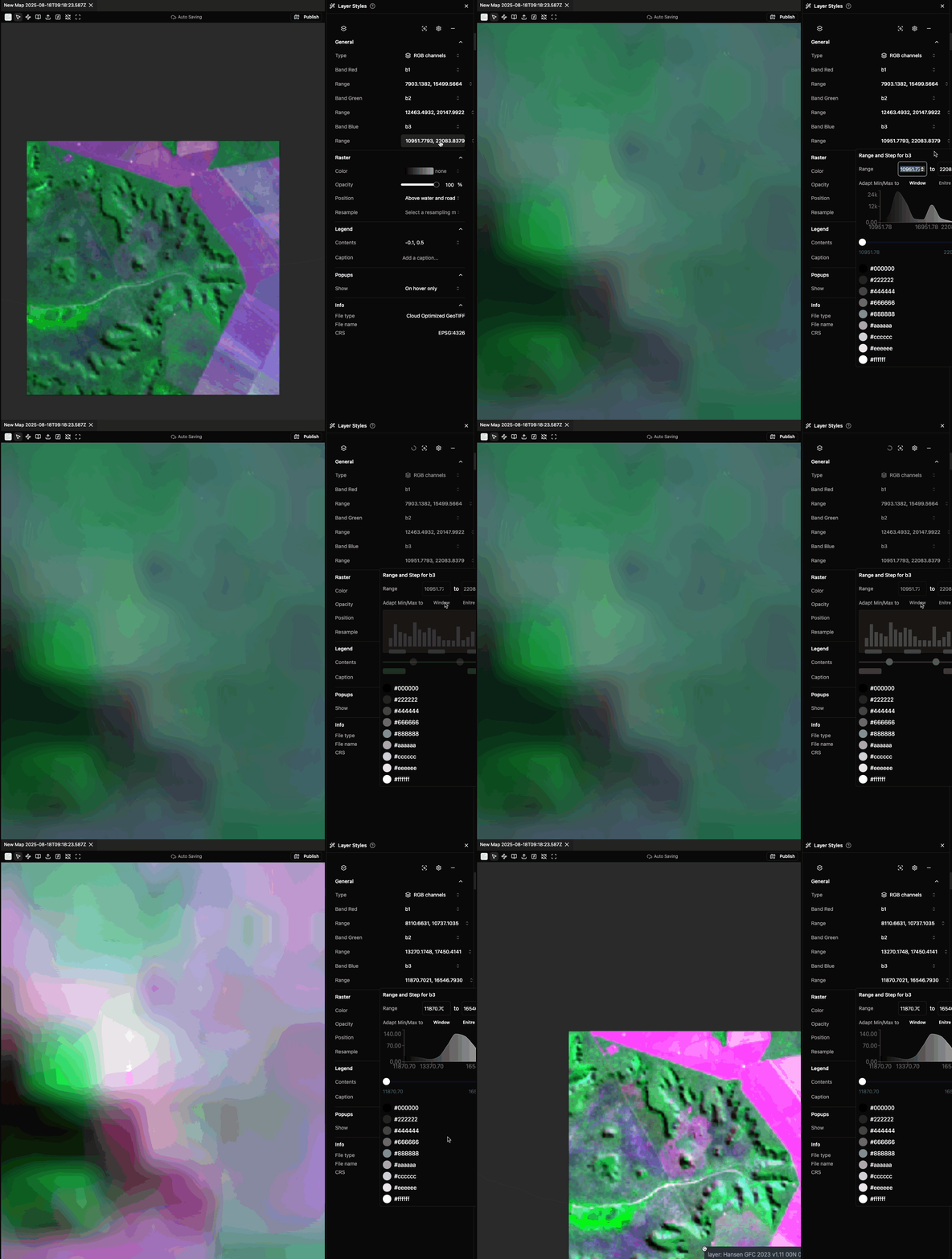
- Raster layer now supports adaptive min/max to window view across all bands for highlighting features
- Uses one button instead of many steps required in QGIS for the same functionality
Feature Improvements
-
Nika Map now shows invalid layers as greyed out (e.g., due to invalid source) for better user experience
Nika Hub Launch and Team Collaboration
New Features
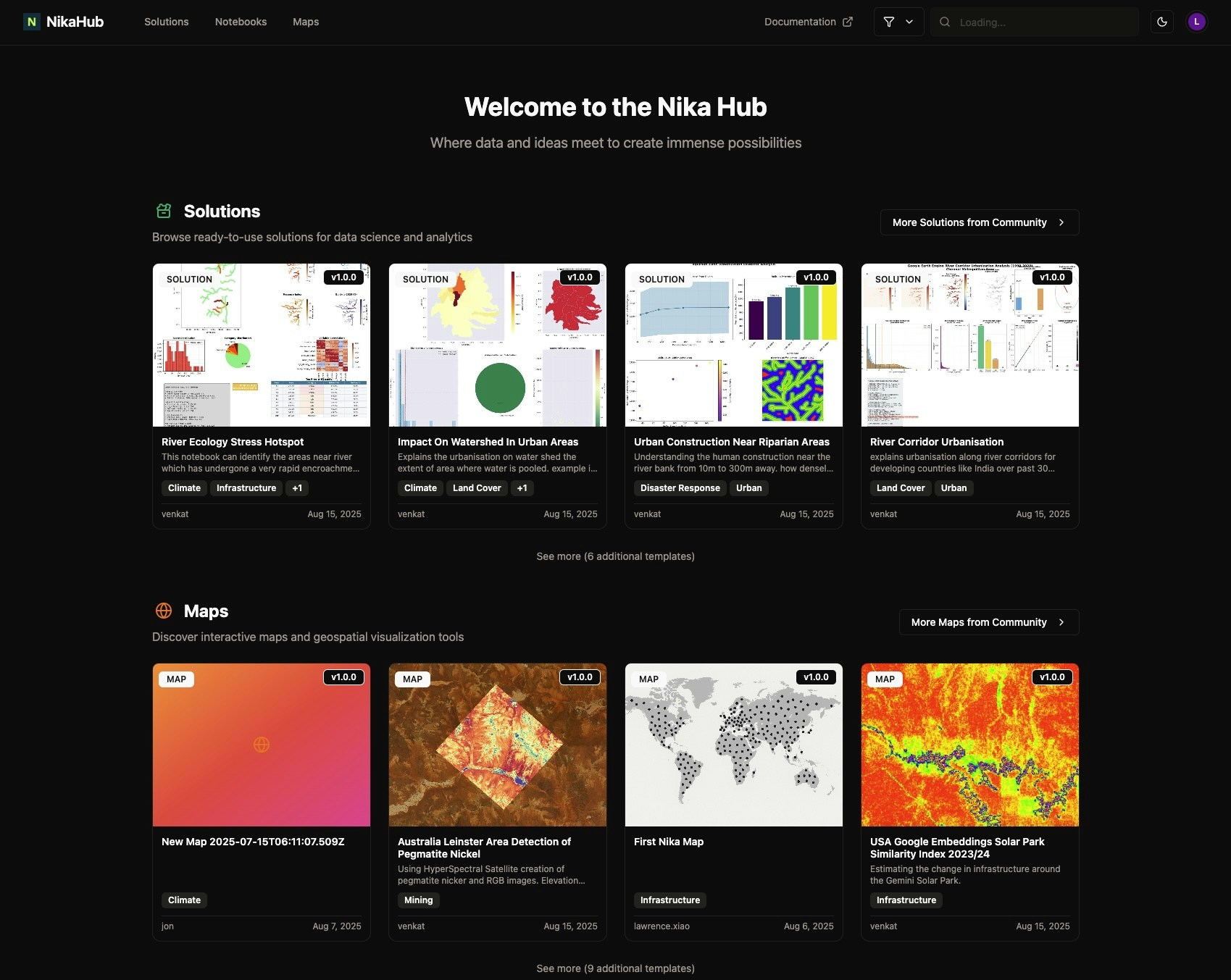
- Launched Nika Hub for users to view and publish industry solutions, maps and notebooks in its first version
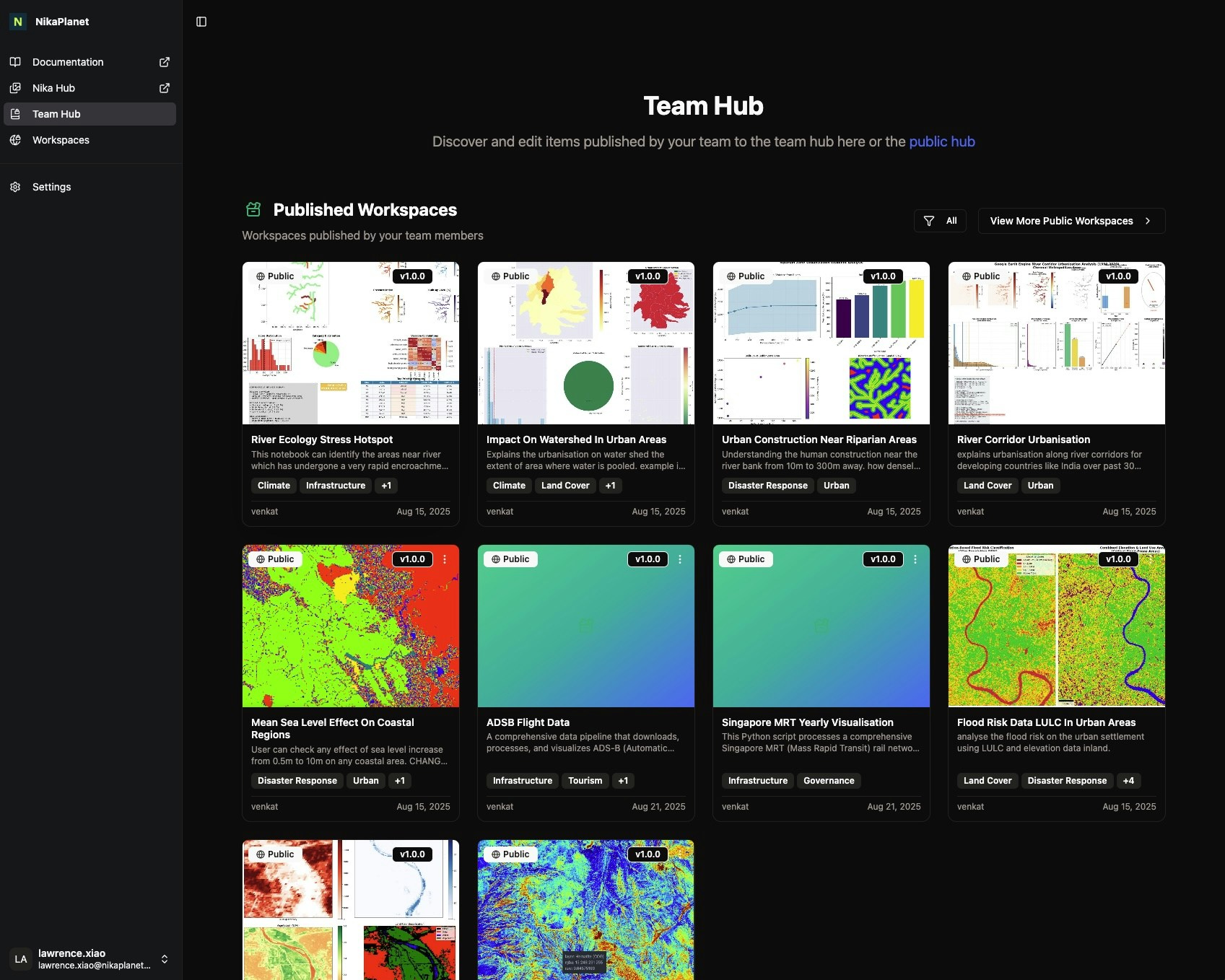
- Launched Team Hub for teams to publish and view internal assets
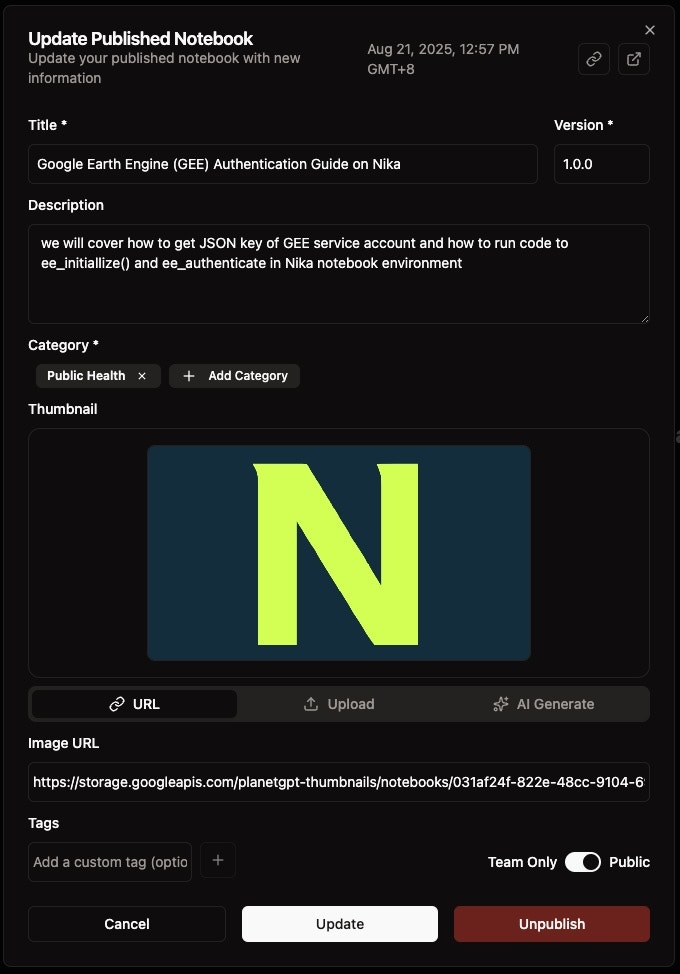
- Added thumbnail AI generation tool for publishing content to Nika Hub
Bug Fixes
- Fixed geopackage export action stalling Nika Maps
- Fixed team invitation bug
- Fixed export layer group as geopackage functionality
Persistent Maps and Collaborative Editing
New Features
- Persistent Nika Map that auto-saves on user changes
Feature Improvements
- Map layers are blocked if another user is editing to prevent change conflicts
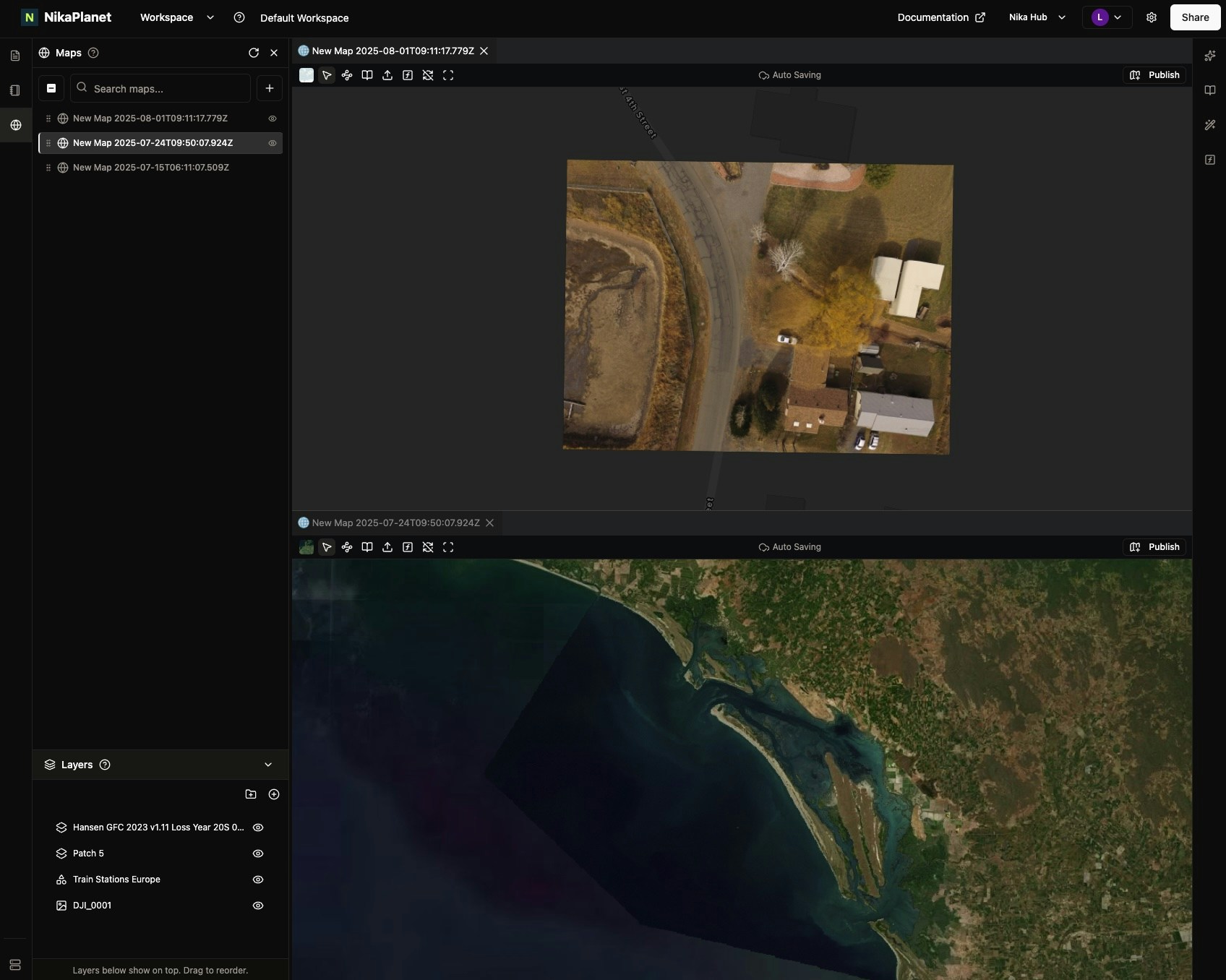
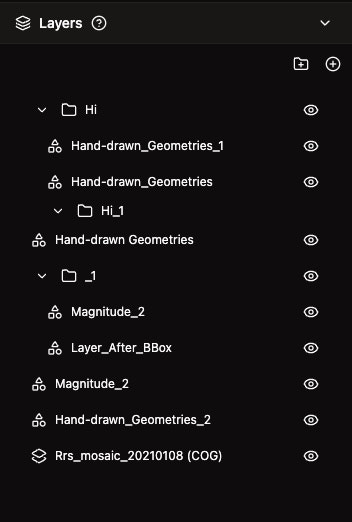
- Layer list now shows as a tree that allows drag and drop to reorder layers
- Multiple maps can now be opened simultaneously to sync their view together
- Initial map bounds can now be set for better map initialization
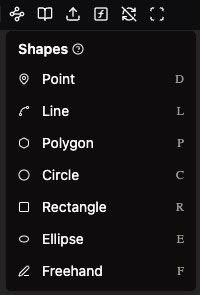
- Vector layer edits in Nika Map now support keyboard shortcuts for quicker switching between edit modes
Flexible Workspace Layout and Enhanced Format Support
New Features
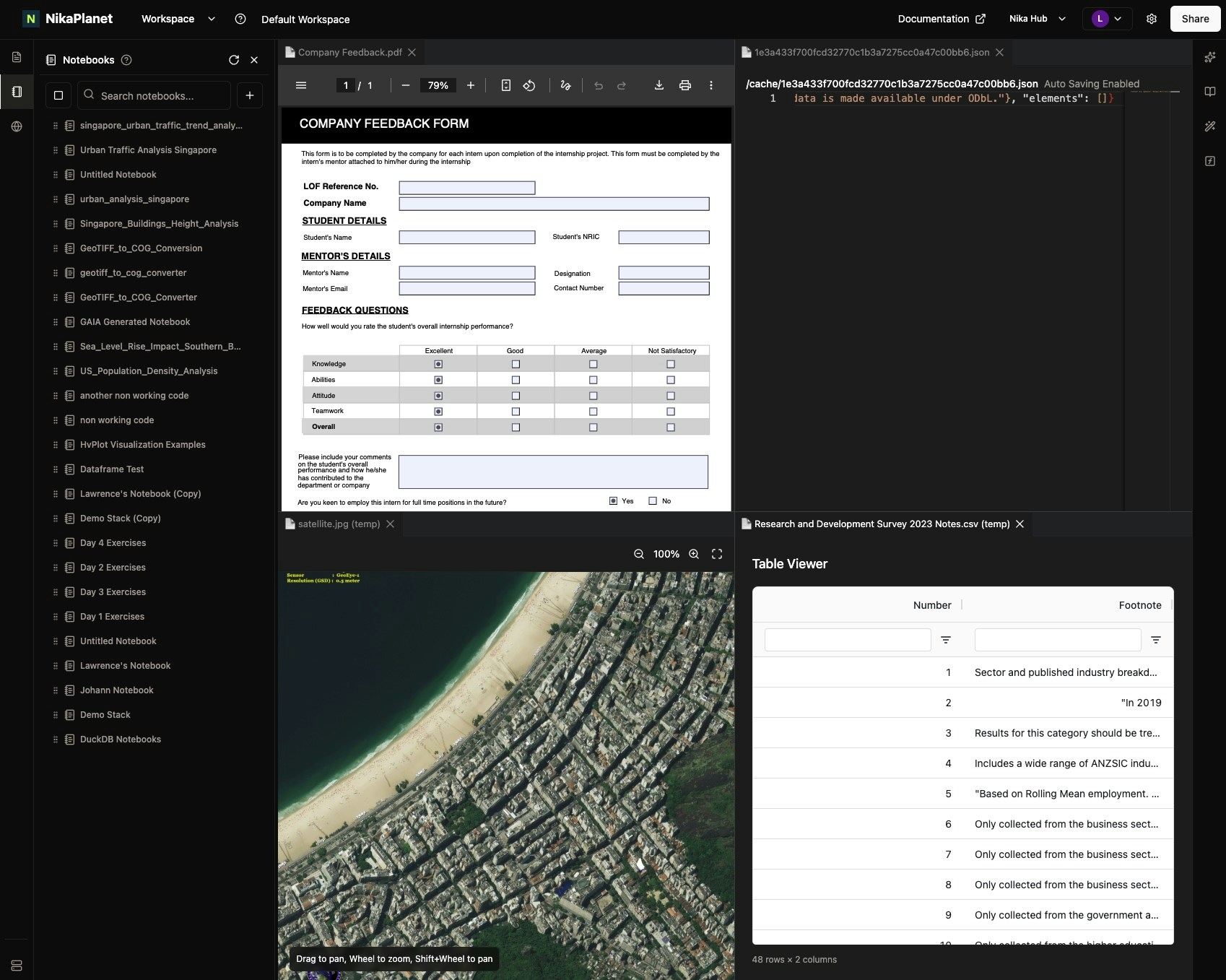
- Better workspace layout that allows flexible drag and drop of any assets to the centre for viewing or editing
- Support for more formats to view in the centre: CSV, IMG, PDF
Feature Improvements
- Better Data search tool for Nika GAIA that now completes search 3 times faster with improved accuracy of 91% (up from 49% previously)
Bug Fixes
-
Fixed scroll down in notebook list causing overflow outside of UI boundaries
Nika GAIA (Alpha) v4 and Enhanced AI Capabilities
Feature Improvements
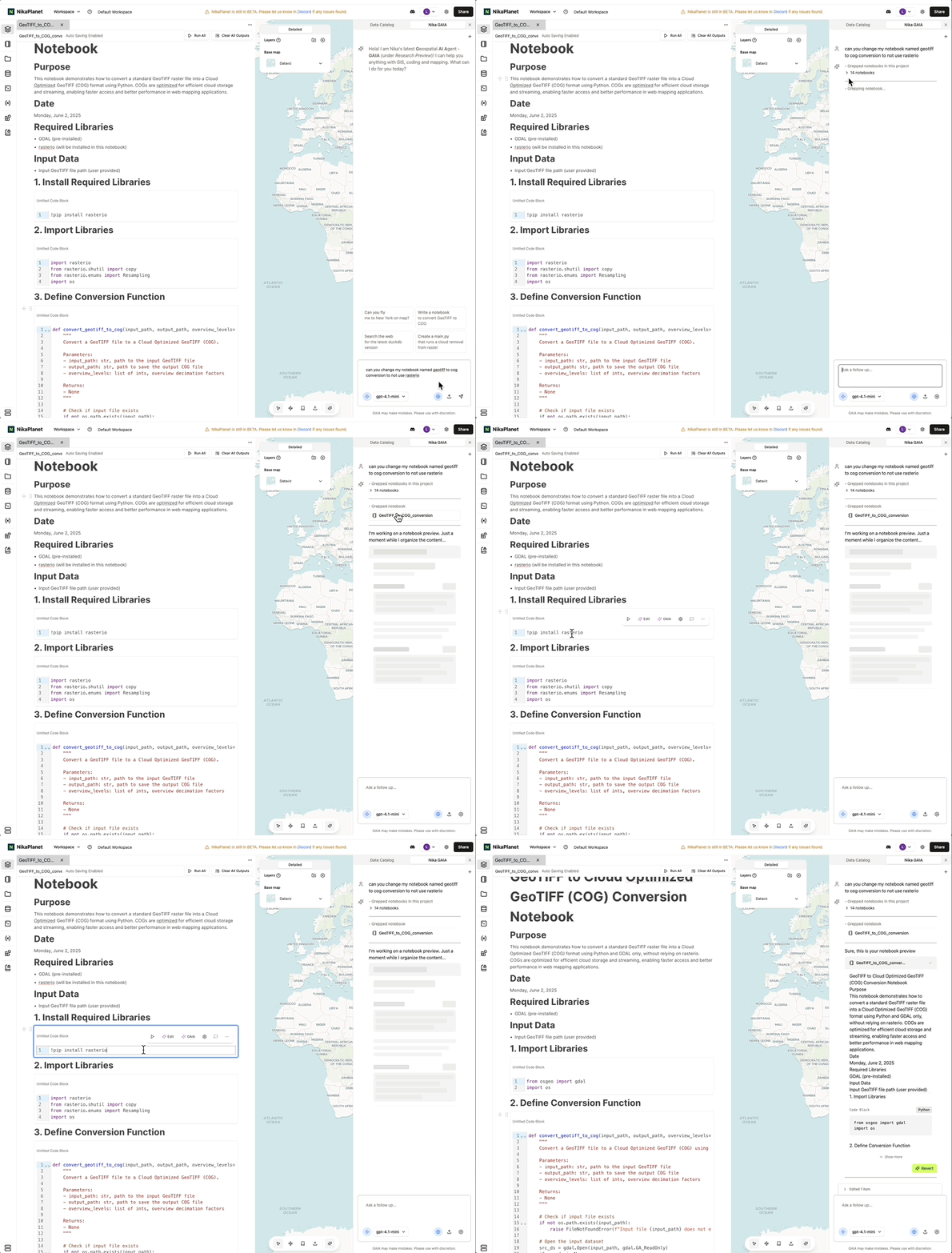
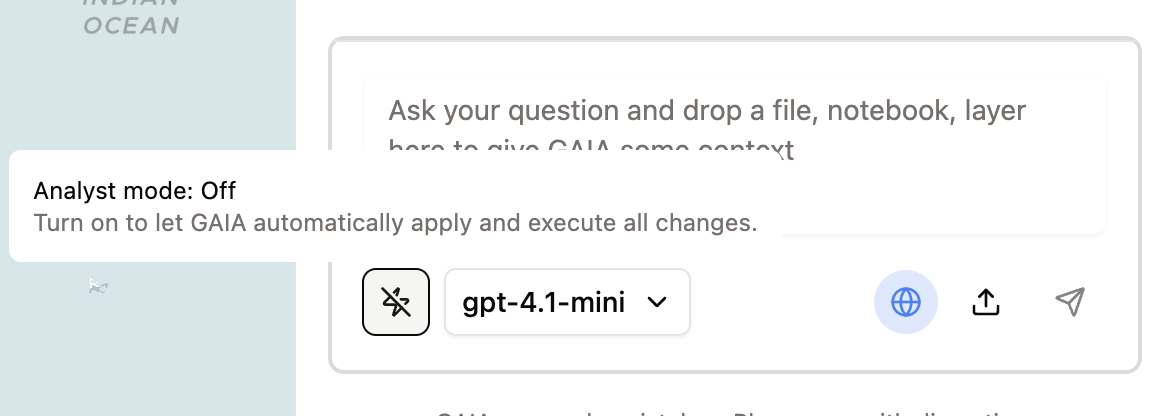
- Nika GAIA (Alpha) v4 introduces
Analystmode that will automatically apply your changes, even execute your code in the VM to get work done - Now remembers your
last used LLM type, and if your analyst mode is on - Will now work on files in both the Nika File Storage as well as files dragged from your desktop. The UI now shows you the
upload progressof files dragged in - Now can
list/readyour notebooks or files if prompted (if file privacy from LLM providers is a concern to you, let’s discuss how we can support your use case further) - Now can read your raster
GeoTIFFdirectly - Now has better apply and revert mechanism by keeping the snapshot of your notebook/file before changes applied
Enhanced AI Models and In-Block Coding
Feature Improvements
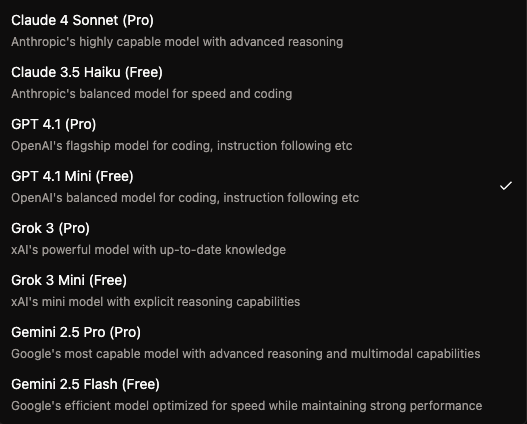
- Nika GAIA (Alpha) now supports Claude 4, Gemini 2.5, and Grok 3 too
- Can stop running at any stages of response generation via the stop button
- Will automatically track modified item states
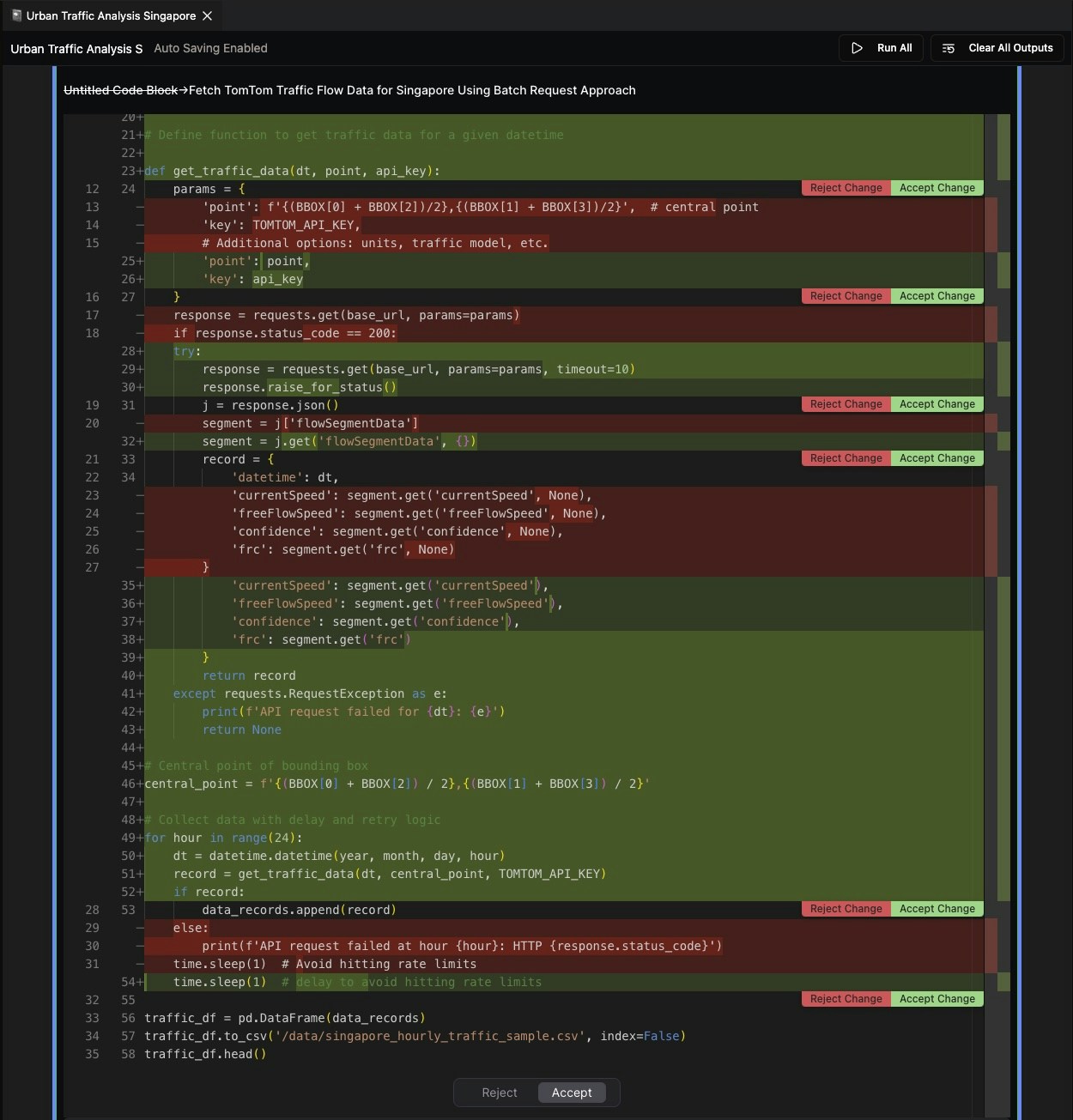
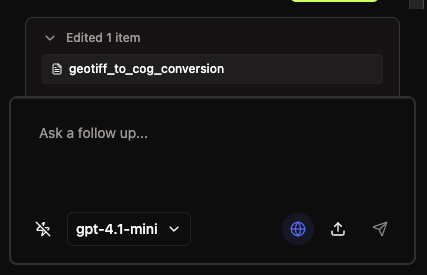
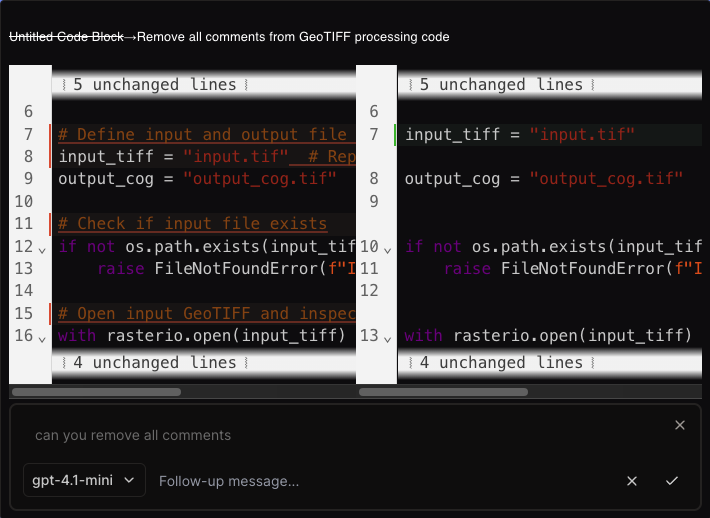
- In-block Coding AI receives huge UI and functional updates:
- AI model selection
- Smaller but more intuitive buttons for send, stop, accept change, reject change
- Input for improving on code change suggestion with follow-up message
Nika GAIA Stability and Notebook Enhancements
Feature Improvements
- Nika GAIA more stable on notebook edit/create, file edit/create:
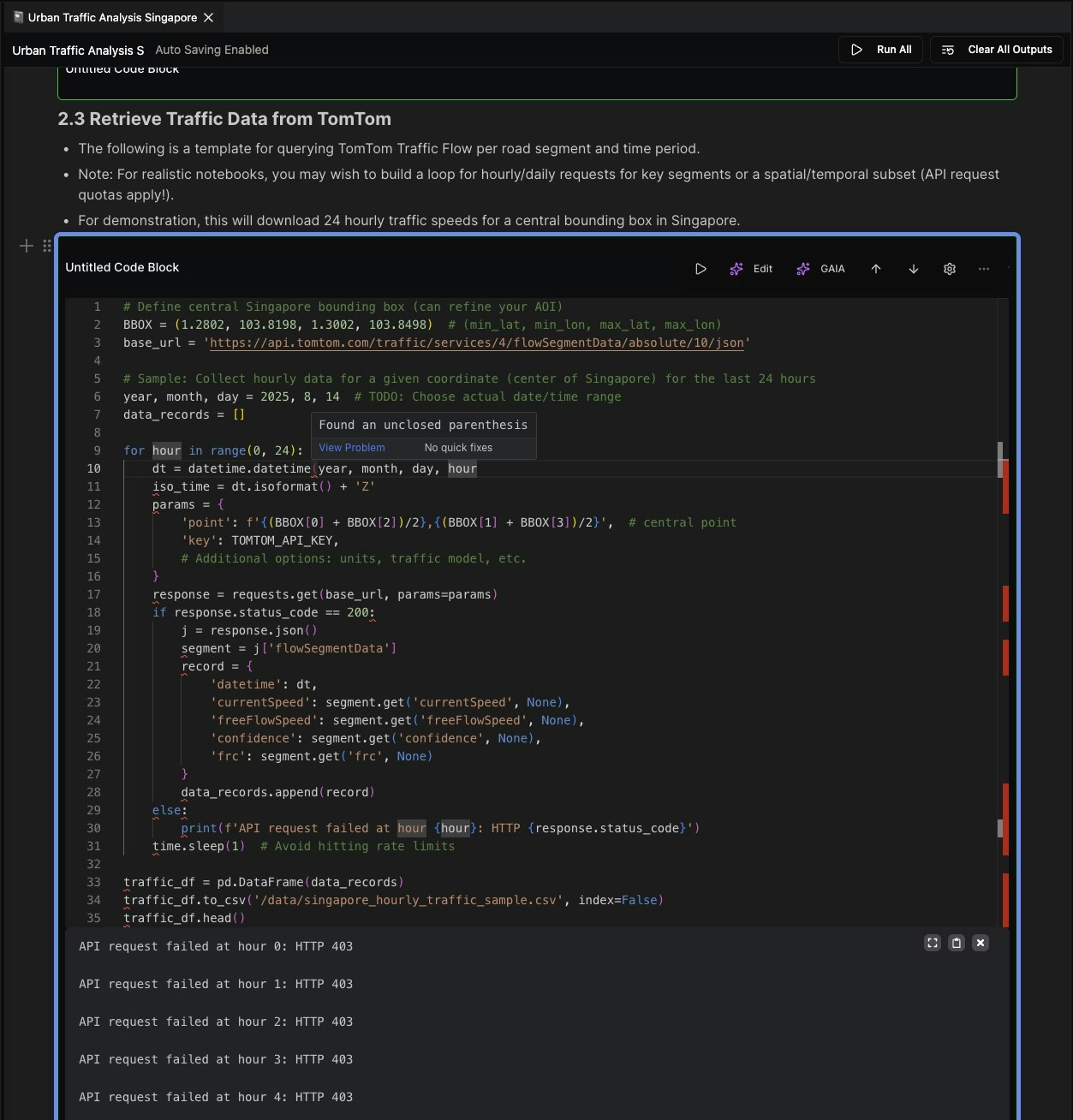
- Add python linter to GAIA output so that it checks its own code before marking the task complete
- Allow long notebook with long execution output to be added to context for GAIA
- Attachments UI looks nicer
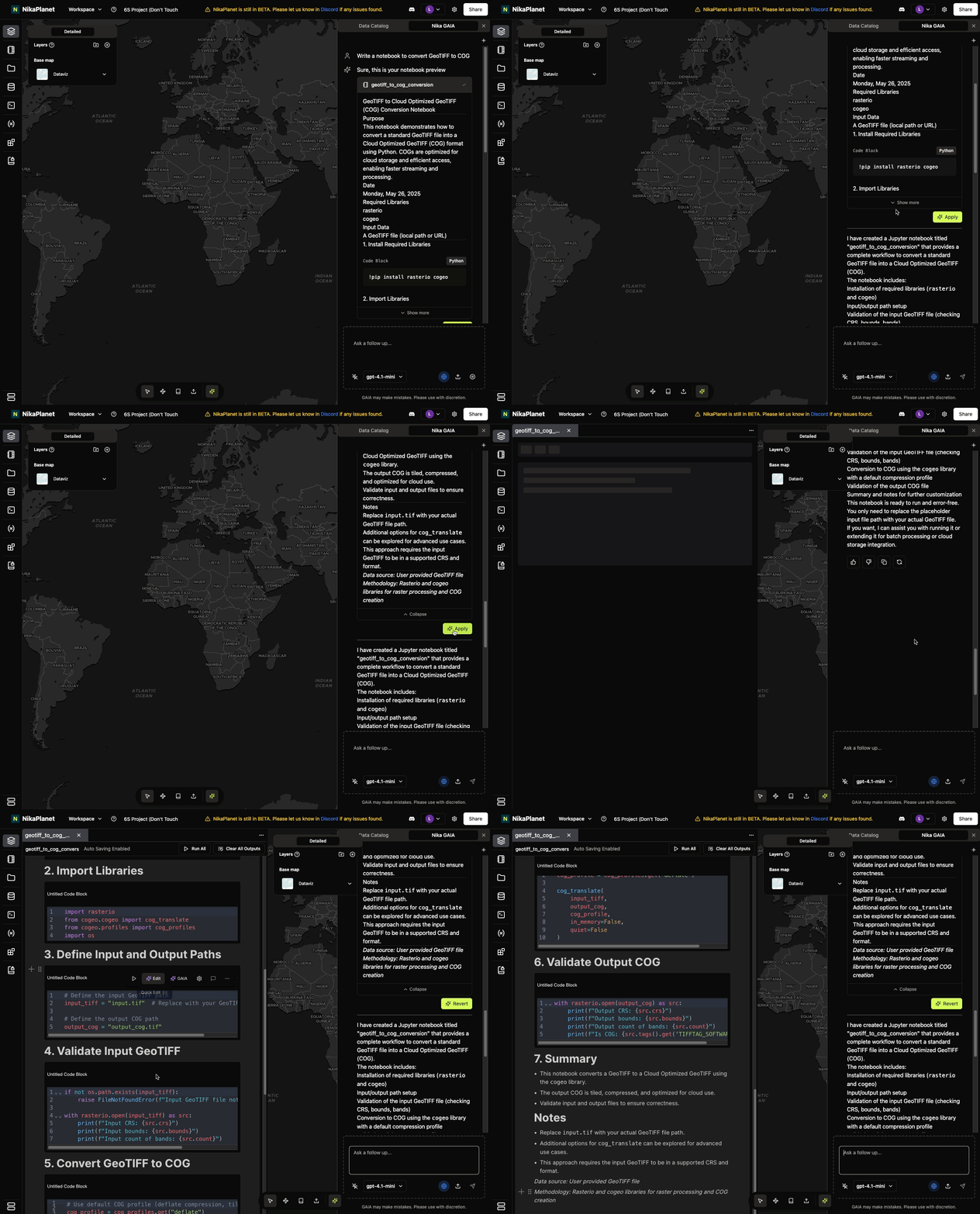
- File preview and notebook preview uses new UI with diff mode
- After apply, there is a revert button
- Notebook blocks can now be:
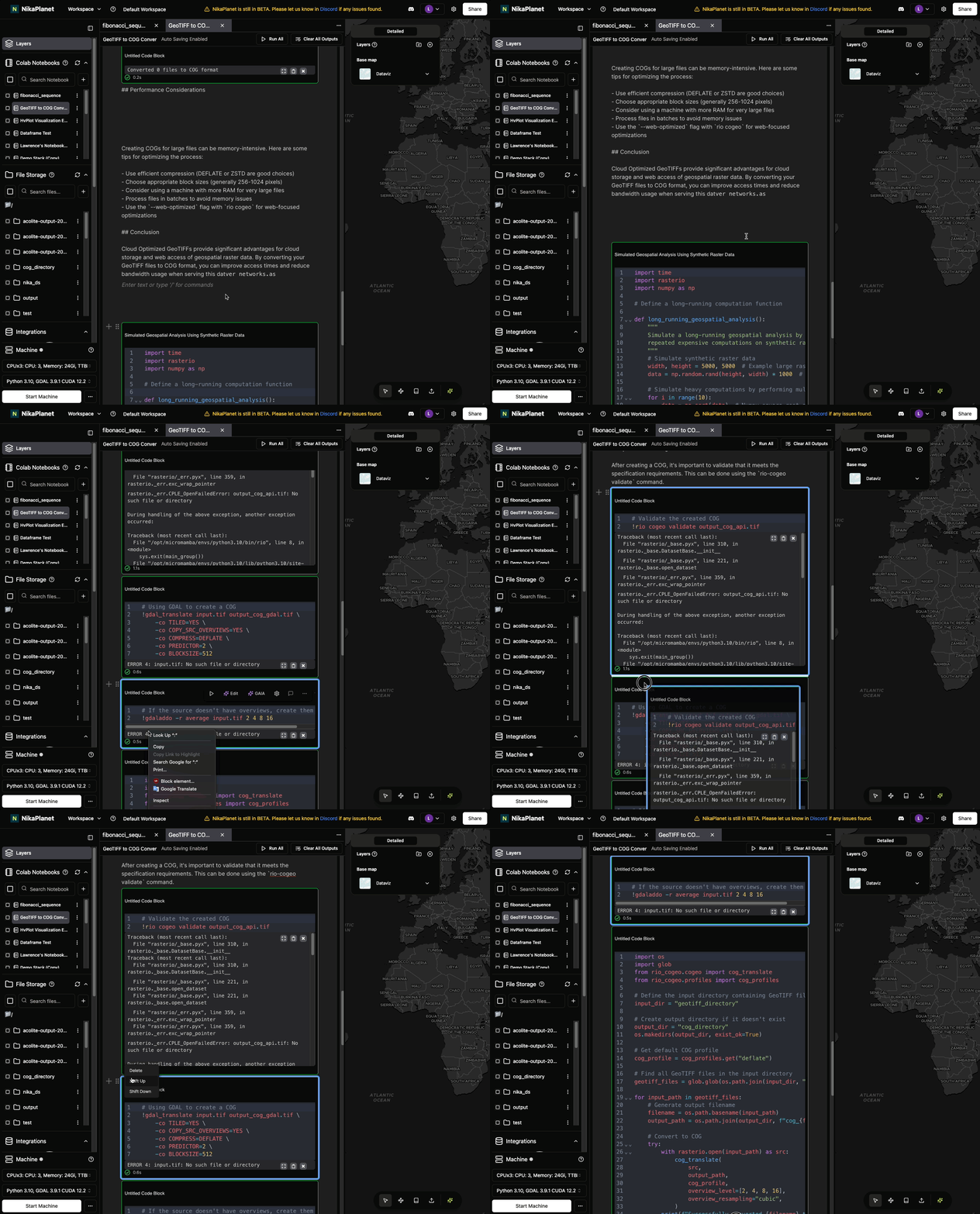
- Dragged and dropped onto the white line marker
- Left hand side handle now has SHIFT UP or SHIFT DOWN
- Notebook remembers your latest cursor position when you opens it again
- Better integration between Notebook and GAIA:
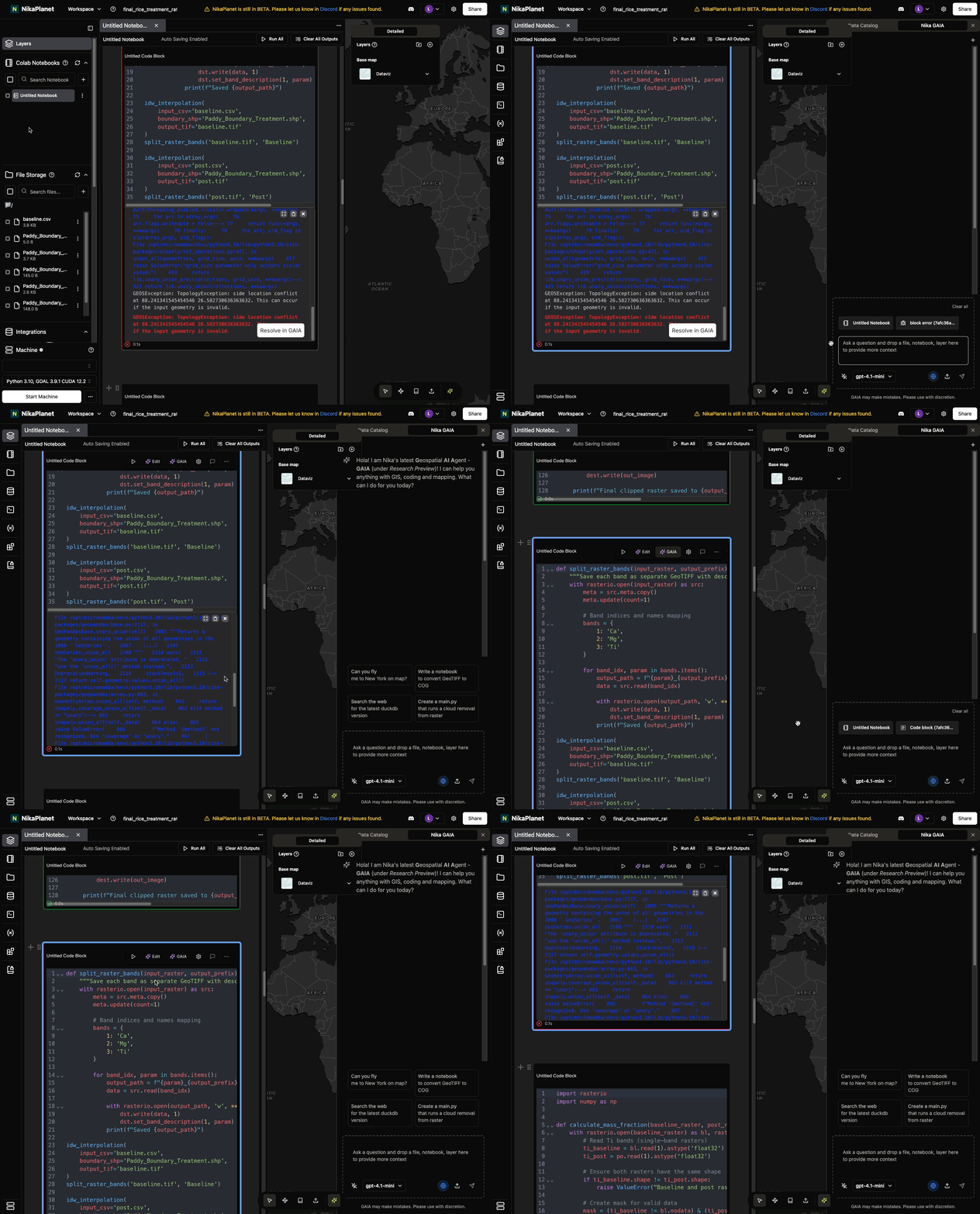
- New GAIA button on codeblock to add it to GAIA directly for query
- New Resolve in GAIA button on code execution error to add it to GAIA directly for fix query
Bug Fixes
- Support .geoparquet extension add to map
- Support most shapefile extension add to map: .shp, .shx, .dbf, .prj, .cpg, .fix, .sbn, .sbx, .fbn, .fbx, .ain, .aih, .atx, .qix, .qmd
Enhanced Map Visualization and Vector Handling
New Features
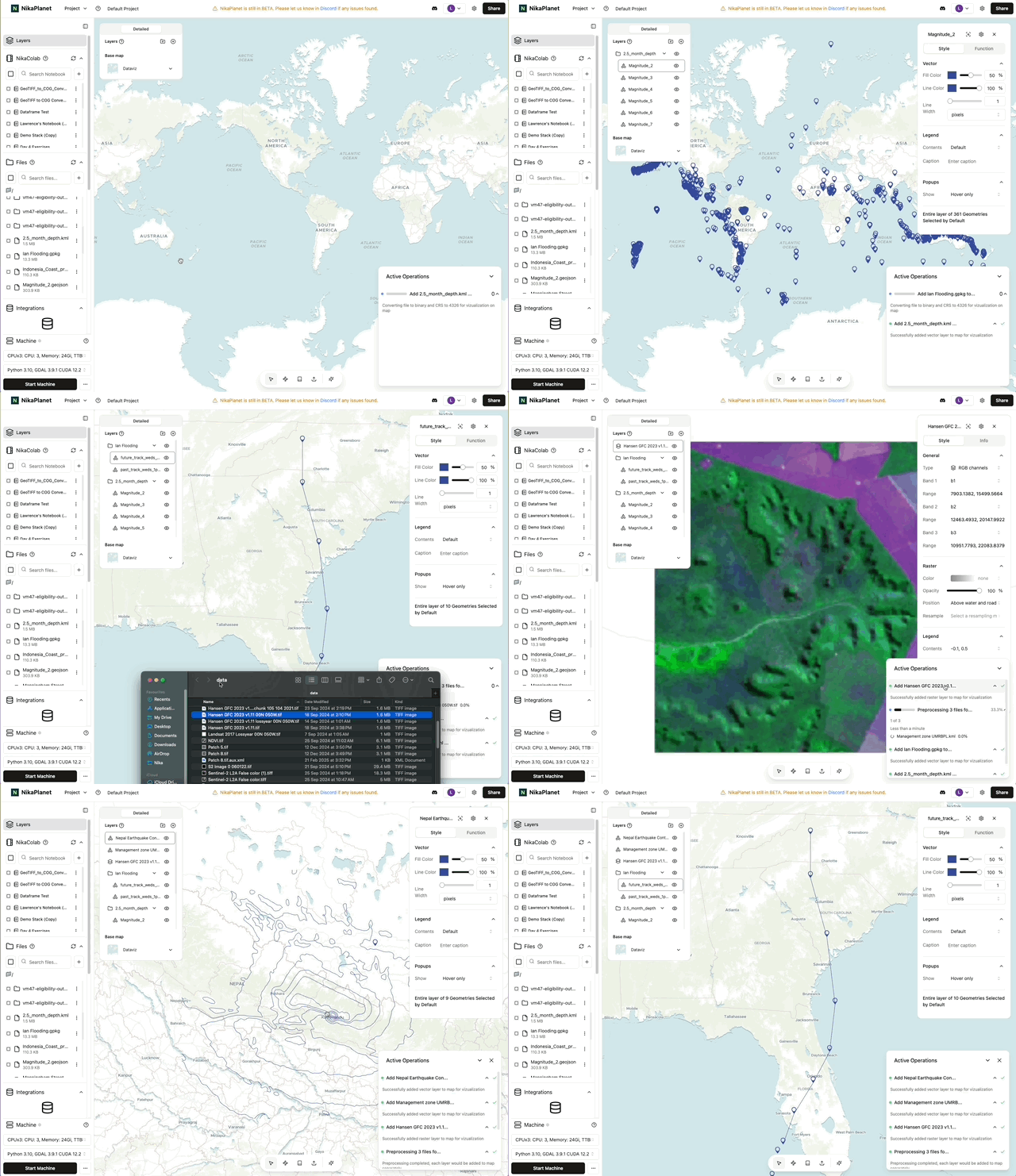
- Drag and drop from Nika file storage or desktop can both add vector or raster layer to map now
Feature Improvements
- Nika map now can handle visualization of large vector with size up to 15 Million data (points or polygon vertices) without losing details nor chunking
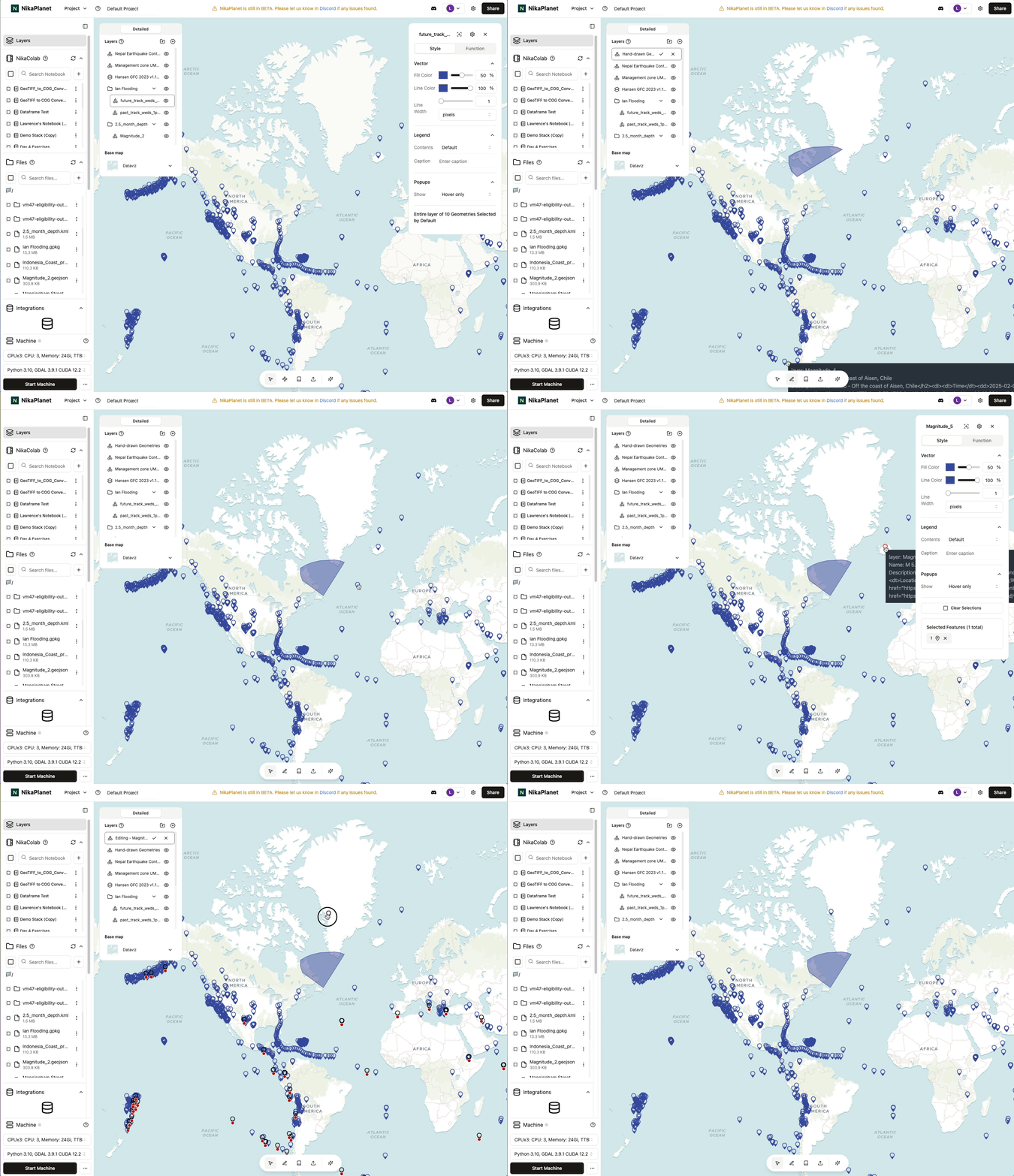
- Left click a geometry will now select it, while double click it will enter edit mode
Nika GAIA Alpha and Usage Dashboard
New Features
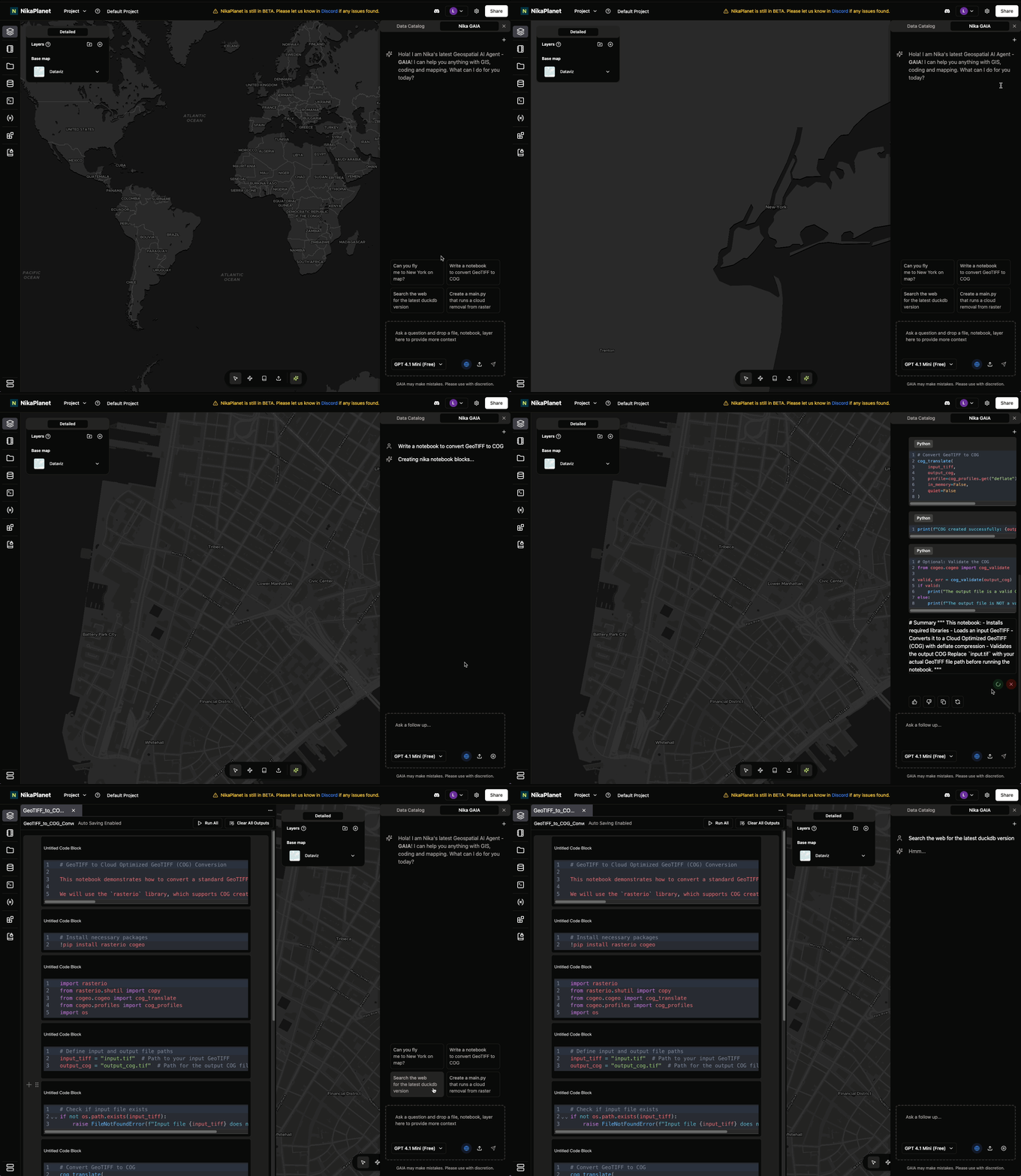
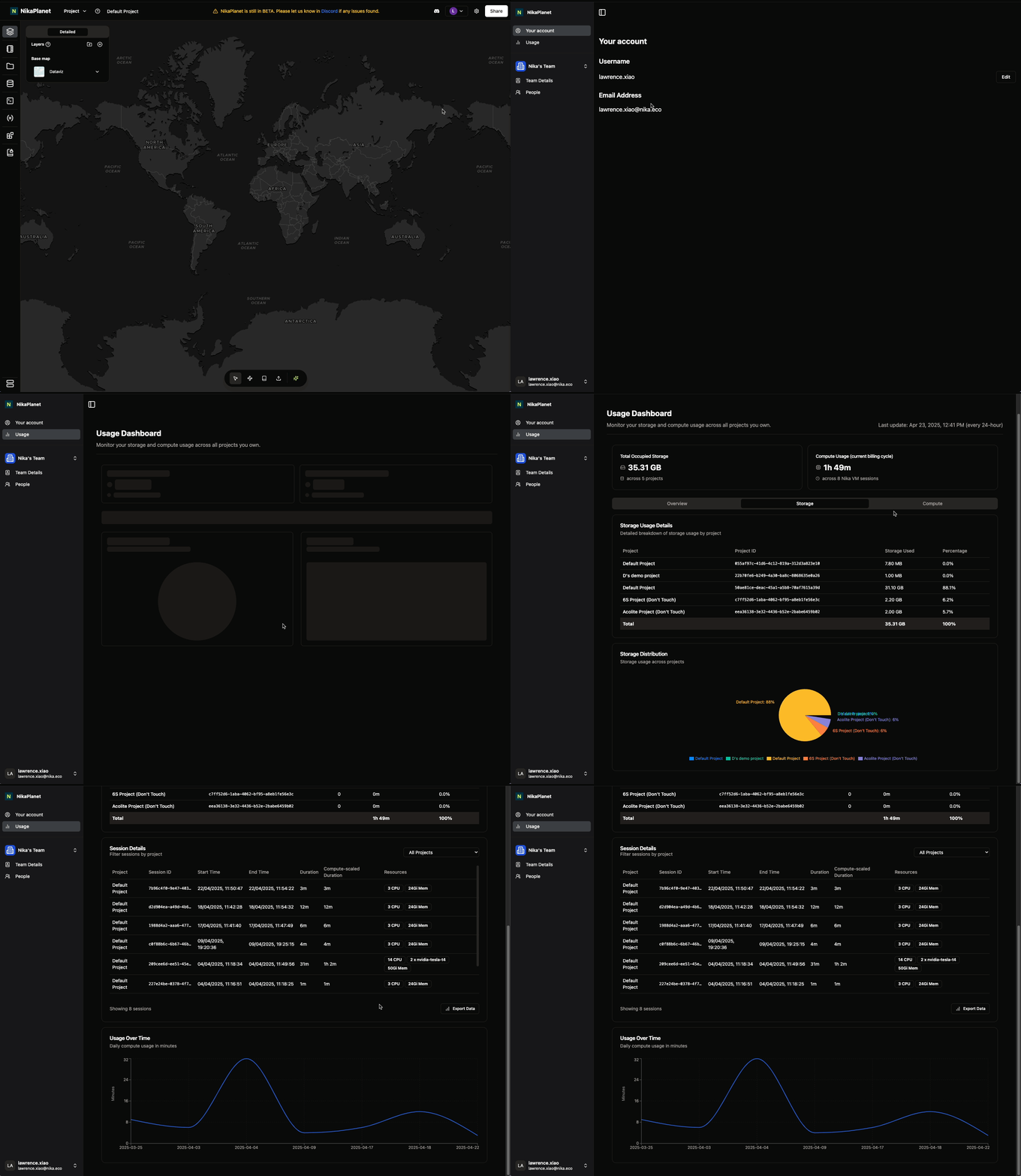
- Nika GAIA (Geospatial AI Agent) Alpha is introduced with notebook and file generating/modification capabilities
- Add a usage dashboard under settings page for user to keep track of their account/team’s compute and storage usage (click
Settingsat top right —> clickUsageon the left panel to access it)
Bug Fixes
- Fix a bug causing notebook code output to freeze the app when output is too long (e.g. print(geojson))
Bug Fixes and Stability Improvements
Bug Fixes
- Fixed the notebook’s code block insertion bug that auto scrolls down unnecessarily when it is inserted before another non-text block
- Fixed the tab switch bug that the last closed tab of notebook or file editor is still opened again after close
-
Fixed the cursor sharing position deviation issue
Cursor Sharing and Comment Capabilities
New Features
- Cursor sharing when other users are working in the same project and their cursors hover on locations over map
- Comment capability is available in notebooks now
Feature Improvements
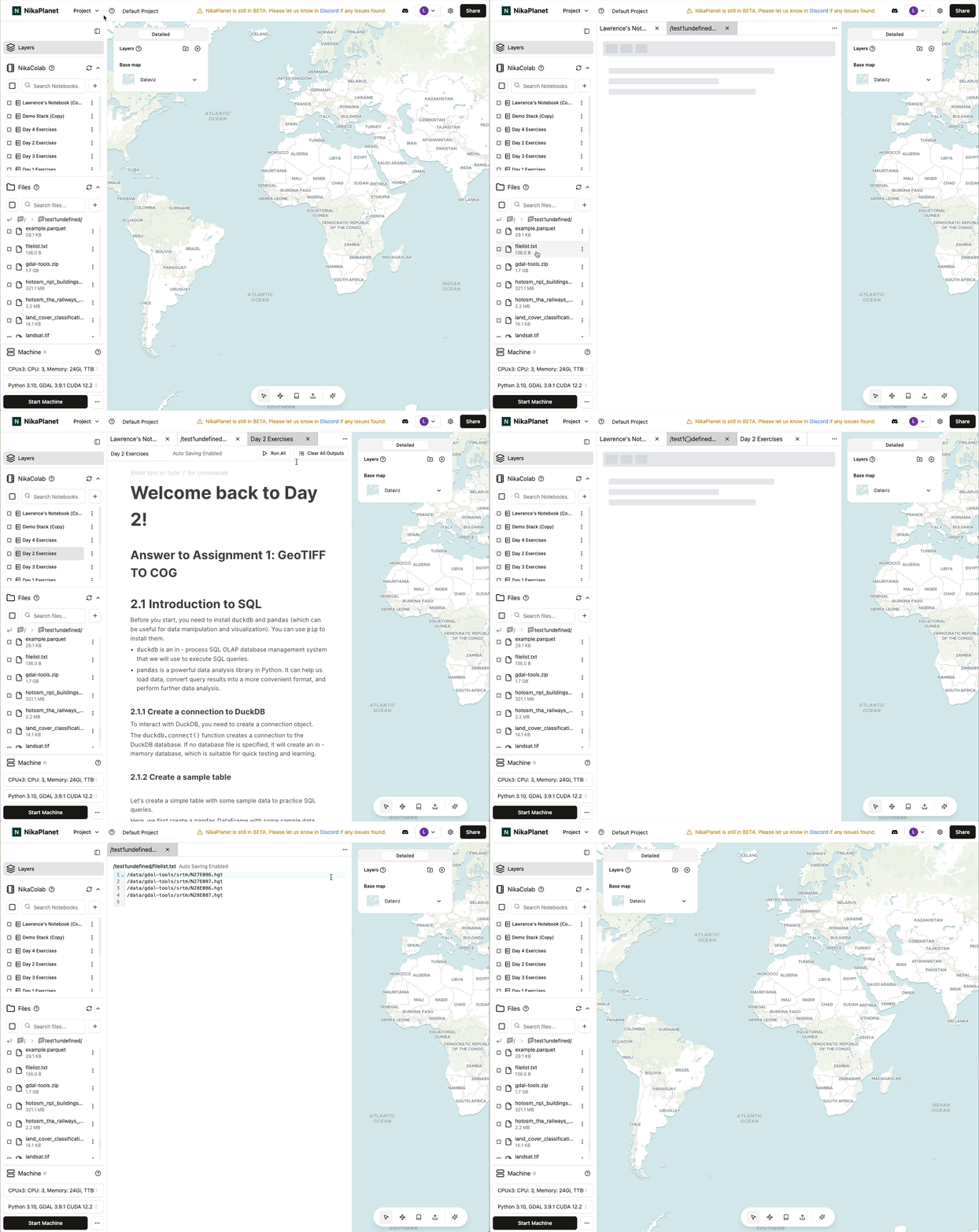
- File editor also has a suspense loading state to prevent mistake in overriding the content while loading (similar to notebook’s release in v0.3.18)
Bug Fixes
- Fixed 2 notebook bugs:
- Hyperlink will not contain a wrong https:// prefix
- Drag and drop image will be at the correct position of the flat line now
- Unsupported image types such as .tif will throw a warning when user tries to insert it to notebook
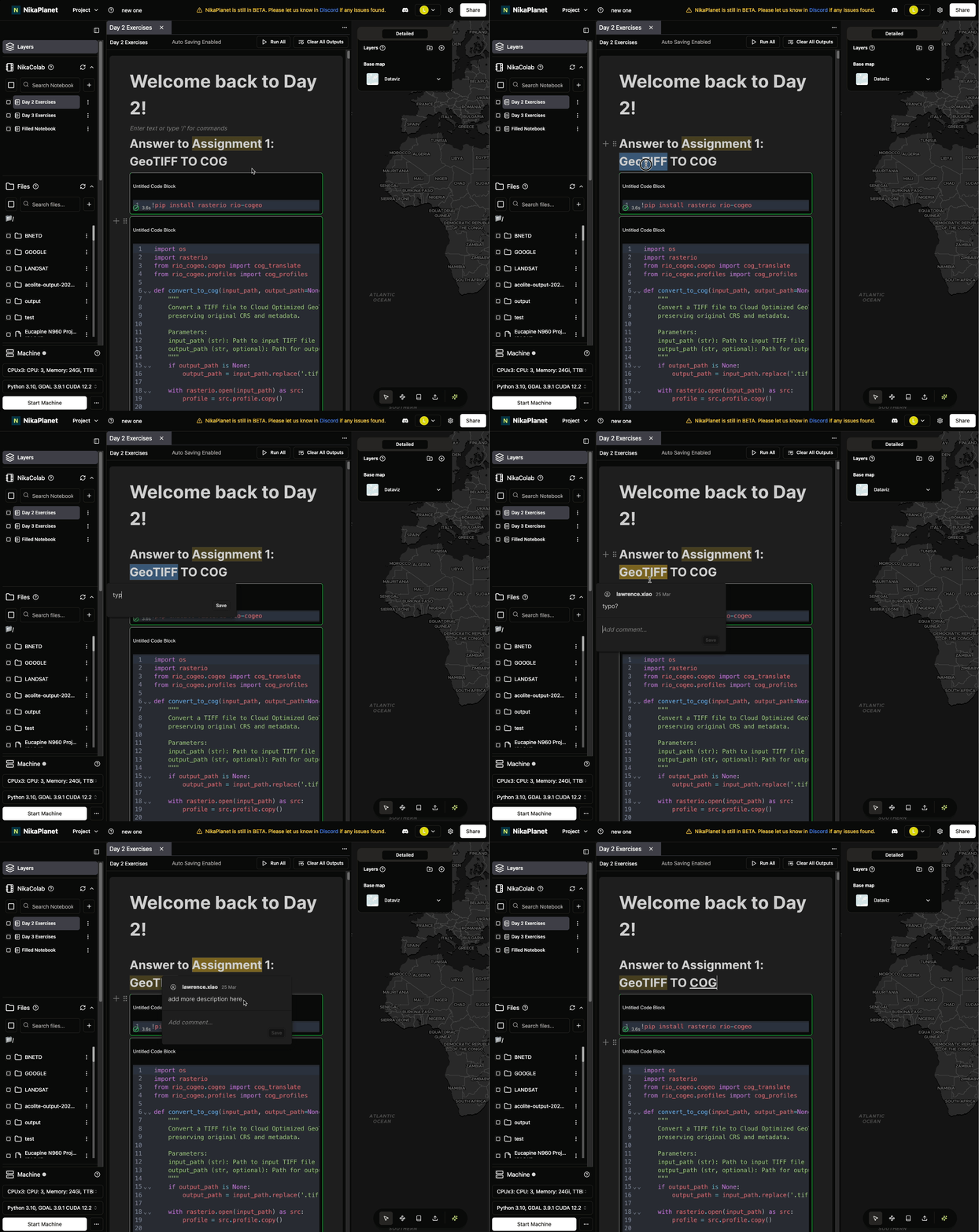
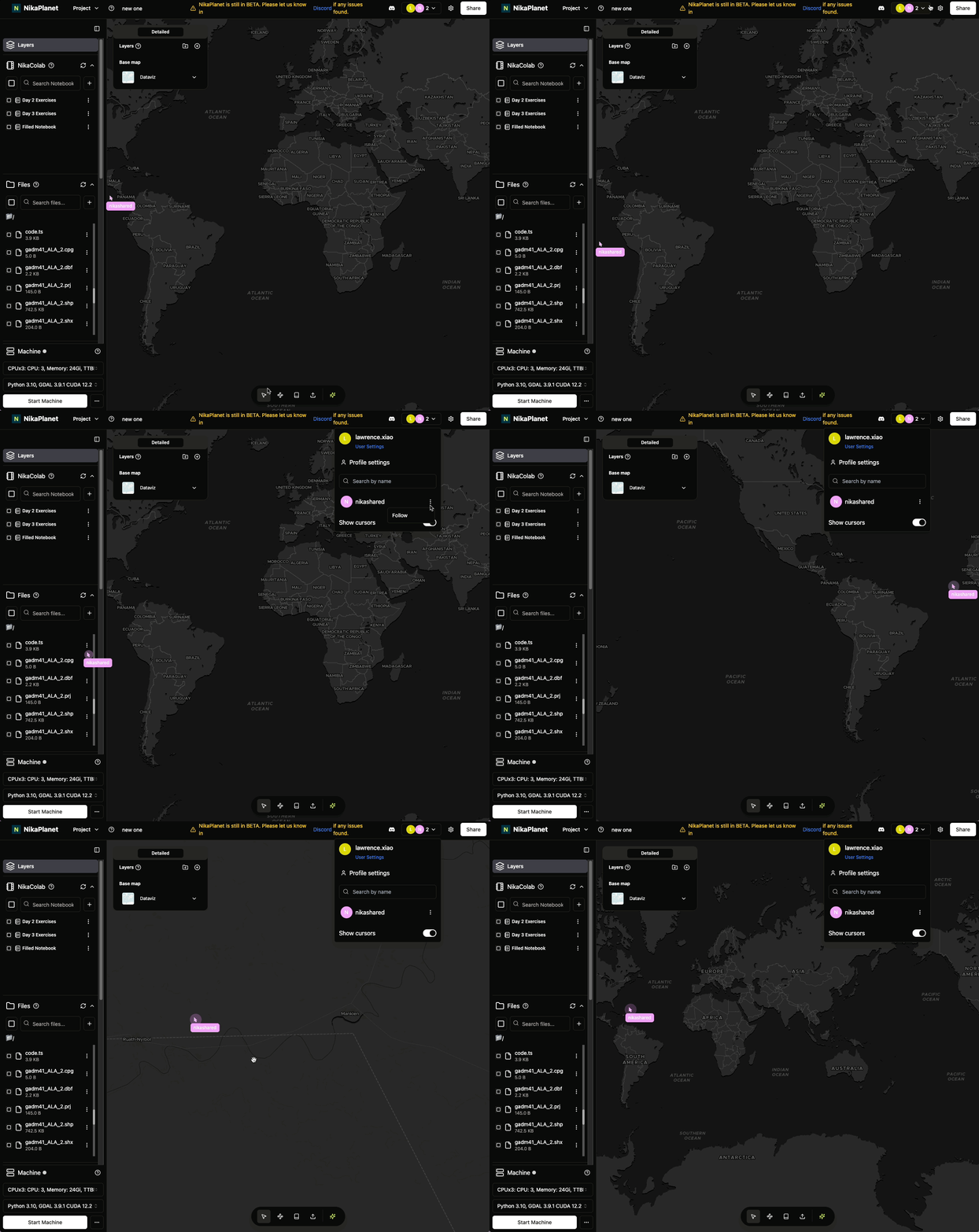
Chart Creation and Vector CRS Improvements
New Features
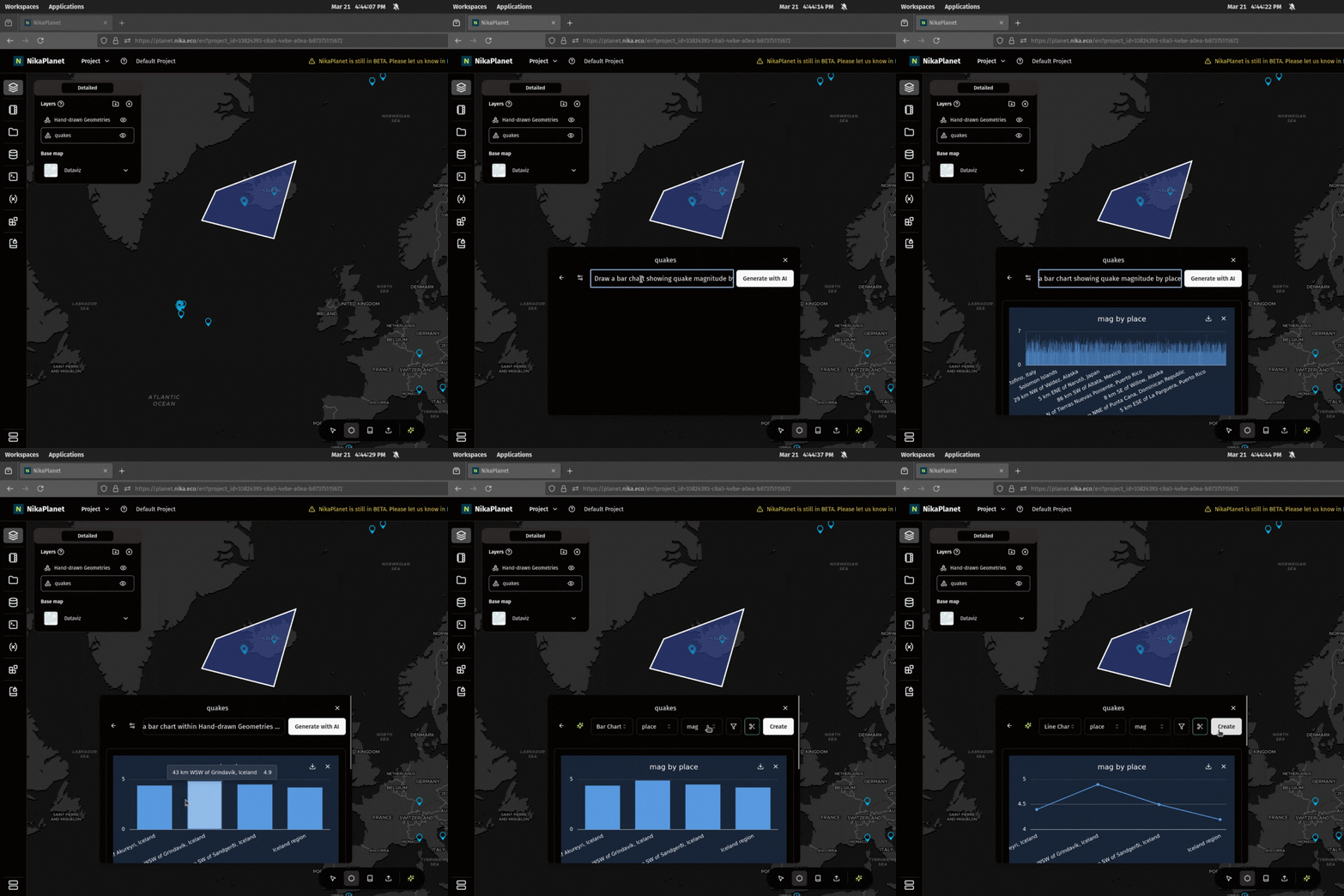
- Chart creation on attribute table (pie/line/bar charts available now) via manual selection of columns or AI automation
Feature Improvements
- Operations tracker list is reversed in order to show the most recent action tracker on top such as file upload
Bug Fixes
- Fixed some vector files added to map becoming a line issue due to incompatible CRS. Now every vector layer added to map is auto converted to 4326 for visualization
- Fixed the issue when renaming/moving a folder with many subfolders/files in it
-
Fixed file search flashing the results bug and made search faster now
Auto COG Conversion and Raster Server Fixes
New Features
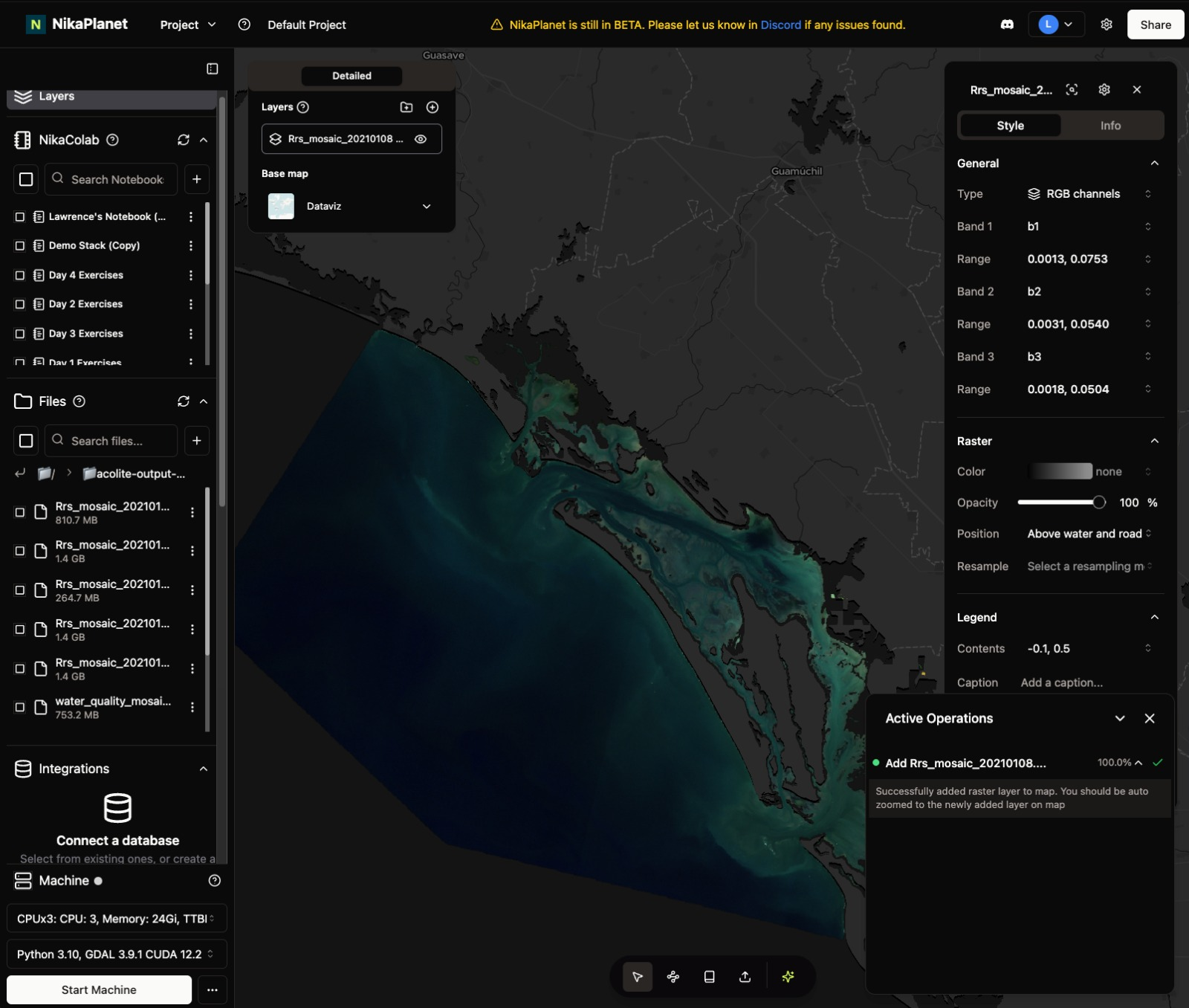
- Auto COG conversion when adding raster file to map so that it will be loaded much faster. This happens if GeoTIFF is > 20MB, and it will create a new COG version of the same GeoTIFF in the same folder without changing the source GeoTIFF
Bug Fixes
-
Fixed raster server’s existing internal server error that caused adding GeoTIFF to map to fail sometimes

Layer Tree Format and User Visibility
Feature Improvements
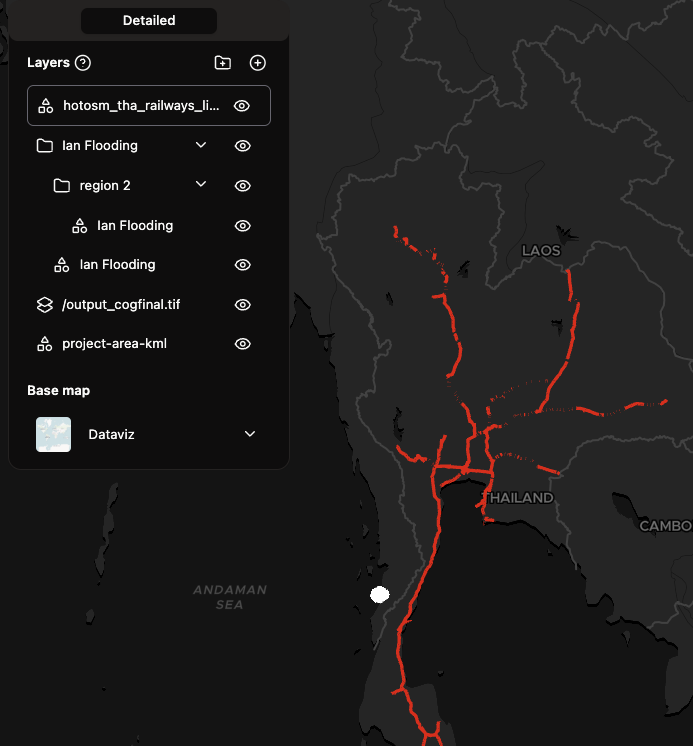
- Layers are now represented in tree format instead of a list, so that KML or GeoPackage files with more sub groups will be able to shown properly in our UI
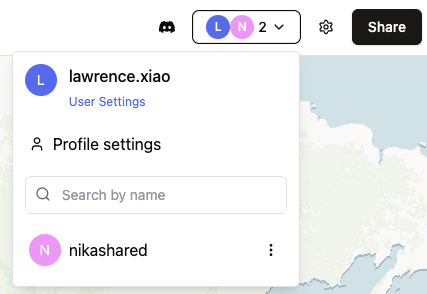
- List of users in the current project will be shown at the top right
Bug Fixes
-
Fixed the issue that KML or GeoPackage were only loading the first sub geometry instead of all of its sub groups of geometries
Notebook and File Storage Enhancements
Feature Improvements
- Notebook improvements:
- Hyperlink is shown properly in blue
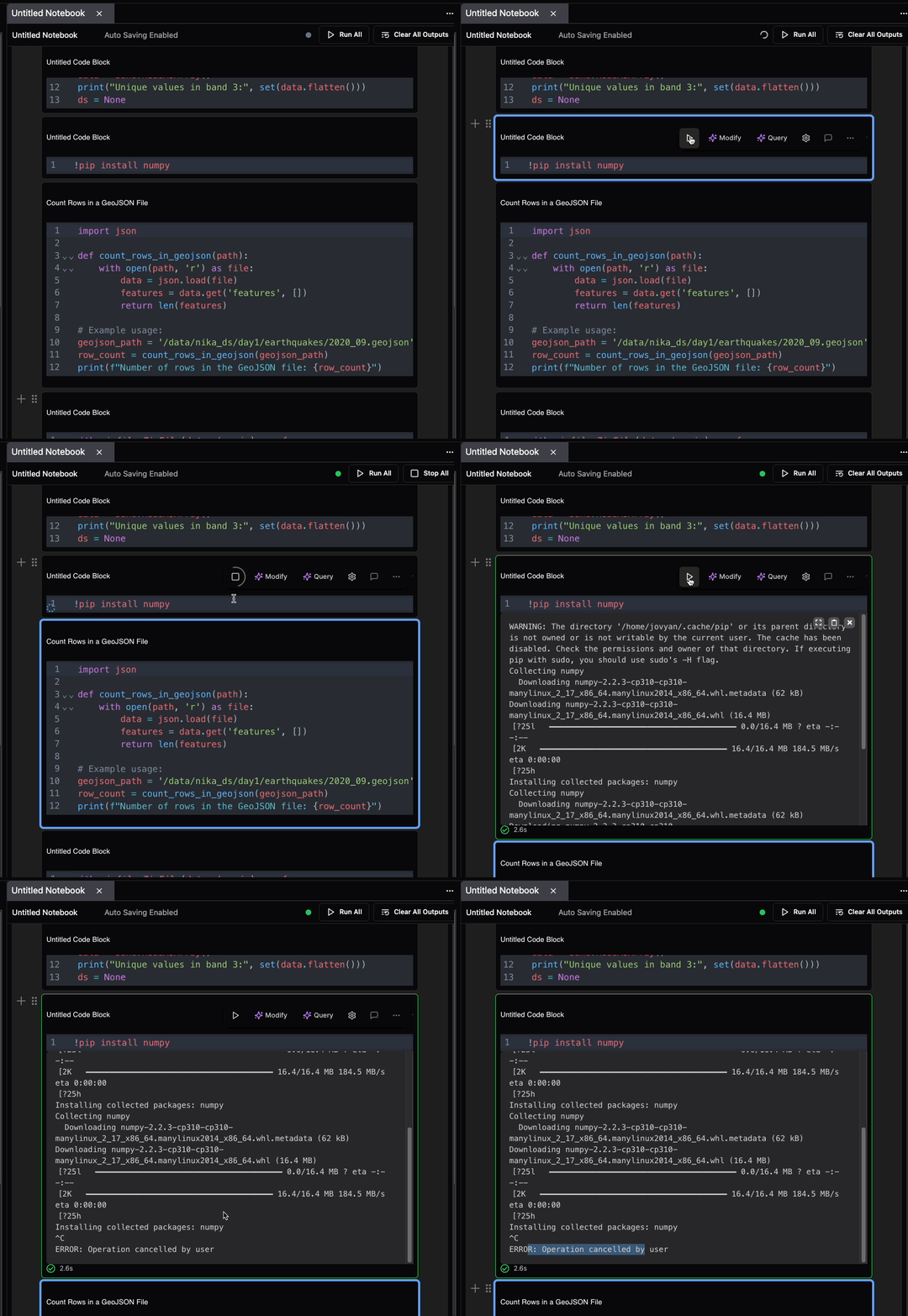
- New code block button to stop the running code (the same place as the run code button)
- New button to clear all outputs at top right of notebook
- Drop image or past image into notebook is fixed for all
- Opening notebook will have a loading state to avoid mistakes overriding old content that is not loaded properly yet
- File storage improvements:
- Multiple file actions (refresh, change folder, move files, rename files etc) can happen simultaneously now
- Data catalog improvement:
- Download dataset will auto refresh progress now every 10 seconds, instead of user having to click to refresh manually
New Features
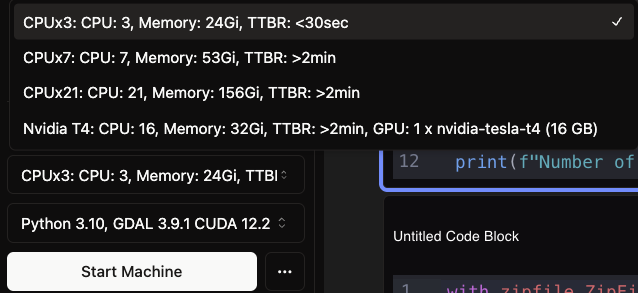
- Added more powerful CPU instances with bigger vCPU and Memory size to overcome large compute needs
Bug Fixes
- Large notebooks that cause crash won’t have issue crashing anymore
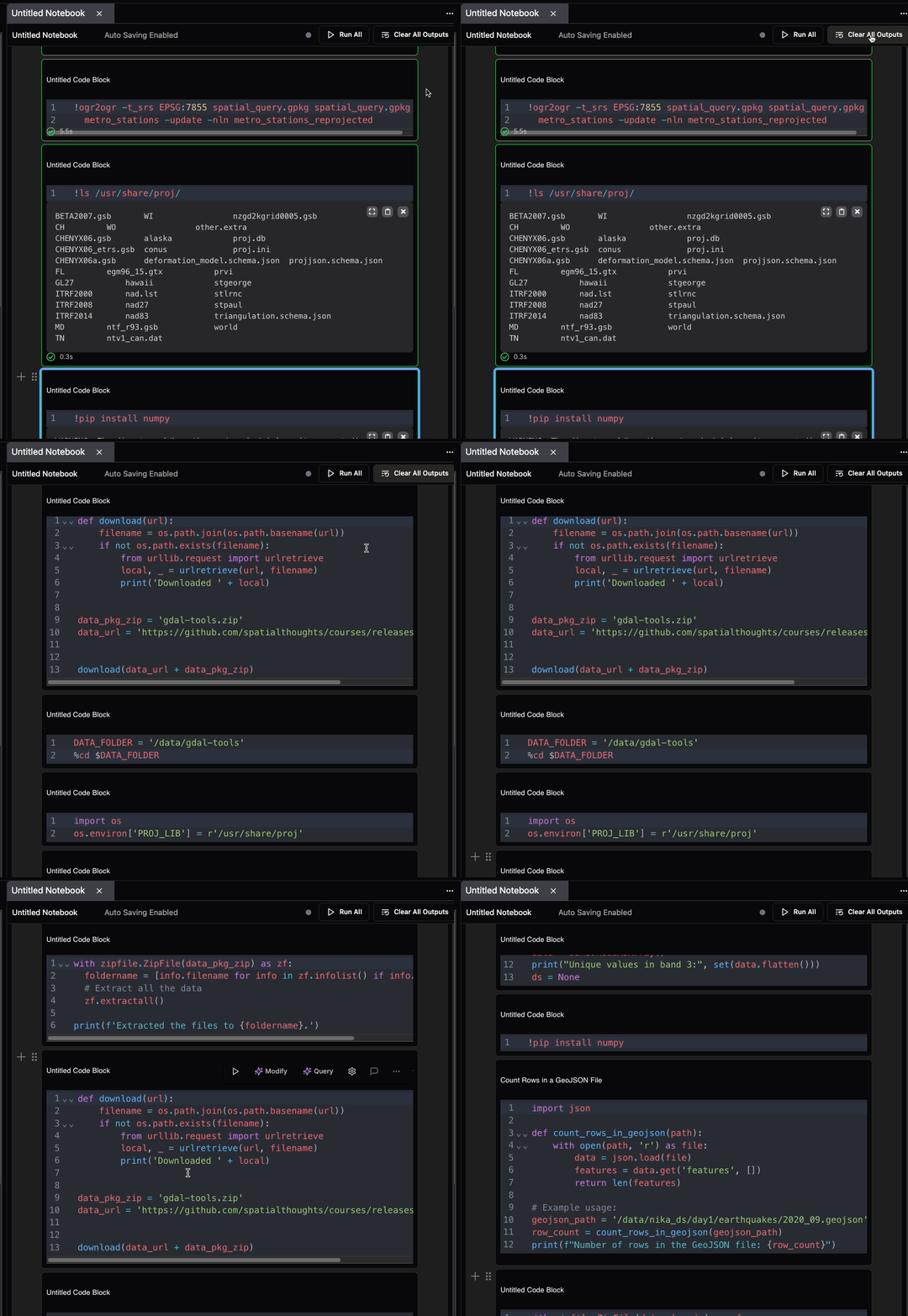
- Fixed the proj.db not found when user uses GDAL command or libraries like rasterio that relies on the georeference function of GDAL. Now all georeferencing should work properly when you use pre-installed GDAL in NikaColab notebooks
Notebook and File Management Improvements
Feature Improvements
- Notebook improvements:
- Right click duplication in the same project
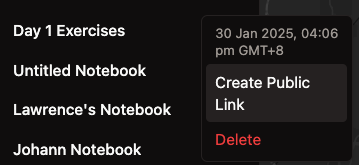
- Right click create sharing token across projects with expiry time config
- Add multi-select checkboxes for notebook list
- File storage improvements:
- Add multi-select checkboxes for file list that works for moving/renaming/deletion/dragging of file items
Bug Fixes
- Downloading data from Data Catalog no longer results in large files caused by wrong resolution previously
Vector Layer Performance and UI Enhancements
Feature Improvements
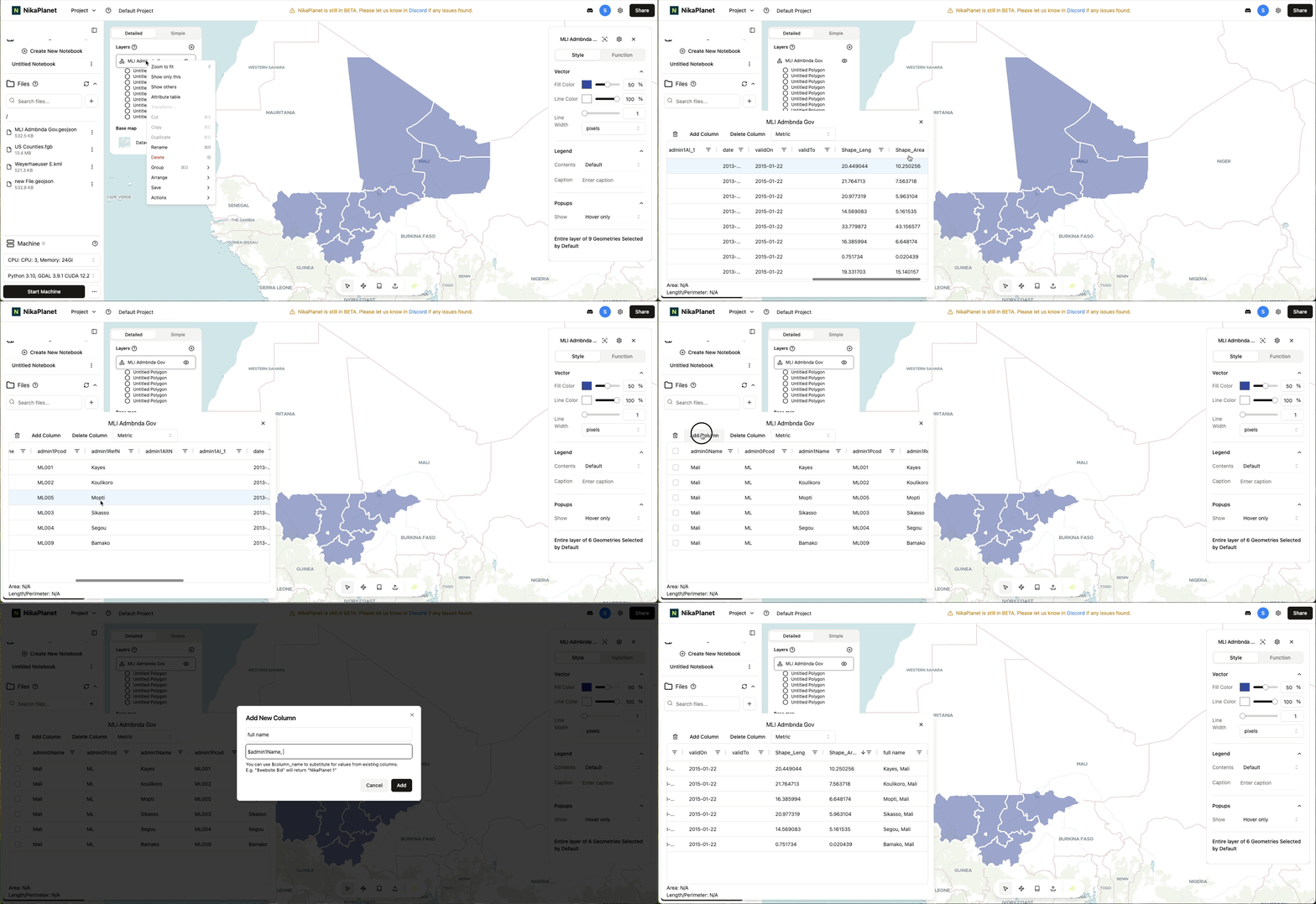
- Changed vector layer’s attribute table into a table that works with million rows of data (see demo below)
- Added user name on hover over to user avatar at top right
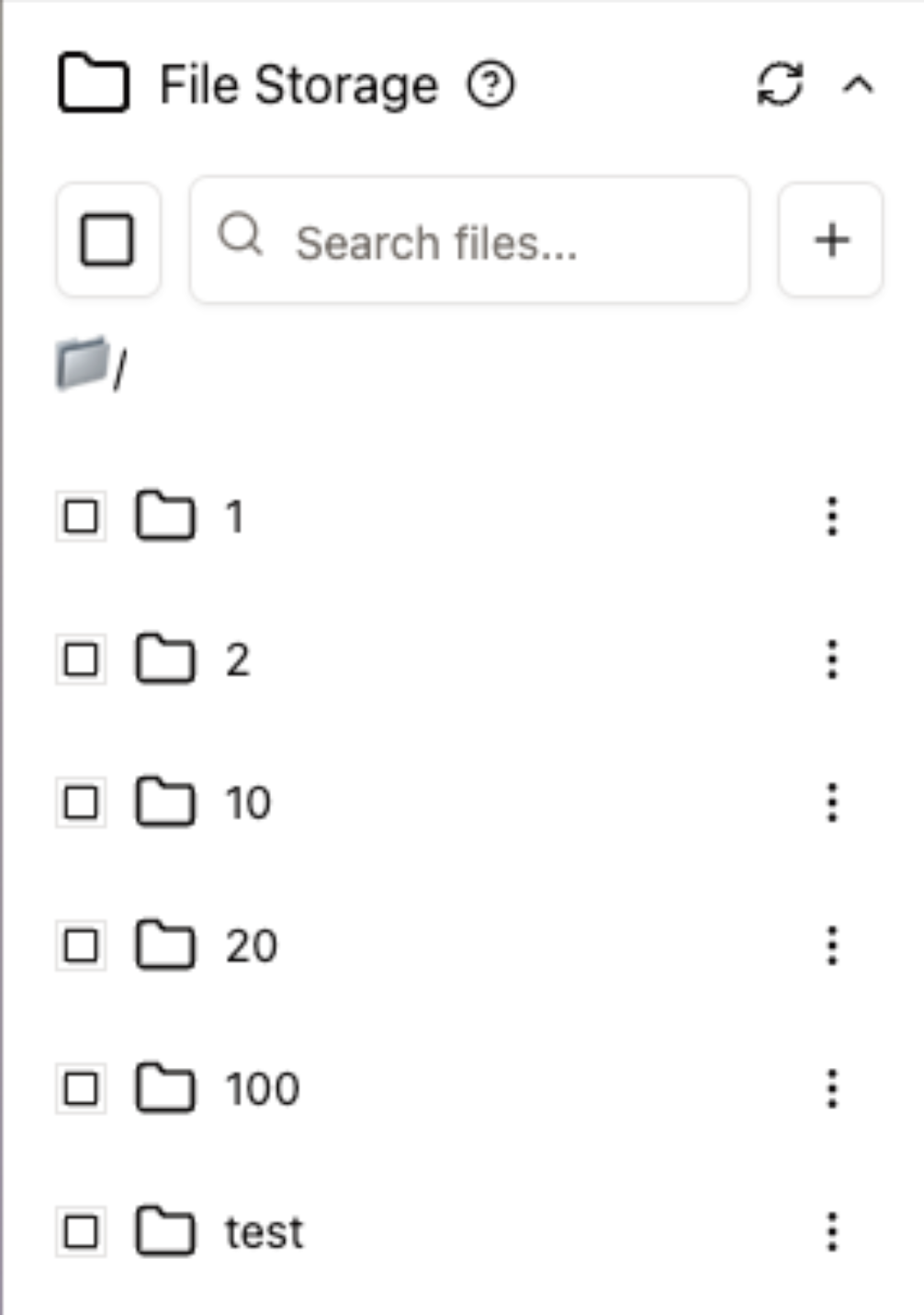
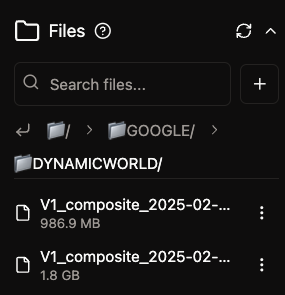
- Redesigned the files path UI with more spaced breadcrumb and a “back to previous layer” button (see screenshot below)
- Added search and scrollable region for notebooks
- Now download a file will auto start downloading process
Bug Fixes
- Downloading complex folder no longer results in incomplete ZIP file to local
- Machine startup no longer spins forever until force refresh the window
- Notebook tab will sync after notebook rename now
- Default machine type is no longer blank for new project created but now the CPU type
- Not every file has a right click add to map option and then some may fail, now only those supported file extensions have that option
CPU Machine Upgrade and Data Catalog UI
Feature Improvements
- Default CPU machine size is increased from 11 GB to 24GB, while maintaining the same speed of 15s to have one running successfully
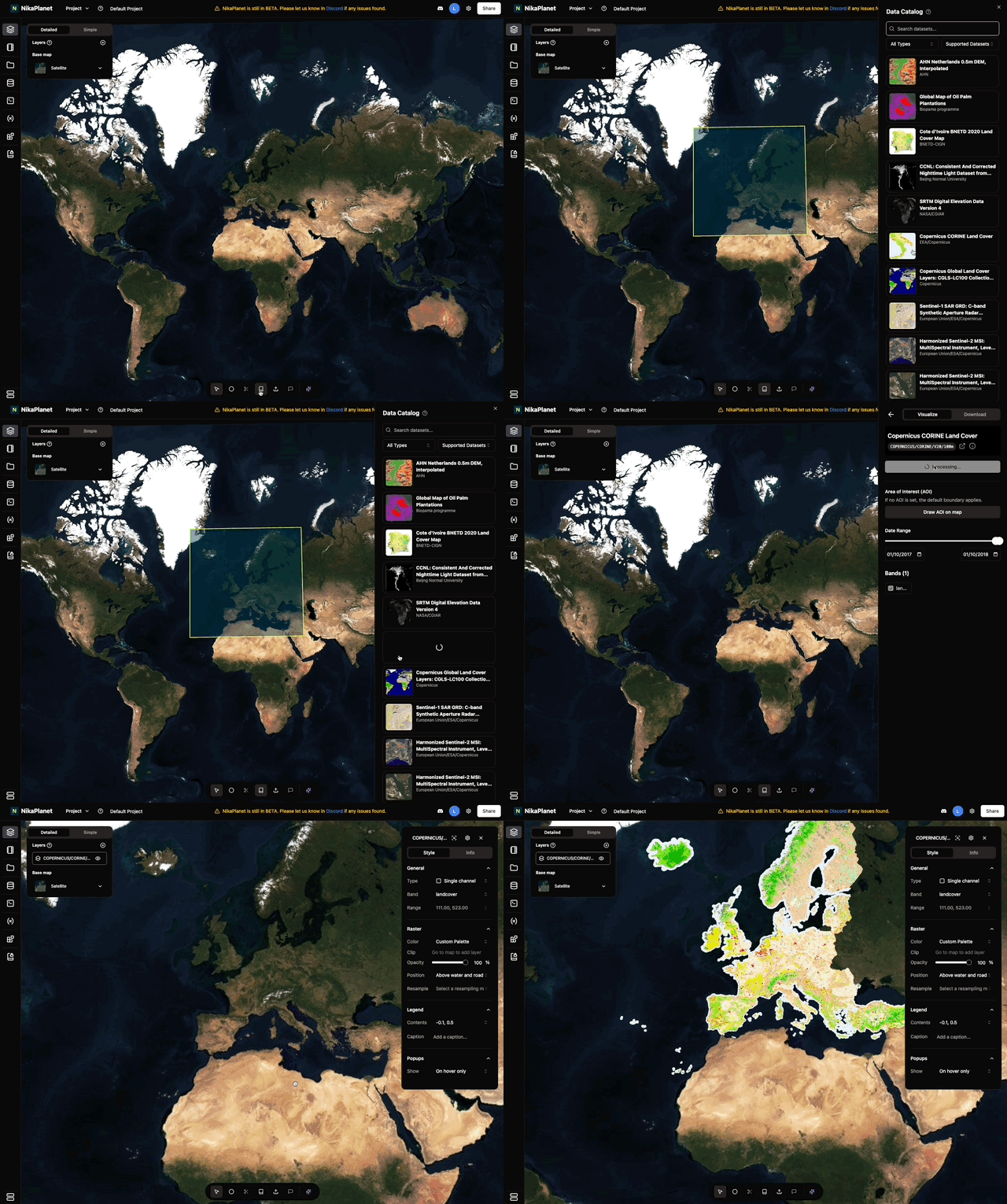
- Data Catalog now has support for bound visualization on hover over
Features Removal
- Data Catalog has a new UI as a columnar list on the right instead of the dialog covering the entire center of the page before this
Bug Fixes
-
Fix one bug that causes KML files to not be addable to map to visualize
Extended Dataset Support and AI Search Improvements
New Features
- Added another 54 datasets to be supported in Data Catalog, Including SRTM DEM, Copernicus CORINE, Global ALOS, WAPOR, MODIS etc
Feature Improvements
- Most of the datasets in Data Catalog have a more accurate data catalog to begin with
- The AI search is now producing better results than before
Feature Removal
- Remove the need for some datasets in Data Catalog to require an Area of Interest to visualize with, so now every dataset with AOI is optional
Bug Fixes
- Fix one where date range slider allows end-date to be earlier than start-date
- Fix local raster added to map with one band can use multibands mode error
-
Fix new dataset from Data Catalog added to map with global bound has some displaced until user zooming in
Role-Based Access Control Implementation
New Features
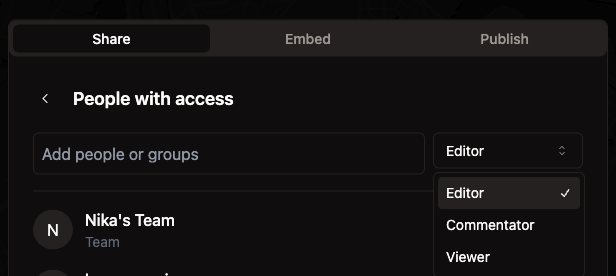
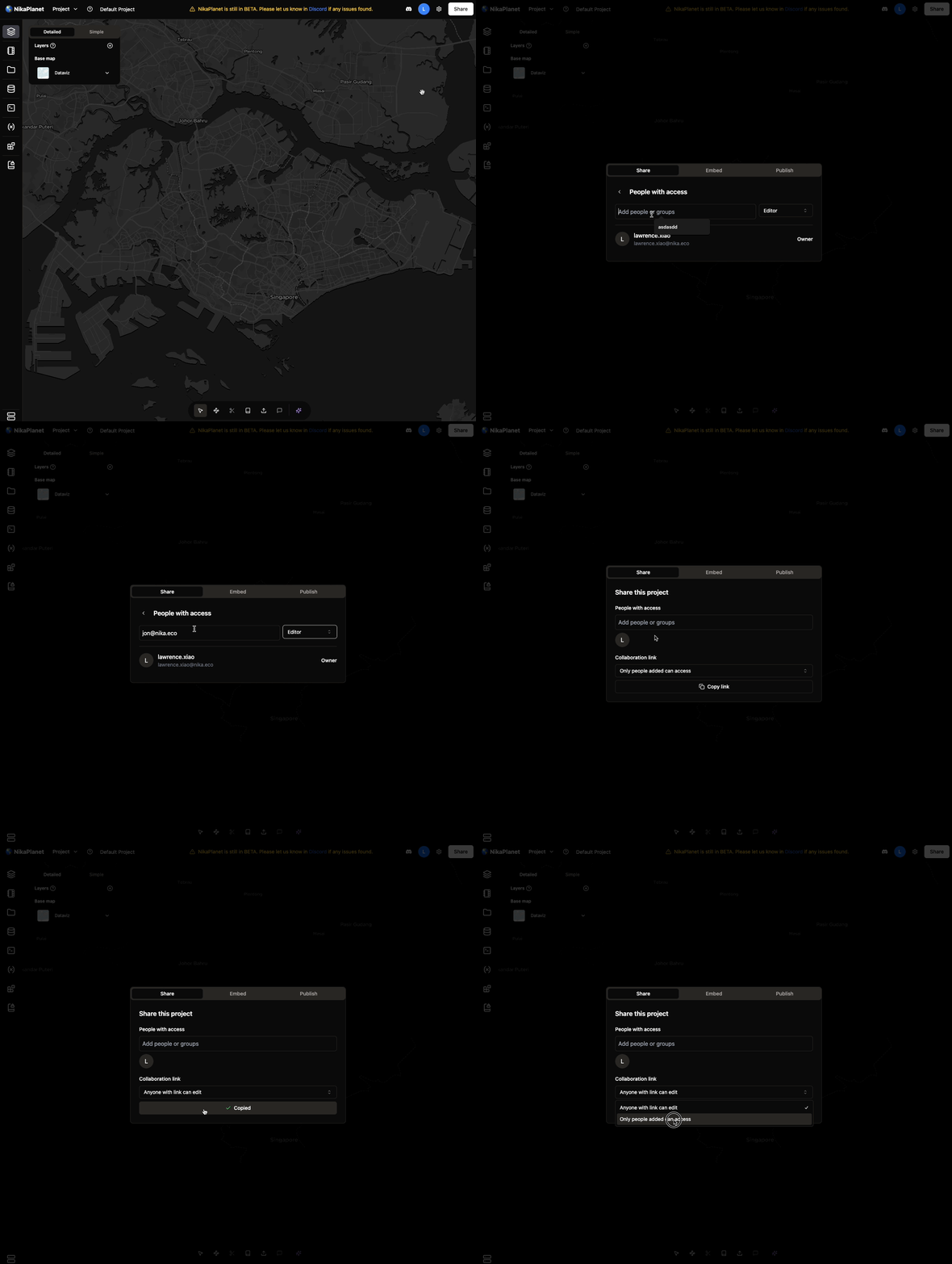
- Project-level role access control: Editor, Commentator, Viewer (e.g. viewer cannot create/edit notebook but can only list/read notebooks)
- Team-level role access control: Admin, Member (e.g. member cannot delete project, modify team name or description, while admin can)
Feature Improvements
- In the list of projects to switch to, they are sectioned by team and team name cannot be clicked
Bug Fixes
- Sharing a project as project editor while not yet verified team invitation had led to app crash, now fixed
-
Shared project’s team avatar is correct now
Code/Notebook Integration and File Editor Enhancements
Feature Improvements
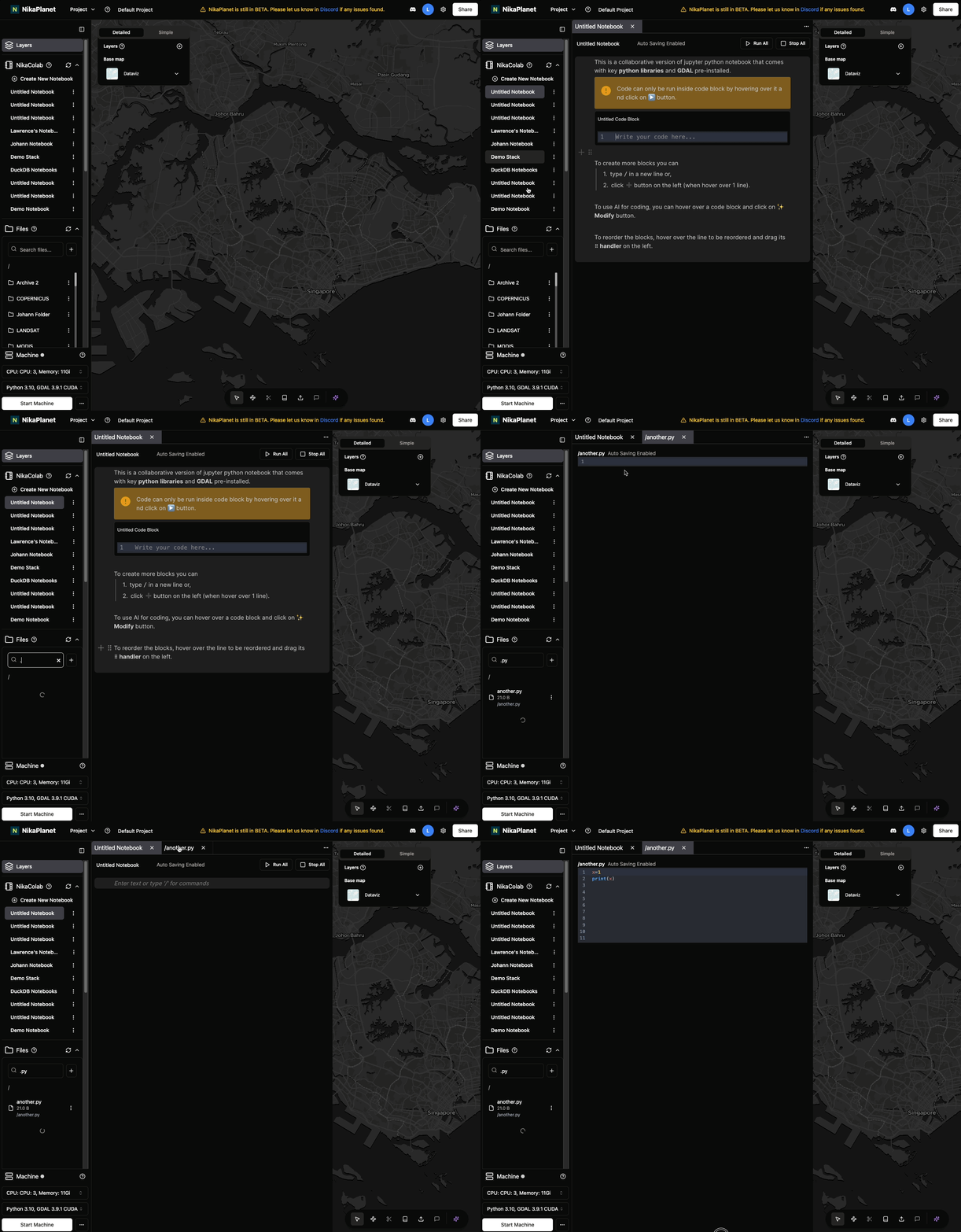
- Code/Notebook section merged into the same area with tabs so that user can switch between opened ones
- Added close all tabs
- Support more file types for edit in NikaPlanet: sh|bash|xml|yaml|yml|vue|dockerfile|toml|r|lua|perl|pl|kt|maven|pom|scala|dart|svelte
- Dark theme for file editor is more visible now
- New notebook created comes with an initial content that guides user on how to use it
- Make all files in edit autosaving by default
Bug Fixes
-
Indentation with TAB key is fixed for file editor
Enhanced Data Catalog Layer Customization
Feature Improvements
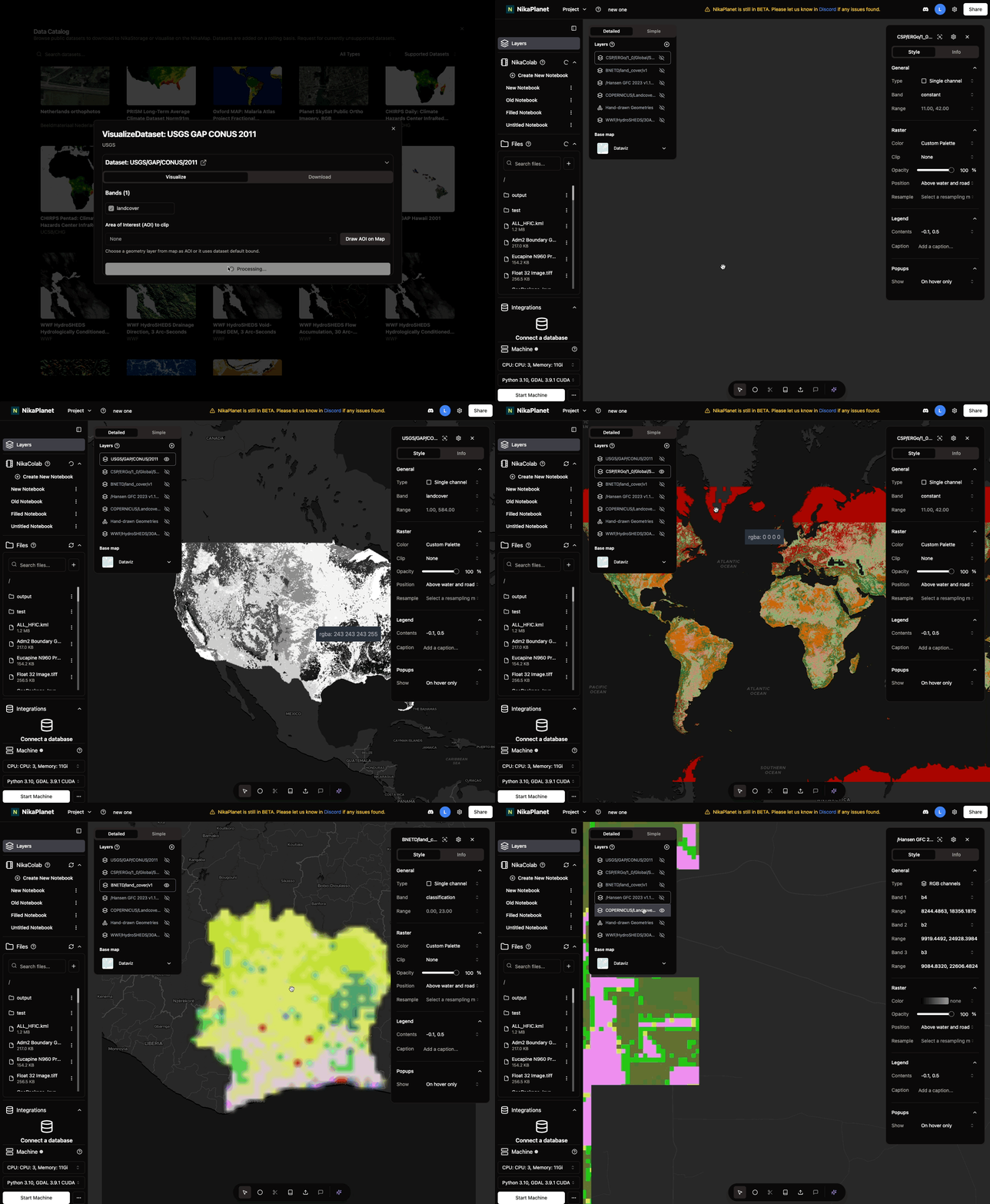
- Added layer customization of data from Data Catalog:
- Select display modes: Single-channel, RGB, or spectral indices
- Switch between dataset bands seamlessly
- View histogram statistics with rescaling options
- Customize color maps for improved visualization
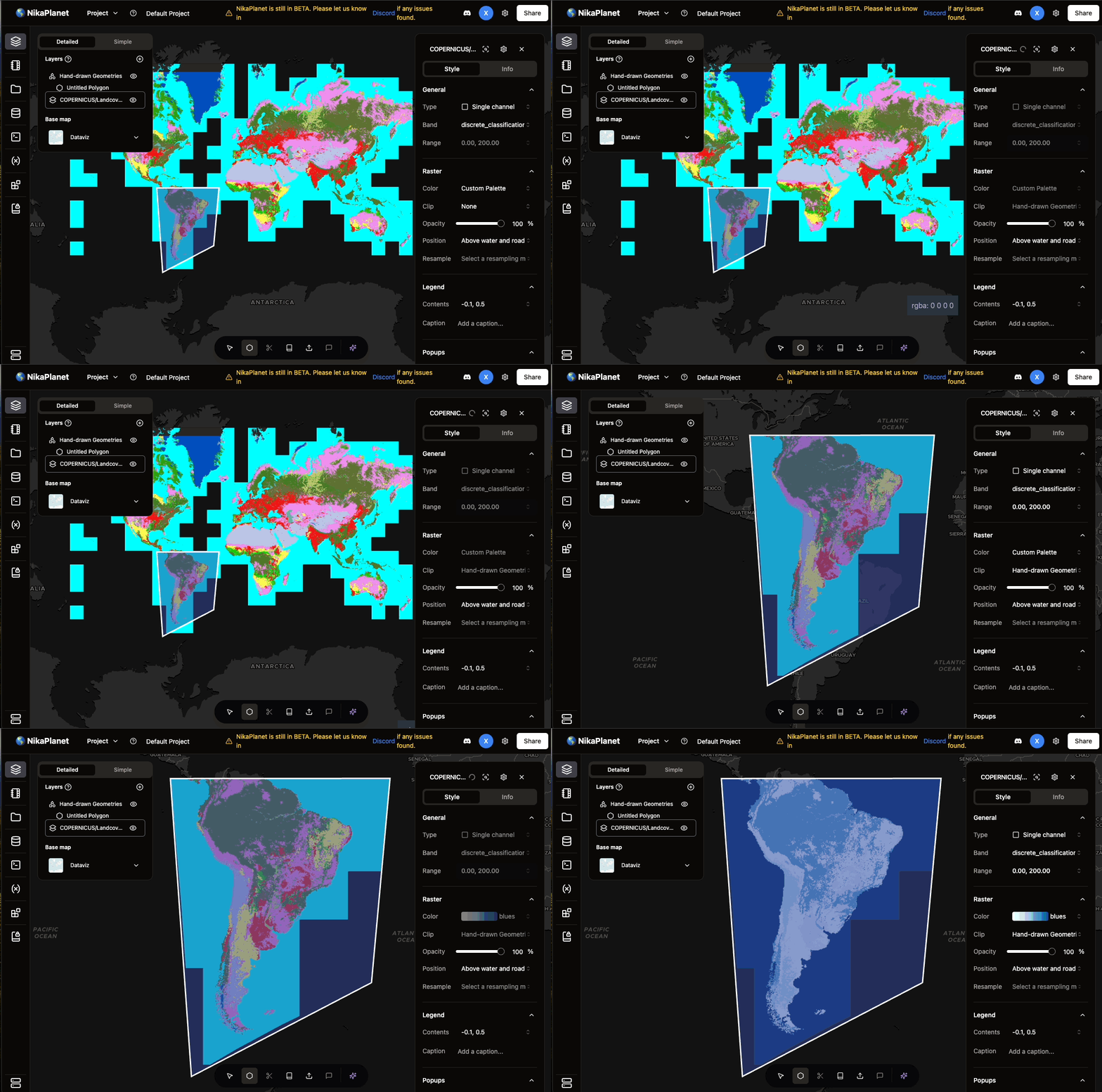
- Clip datasets to your desired Area of Interest (AOI) or remove clip (which defaults back to max bound of dataset)
Bug Fixes
-
Resolved issues with visualizing global datasets (e.g., Copernicus LC100). The new clipping feature now supports visualization of both global and non global datasets
Team Management and Data Download Enhancements
New Features
- Teams page is added for user to manage team members (invite/remove/resend invitation) which is accessible from top right of the project main page
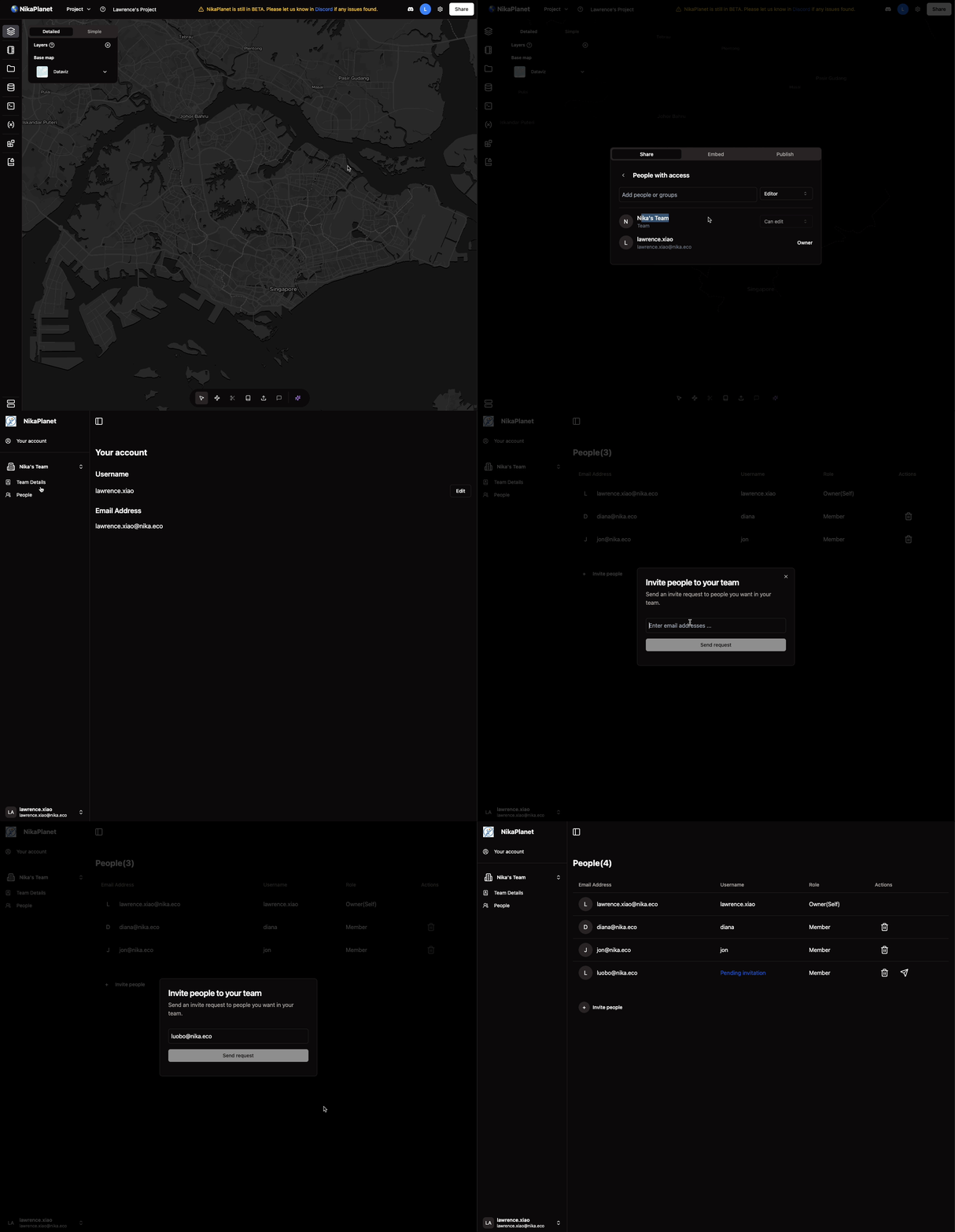
- During new project creation, user can specify which team to create the project under. Projects created under a team will by default shared with the team
Feature Improvements
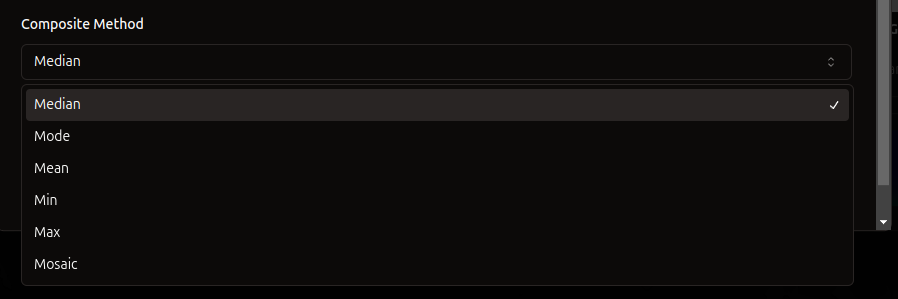
- Added min, max, mode, mean, mosaic compositing options for downloading raw data
Bug Fixes
- Fixed geodesic projections for clipped visualizations for dataset from Data Catalog used with AOI. Before this, some result image on map is clipped with curved line, which is now resolved
AOI Selection and SkySat Dataset Support
New Features
- Select AOI from a map geometry layer to clip one-click visualized datasets, or for downloading datasets
Feature Improvements
- Supported new high-res SkySat Datasets
- Added scale field for download, to enable high-res
- Removed choice of raw/processed download, automatically selected based on dataset type
Features Removal
- Upload geojson to clip area for downloading data from Data Catalog is removed. But user can simply upload to Files on the left and add the geojson to map as a layer to clip
Point Labeling and GeoSAM Integration
New Features
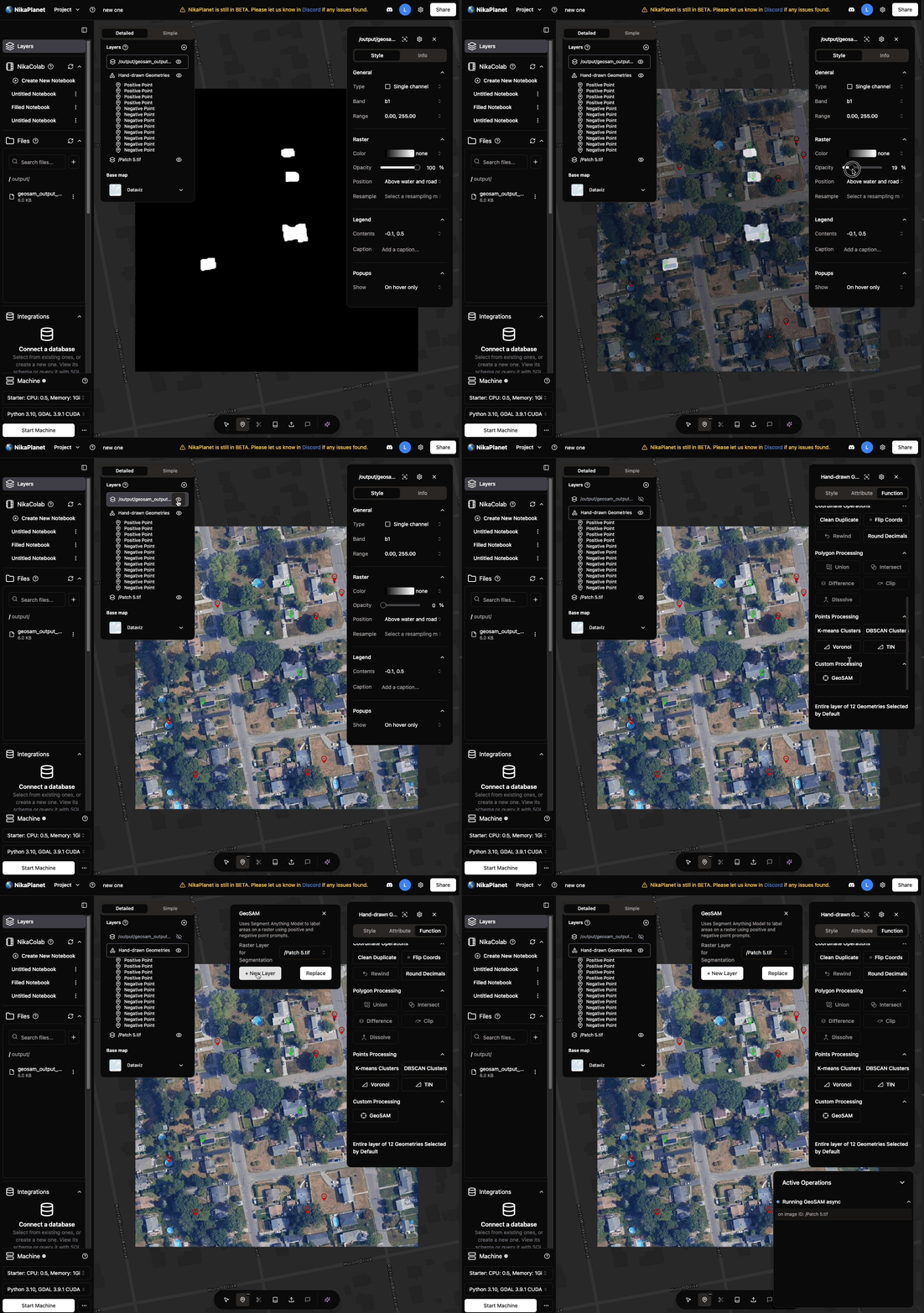
- Label points as positive or negative directly
- Run GeoSAM version 1 with labelled points on GeoTIFF images directly
Feature Improvements
- Add feature name which uses attribute field name to show on UI
Bug Fixes
-
Fixed status name at top right after running certain actions to not show weird characters
Vector Operations and Layer Management
New Features
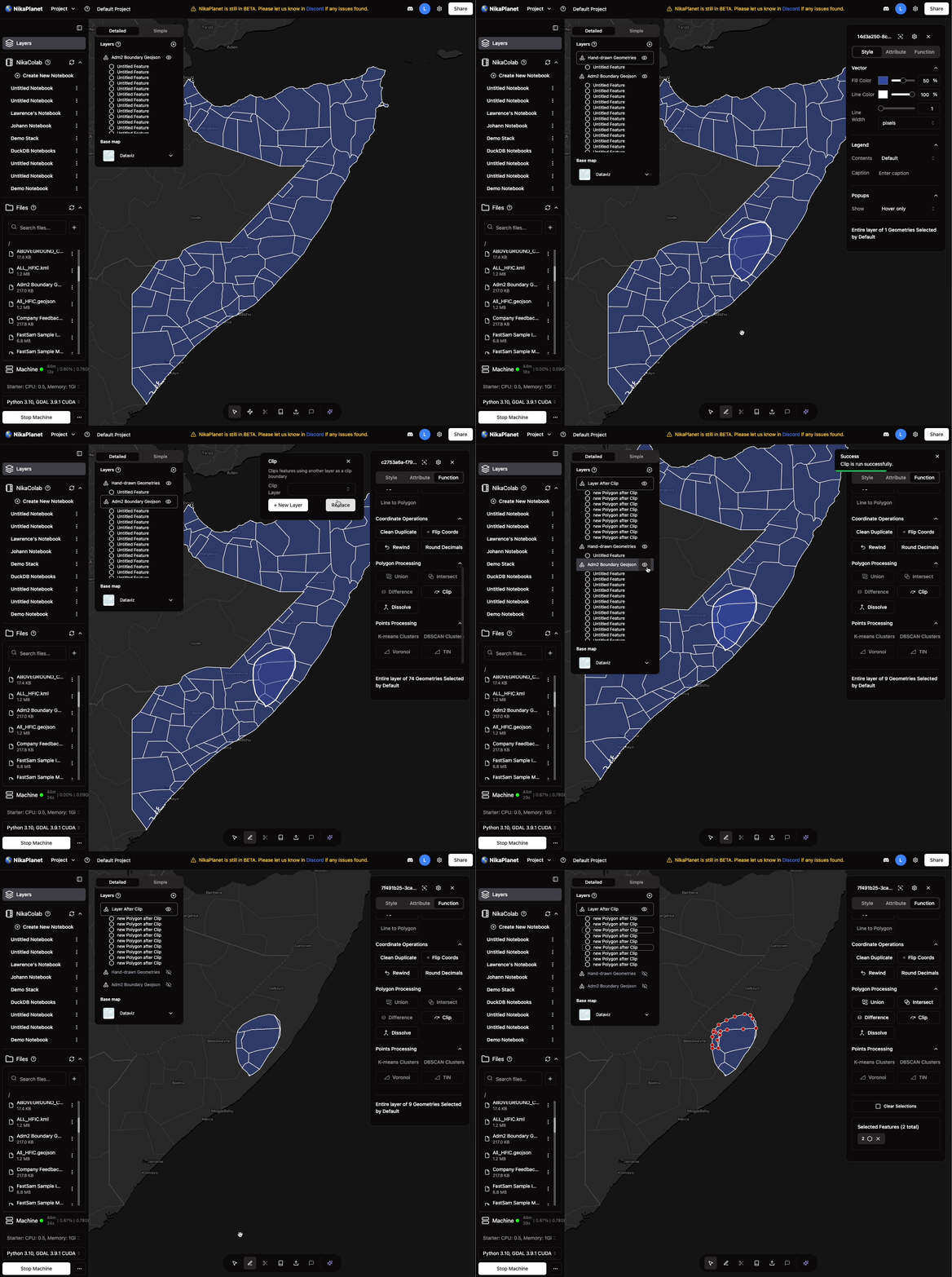
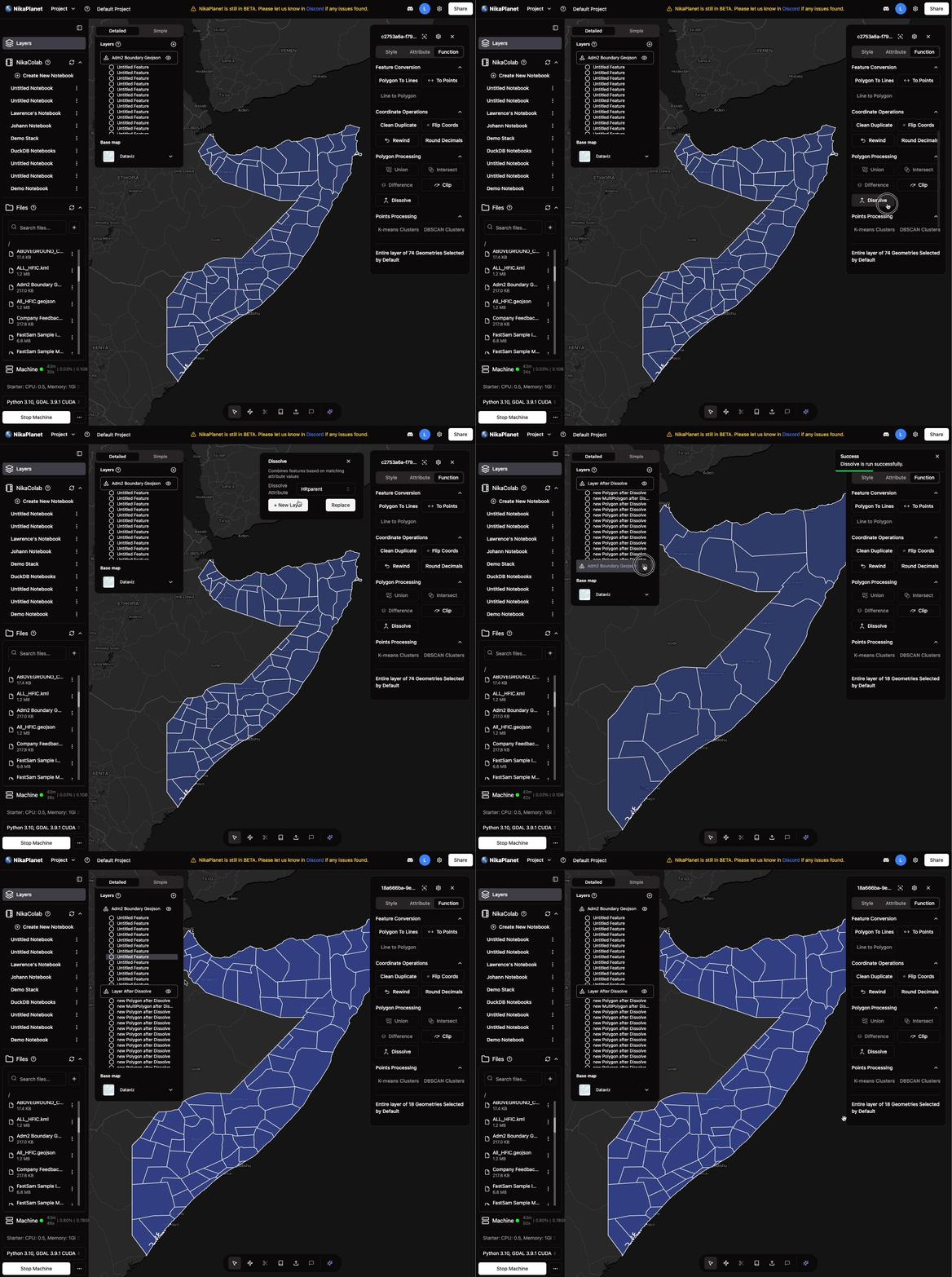
- User could run dissolve and clip on polygon geojson on map layer to created dissolved or clipped geojson layer
Feature Improvements
- User could reorder the list of layers to make one layer show on top of another
- User could reorder the features within geojson layer
- User could move features between geojson layers by drag and drop
File Editing and Performance Improvements
New Features
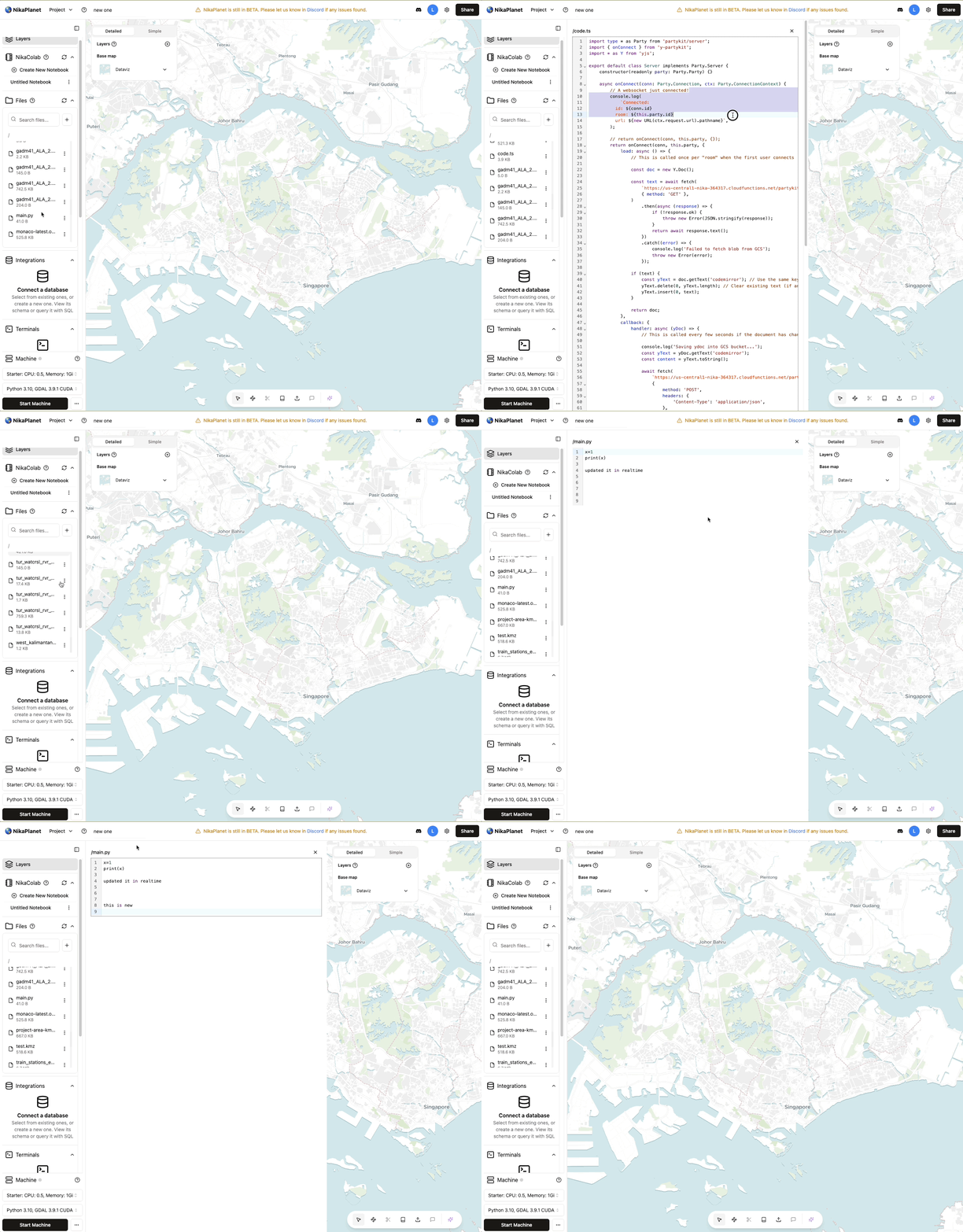
- Ability to double click or right click to edit files directly in NikaWorkspace (supports .py, .js, .jsx, .ts, .tsx, .txt, .java, .cpp, .c, .h, .css, .geojson, .html, .json, .md, .sql, .php, .rb, .go, .rs, .swift)
Feature Improvements
-
Machine creation time shortened from 4-5 mins to 2.25 mins on average with key architectural improvements
Python Version Update and Bug Fixes
Feature Improvements
- Downgraded nika VM to use Python 3.10 as default to support more libraries such as Numba
Bug Fixes
- Fixed error when raster image is selected, user cannot draw vectors on it
- Fixed bug causing download public dataset in data catalog to not work
Major Vector Features Release
New Features
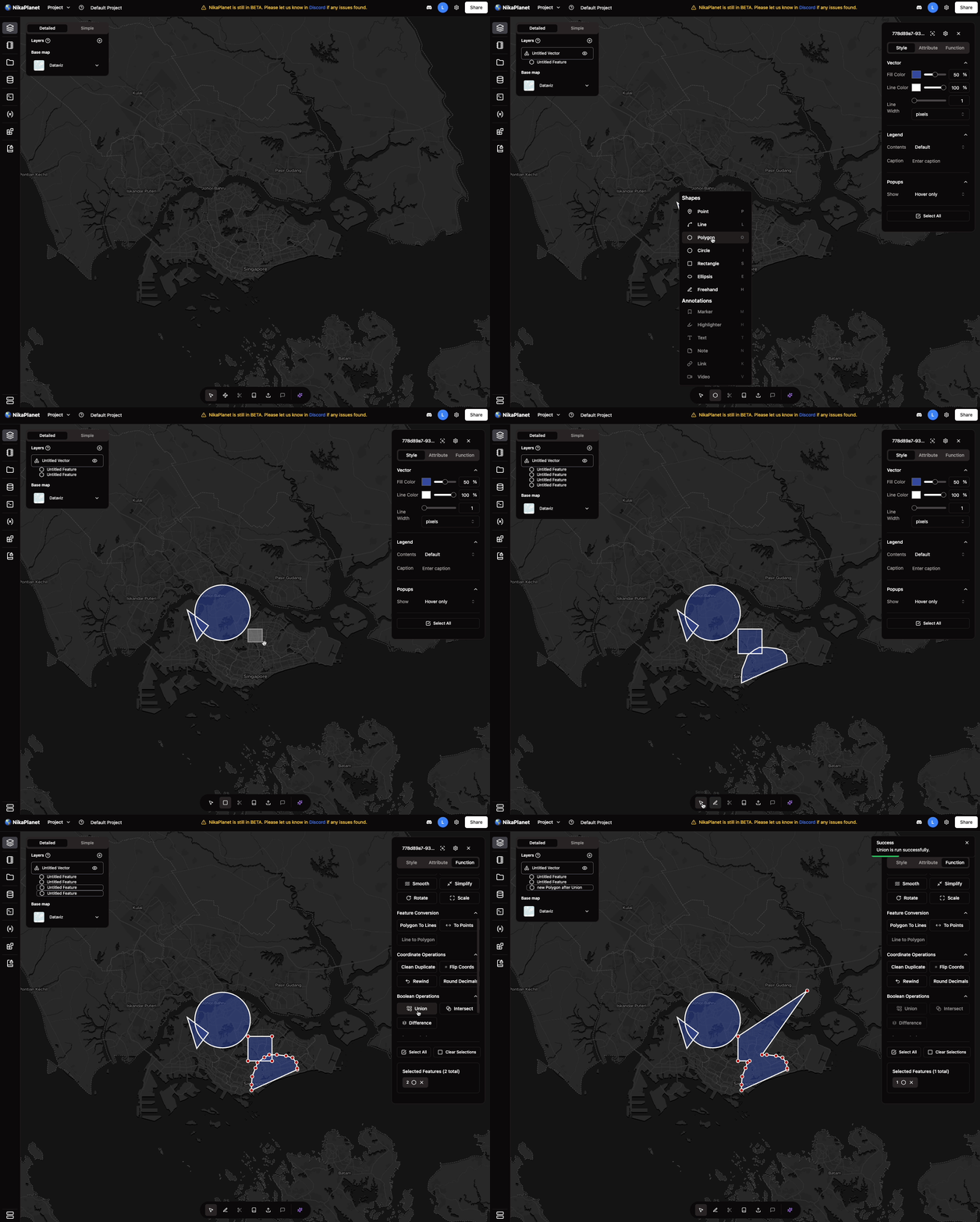
- Add vector to map by right click a GeoJSON/KML/SHP/GPKG/GeoParquet file
- Vector select and edit
- Vector feature attribute view and edit
- Vector functions and measurements
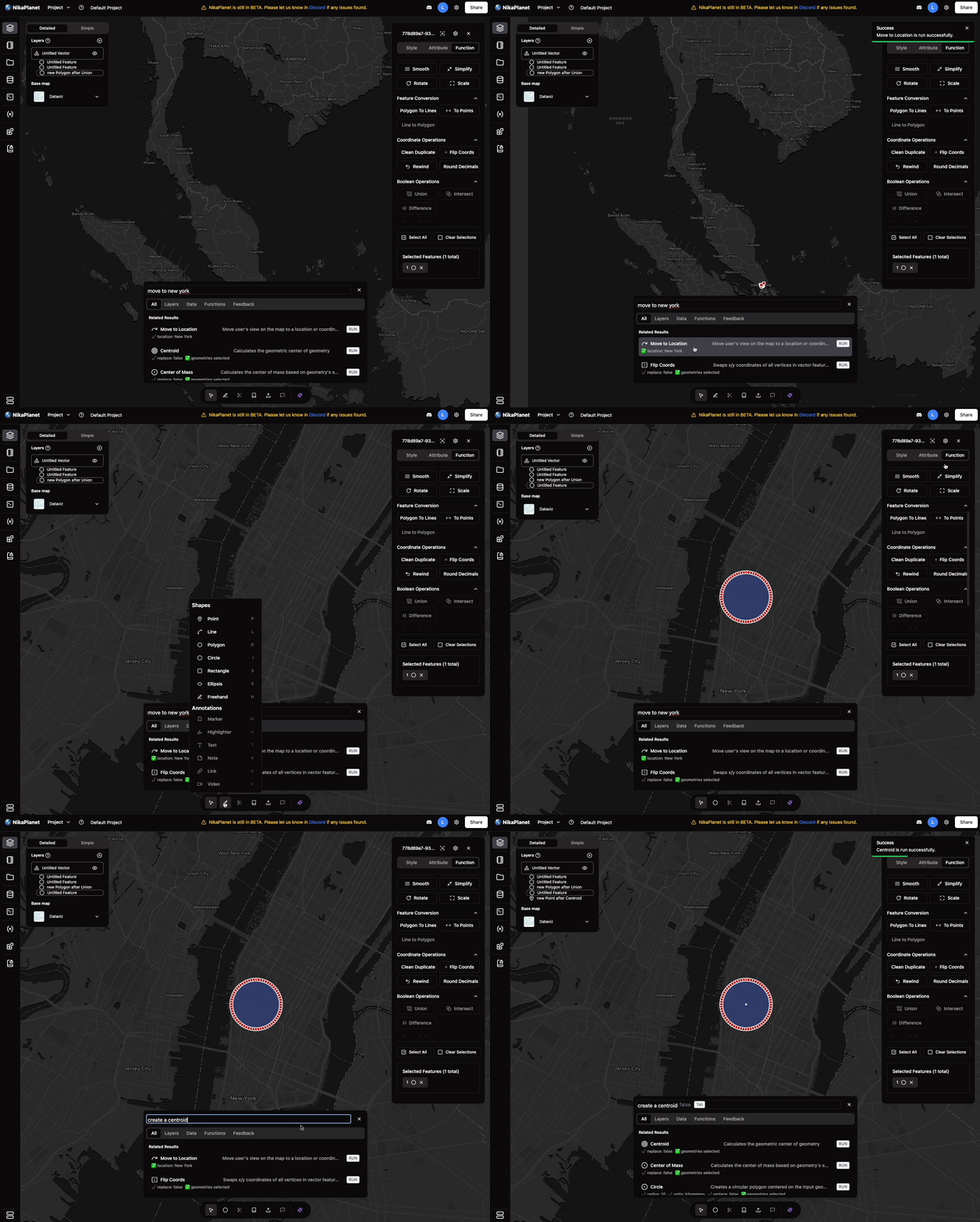
- Change the AI function in the floating panel to a Search + AI
- Vector layer export as a geojson to nika file storage or local desktop
- Vector style changes: fill color, fill opacity, line color, line opacity
Note: Raster/vector layers do not persist across sessions (feature in progress)
Enhanced File Management and Data Catalog
New Features
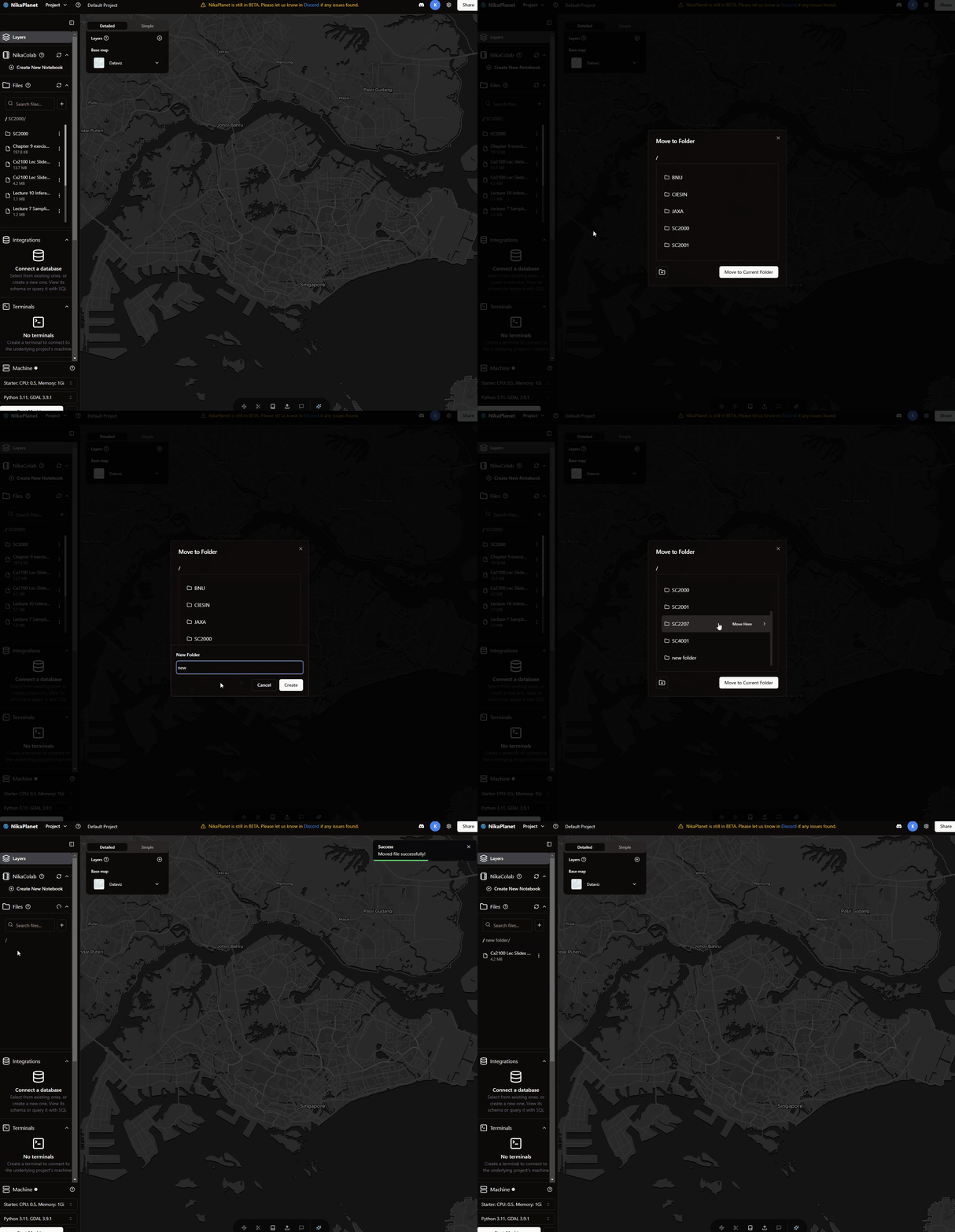
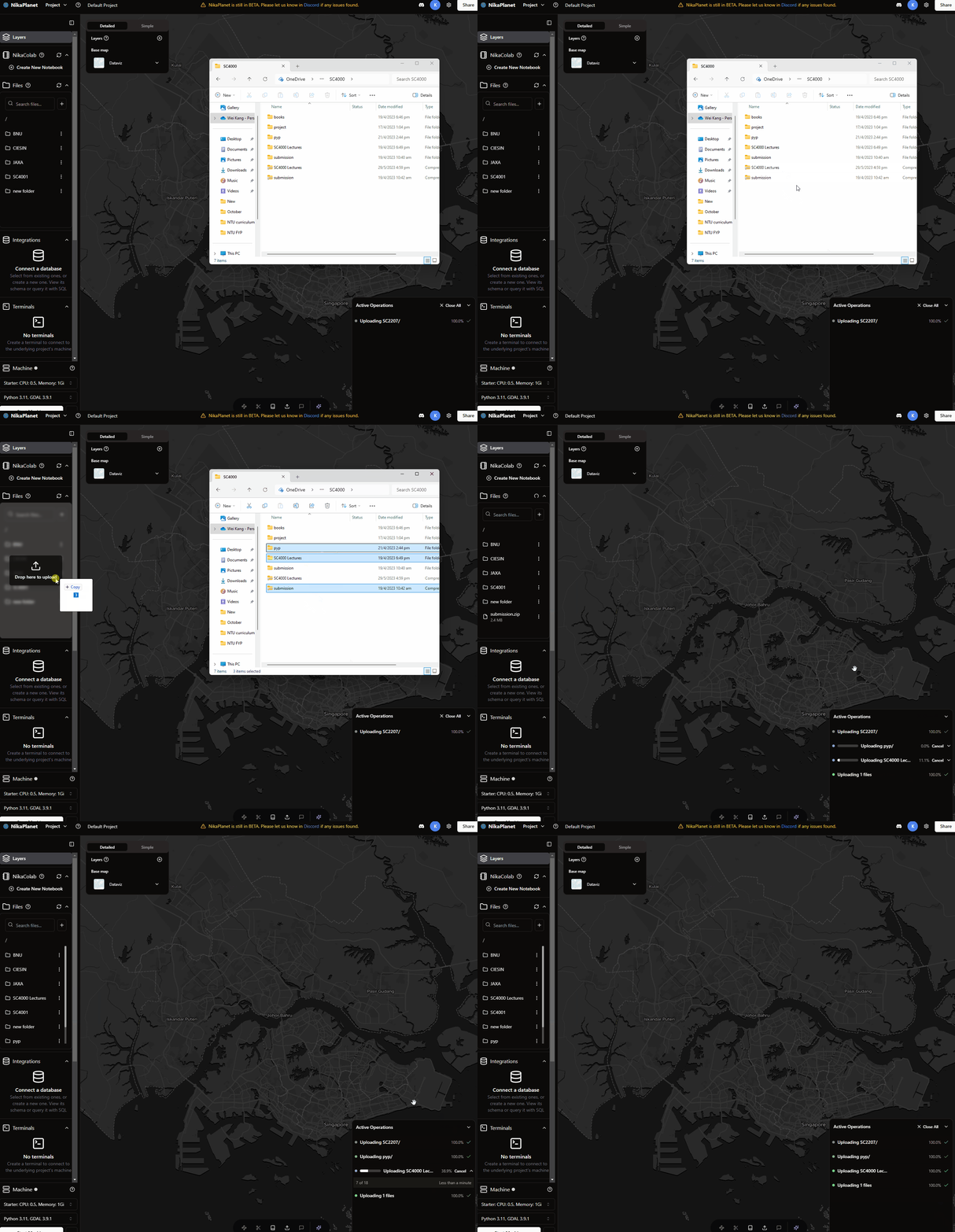
- Drag and drop multiple files folders directly from local devices for seamless uploads
- Move files and folders anywhere within the platform
- Added option to select a composite band to process and visualize raw data in the data catalog
Bug Fixes
- Improved upload time estimation for better reliability
- Fixed drag-and-drop within NikaWorkspace; no more cell shifting issues
- Resolved flickering when dragging files from the local OS
- Fixed bug when downloading datasets in data catalog by removing QA bands from band selection
Enhanced File Search
New Features
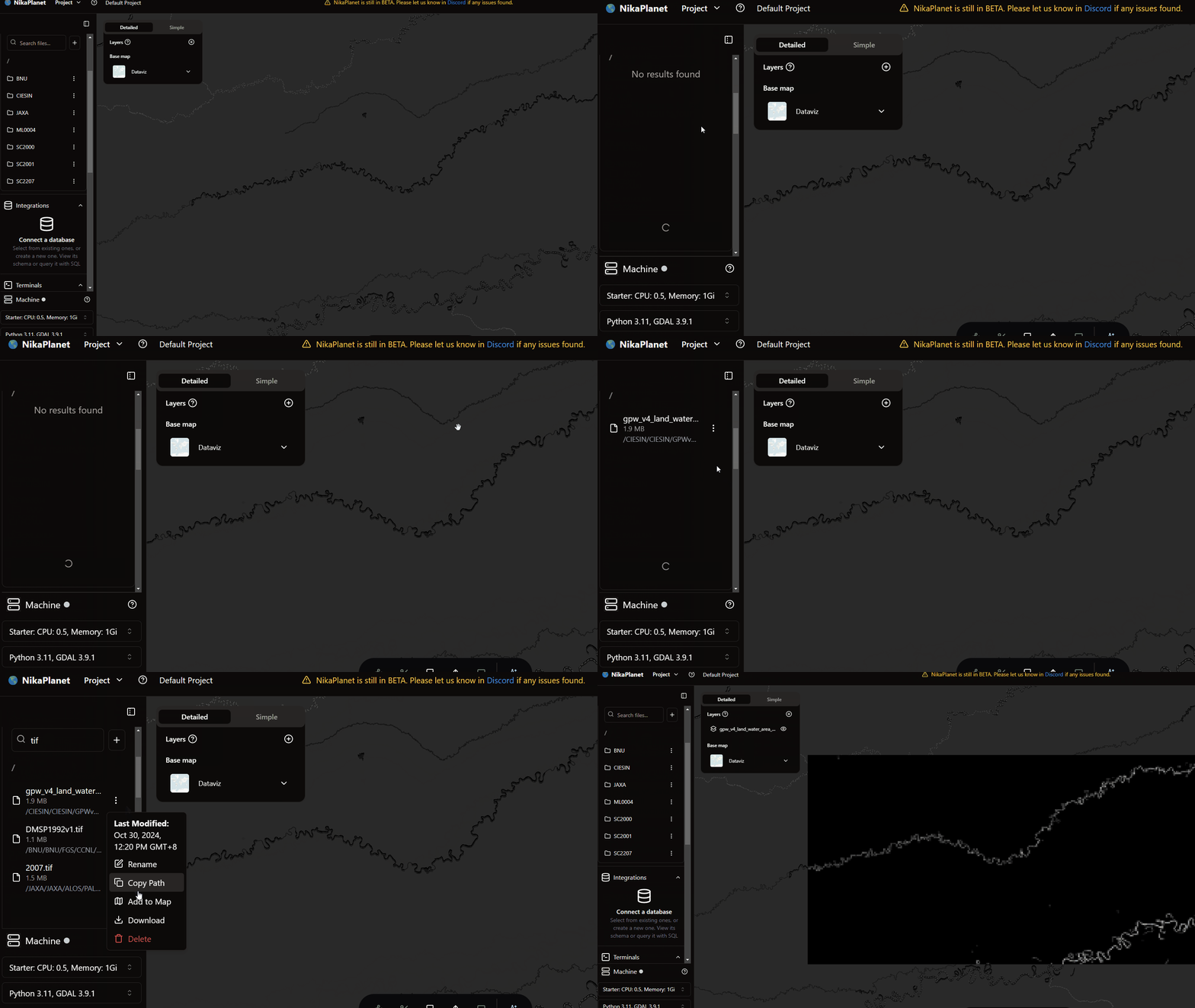
- Search Files now works for everything in all subfolders in current folder
- When user scrolls down, it will search everything until all files fully exhausted
Bug Fixes
- Fixed bug that caused file to be moved to outside of the project root folder
-
Fixed flickering issue with the drop file to upload from Windows OS
Data Catalog Improvements
Bug Fixes
- Fixed many issues in Data Catalog:
- Added form validations for maxCloudCover, maxImages, bands
- Added button for select all / clear all bands
- Added bound for each data visualized on map (RIGHT CLICK to zoom to fit to layer)
- Download dataset can show error message at bottom right if download failed
Notebook Resizing and Multi-Language Support
New Features
- Allow user to resize the NikaColab notebook by dragging the edge between opened notebook and map
- Added most popular language support for UI: English, Español, Français, Deutsch, Italiano, Português, Nederlands, Polski, Русский, 日本語, 한국어, 中文, العربية, עברית, Türkçe, Bahasa Indonesia, தமிழ், ไทย, Filipino, Tiếng Việt, Bahasa Melayu
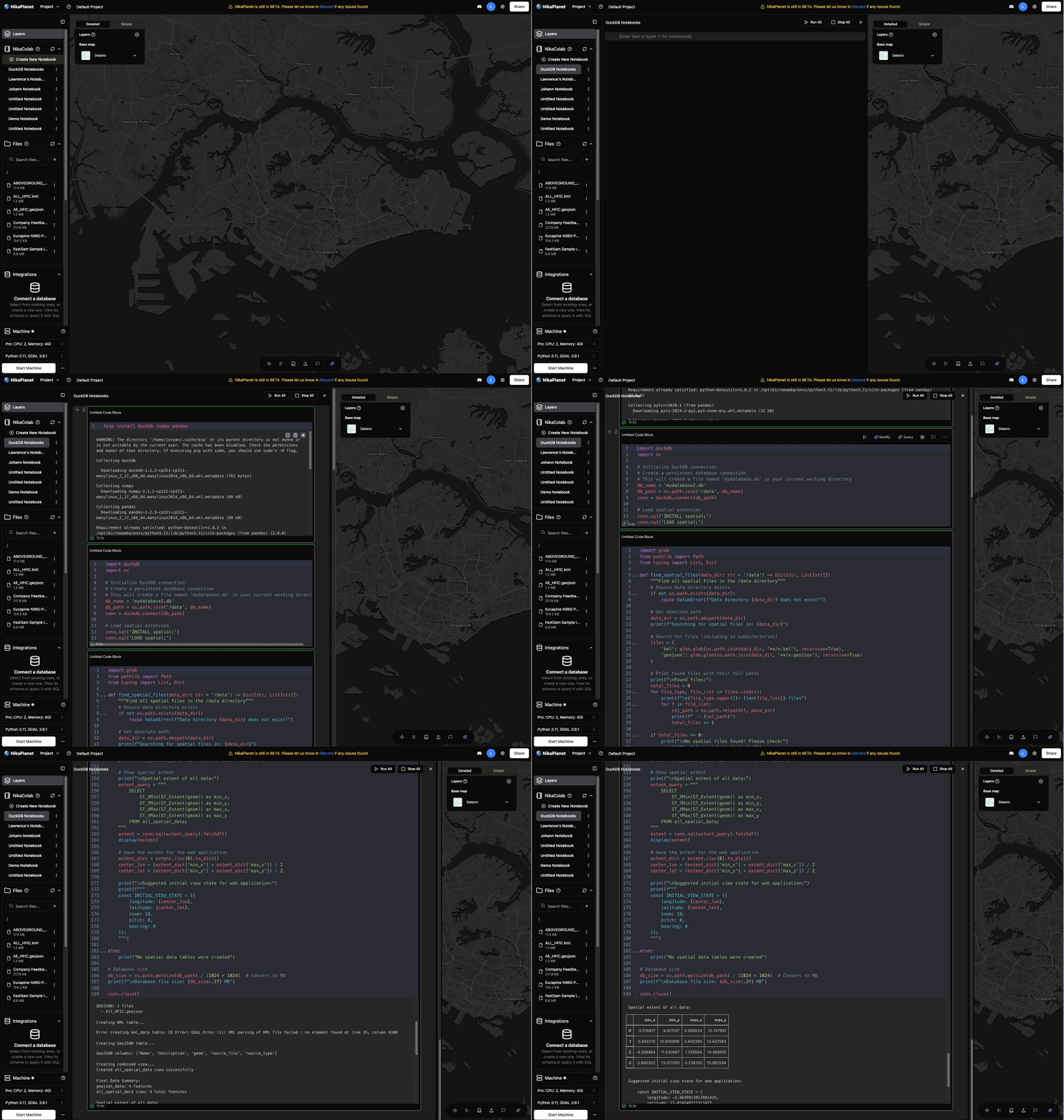
- Added copy output for html table (e.g., print table from duckdb in output)
Bug Fixes
- Fixed wrong UpdatedAt for notebooks in its menu on right click
- Fixed root dir of NikaColab notebook that now uses /data (PLEASE UPDATE YOUR CODE ACCORDINGLY)
- Fixed display data for dataframe table (e.g., print table from duckdb in output)
-
Added … to the lists so that iPad users can click too
Data Catalog Introduction
New Features
- Added Data Catalog to allow users to visualize public datasets from GEE data catalog to map or download them to project file storage
- Expect some bugs as we are continuously upgrading this feature in future releases
Bug Fixes
- Fixed issue that caused the file list to fail
- Updated the task manager at bottom right to accommodate more task types
Enhanced Machine Types and File Management
New Features
- Added Downloader class of machine type with bigger CPU and network throughput
- Updated files UI to follow the new UI library while retaining all past capabilities
- Added .TIF and .TIFF as allowed extensions for GeoTIFF files for add to map
Bug Fixes
- Fixed behavior that some TIF files cannot be added to map due to server issue
AI Enhancement and UI Improvements
New Features
- Made the nika AI buttons in notebooks more obvious with
ModifyandQuerytext - Upgraded generative AI for coding to a more intelligent version
- Added demo videos to tutorial steps and each target section:
project,machine,file,notebook,layer - Added button for Fix Code with AI
Bug Fixes
- Fixed behavior that clicking range input box in layer control close menu
- Fixed hvplot not showing up