

Overview
NikaNotebook is a collaborative Python notebook environment designed specifically for geospatial data analysis. Built on Jupyter technology with real-time collaboration features, it enables teams to work together on spatial analysis projects with AI-powered assistance and seamless integration with Nika’s data ecosystem.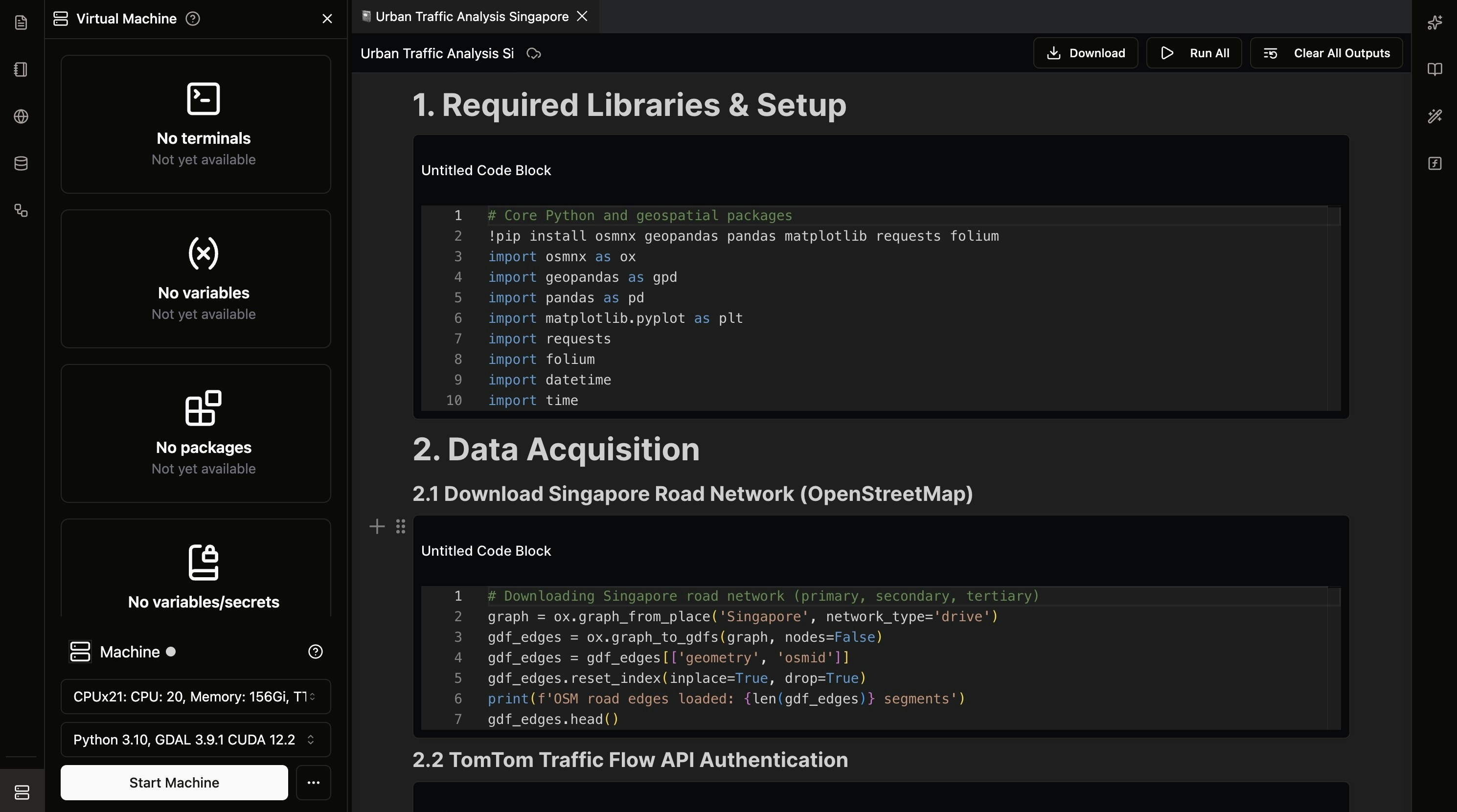
Key Features
Collaborative Notebooks
- Real-time Collaboration: Multiple users can edit notebooks simultaneously
- Live Cursor Tracking: See where team members are working in real-time
- Comment System: Add comments and discussions directly in notebooks
Geospatial-Focused Environment
- Pre-installed Libraries: GDAL, CUDA, Python, Linter
- Team preferred Libraries: Add a list of your usual library (to be built)
- Data Integration: Direct access to NikaWorkspace data lake
- AI Assistance: Get intelligent code modification suggestions from NikaGAIA
Server-Based Processings
- Offline Processing Enabled: Even if your internet is cut, your code that is running will run until completion on the server side and update the results for you to see when you reconnects back the next monitoring to continue your work
- Auto Shutoff Enabled: To save compute resources, the VM that is in idle state and no user is connected to it will auto shut off in 15 minutes
Flexible Compute Options
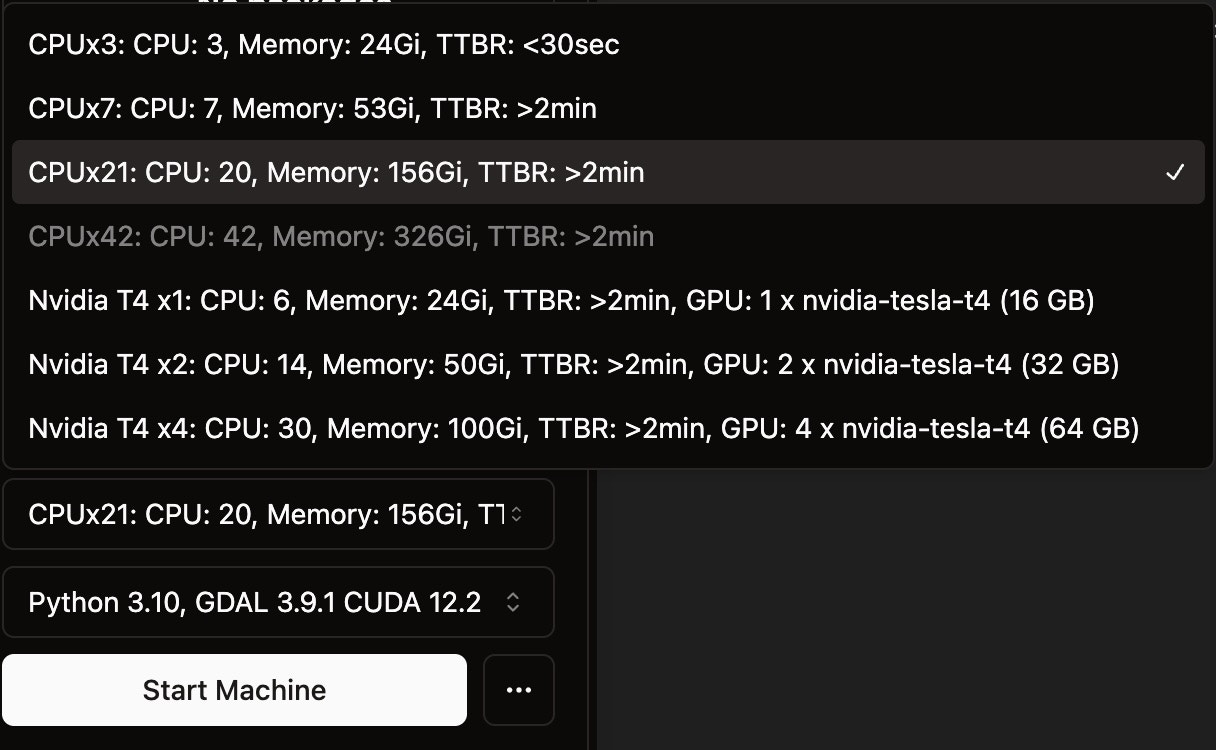
- CPU-Only VMs: High CPU-to-RAM ratio configurations (CPUx3: 3 cores/24GB, CPUx7: 7 cores/53GB, CPUx21: 20 cores/156GB, CPUx42: 42 cores/326GB) optimized for memory-heavy geospatial processing and large dataset analysis
- GPU-Enabled VMs: NVIDIA Tesla T4 configurations (T4x1: 6 cores/24GB/16GB GPU, T4x2: 14 cores/50GB/32GB GPU, T4x4: 30 cores/100GB/64GB GPU) designed for machine learning and AI workloads
- Custom Configurations: Even larger VMs with more RAM or H100 GPUs available upon request for enterprise-scale processing
Python Notebook Examples in NikaNotebook
Spatial Analysis
Statistical Analysis
Machine Learning
Getting Started
Learn how to perform geospatial analysis with NikaNotebook in 7 easy steps. This comprehensive tutorial will guide you from creating your first notebook to publishing your analysis results. Start the Geospatial Analysis Tutorial →Get Expert Help
Talk to a Geospatial Expert
Need help with your geospatial projects? Our team of experts is here to assist you with implementation, best practices, and technical support.
Other ways to get help:
- Guides: Use the /guides tab for detailed tutorials
- Community: Ask questions in our community forum
- Support: Send us a support request