

Overview
NikaHub is a vibrant community platform where users can discover, share, and showcase their geospatial applications, data visualizations, maps, and analysis notebooks. It serves as a central hub for the Nika community to learn from each other and find inspiration for their own projects.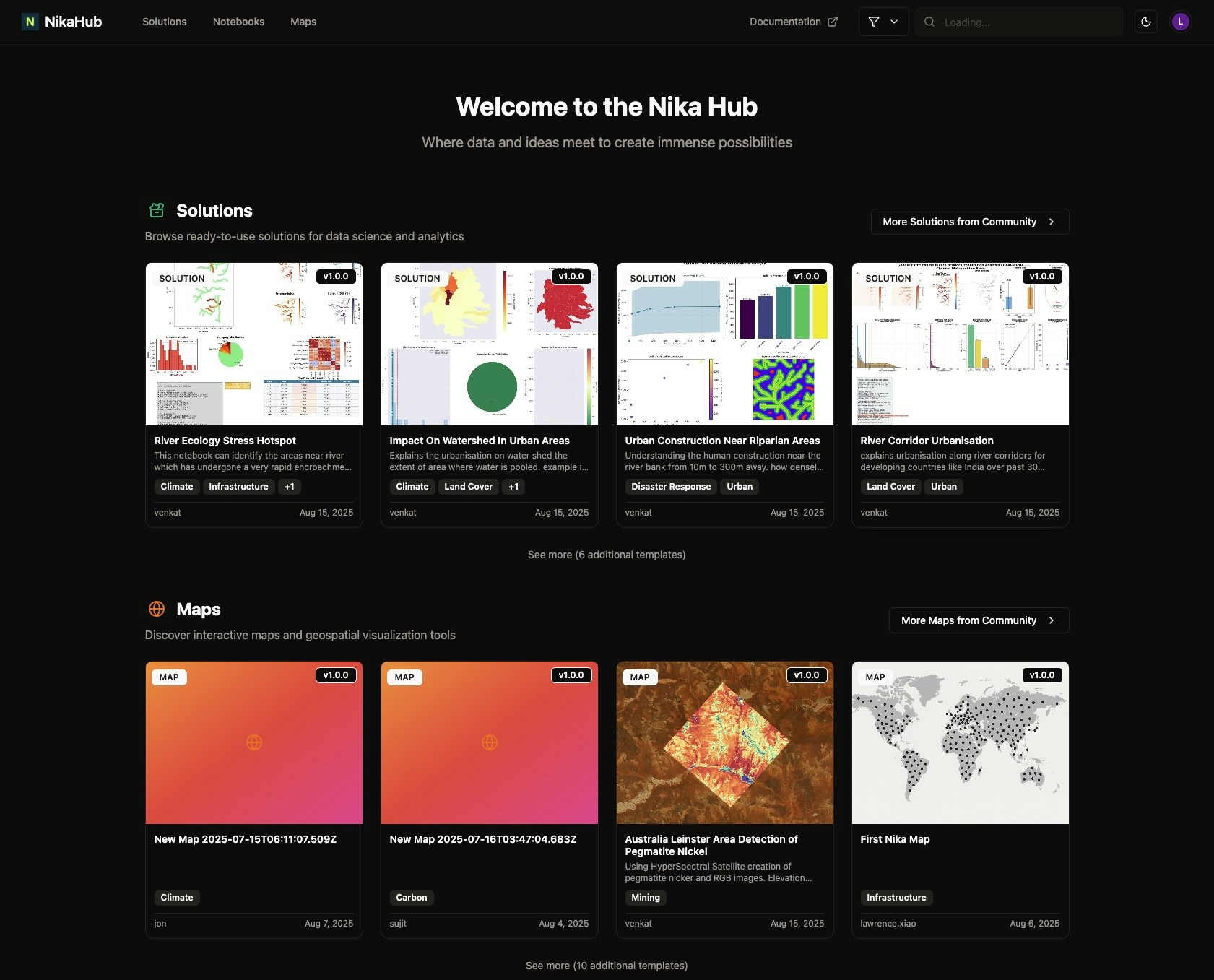
Key Features
Discovery
- Browse by Category: Filter content by type (apps, maps, notebooks, solutions)
- Search & Filter: Advanced search with tags, technologies, and data types
Publishing
- Easy Publishing: One-click publishing from NikaWorkspace and NikaStudio
- Access Control: Either for public, for team-only, or for specific audience with password protection option
- Thumbnail: Use uploaded image or AI generated image as thumbnail for relevancy
Content Types
Applications
- Web Applications: Interactive web apps built with NikaStudio
- Mobile Apps: Cross-platform mobile applications
Maps & Visualizations
- Interactive Maps: Dynamic, feature-rich maps
- Data Dashboards: Comprehensive data visualization dashboards
Notebooks & Analysis
- Jupyter Notebooks: Data analysis and research notebooks
- Tutorials: Step-by-step guides and tutorials
- Research Papers: Academic and research publications
- Case Studies: Real-world application examples
Solutions
- Industry Solutions: Sector-specific applications
- Templates: Reusable project templates
- Workflows: Automated analysis pipelines
Getting Started
Browsing Content
Visit the NikaHub to explore community content:- Use the search bar to find specific content
- Filter by category to narrow down results
- Sort by date, or rating
- Click on items to view details and interact
Publishing Your Work
From NikaWorkspace
After completing your analysis in NikaWorkspace, easily publish your work to the gallery with custom titles, descriptions, categories, and tags.From NikaStudio
After building your application in NikaStudio, publish it to the gallery with detailed descriptions and appropriate categorization for community discovery.Hub Categories
Applications
- Urban Planning: City planning and development tools
- Environmental Monitoring: Climate and environmental applications
- Transportation: Traffic and logistics solutions
- Real Estate: Property and market analysis tools
- Public Health: Health and epidemiology applications
Maps & Visualizations
- Point Maps: Location-based data display
- Raster Maps: Satellite based imagery display
- Time Series Maps: Temporal data visualization
- Local Maps: Using high res drone JPEG directly to display
Analysis & Research
- Spatial Analysis: Geographic data analysis
- Statistical Analysis: Statistical modeling and inference
- Machine Learning: AI and ML applications
- Remote Sensing: Satellite and aerial data analysis
- Survey Analysis: Field data collection and analysis
Industry Solutions
with some examples below:ADSB Flight Data Processing
Comprehensive data pipeline for downloading, processing, and visualizing ADS-B flight tracking data with regional GeoJSON generation. Process flight traces from GitHub releases into DuckDB database and generate regional GeoJSON files for flight path visualization.Singapore MRT Yearly Visualization
Process Singapore MRT rail network GeoJSON and split into separate files organized by year and rail line for historical development analysis. Normalizes line names and creates individual GeoJSON files for each line’s opening year.Watershed Urban Impact Analysis
Assess the degree of urbanization within individual watersheds and classify them based on urban impact levels using satellite imagery and geospatial analysis. Quantifies built-up area within watersheds and generates comprehensive visualizations.Integration
NikaHub integrates with other Nika products:- NikaWorkspace: Publish analysis results and notebooks
- NikaStudio: Share applications and dashboards
- AI Agent: Get recommendations for similar projects
Get Expert Help
Talk to a Geospatial Expert
Need help with your geospatial projects? Our team of experts is here to assist you with implementation, best practices, and technical support.
Other ways to get help:
- Guides: Use the /guides tab for detailed tutorials
- Community: Ask questions in our community forum
- Support: Send us a support request